Recommended Free Tools
You can often extend a Garmin watch’s runtime without switching off everything: first check which features are using power, then adjust only the ones you can do without. Garmin’s Power Manager can show how settings and sensors affect its battery estimate, while Battery Manager on supported watches can help identify recent usage. Exact controls and menu paths vary by model and software, so check your watch’s owner’s manual before changing settings.
Start by finding what is using battery
- Confirm your watch model and software version. Use those details to find the matching owner’s manual; Garmin’s menus and available controls differ across watches and software.
- Check Battery Manager, if your watch has it. The Battery Manager glance can show estimated remaining battery, a recent usage trend, and a breakdown by feature. Use that information to identify likely power users rather than disabling features at random. Garmin describes Battery Manager and compatible devices.
- Review Power Manager or the equivalent control on your model. Garmin says Power Manager shows how the settings and sensors in use affect battery life. Where available, review the estimate as you consider a change; some watches also let you adjust Battery Saver and activity Power Modes. Garmin explains Power Manager and feature effects.
- Change one setting at a time, then use the watch normally. Compare the battery display after a representative period of your routine. If the runtime improvement is not worth losing the feature, restore it.
There is no single best setting for everyone. A runner may need GPS-derived pace, someone tracking sleep may value wrist heart rate, and a person relying on notifications or connected sensors may prefer to keep Bluetooth on.
As an Amazon Associate I earn from qualifying purchases.
Choose changes by the feature cost you can accept
Garmin lists these effects for turning off or reducing features through Power Manager. The controls may not appear on every model, and Pulse Ox may be controlled separately in some configurations. Check Garmin’s feature-by-feature guidance and your model’s manual before making a change.
Do these 3 things before closing this tab:
1Clear out junk files and repair common Windows errors2Scan for outdated or missing drivers - takes under a minute3Repair Windows errors before they cause bigger problems| Setting to review | What you may give up | When it may make sense |
|---|---|---|
| Always On Display on a compatible AMOLED watch | Keeping the display continuously visible; Garmin says Always On Display shortens runtime. | If you can accept raising your wrist or otherwise waking the display to check it. |
| Low-power watch face, where offered | A simplified face that updates once per minute on devices with this setting. | If second-by-second face updates or a more information-dense display are not important. |
| Music and connected audio | Turning off Bluetooth can affect music on Bluetooth headphones and phone music controls. Turning off Wi-Fi stops audio sync from third-party services. | If you do not need watch-based listening or audio syncing during the period you are trying to extend. |
| Bluetooth | Garmin Connect pairing and syncing, smart notifications, weather, Bluetooth headphone music, phone music controls, Garmin Pay setup, and Bluetooth sensor connections. | Only when those phone, payment setup, audio, and sensor connections are not needed. |
| Wi-Fi | Wi-Fi activity uploads, audio sync from third-party services, Wi-Fi software updates, and downloading workouts or training plans over Wi-Fi. | If you can do without those Wi-Fi-dependent transfers until you reconnect. |
| Wrist heart rate | Heart-rate monitoring, sleep tracking and metrics, Pulse Ox readings, and new VO2 Max estimates. Garmin notes that Pulse Ox can be toggled separately in relevant configurations. | If you are willing to pause those readings and related health metrics. |
| Activity tracking | Step tracking, floors climbed, sleep monitoring, Intensity Minutes, and Move IQ events. | If you are comfortable losing those daily activity records. |
| GPS for activities | Track recording, GPS-derived distance and pace, and an activity map in Garmin Connect. | Not suitable for an activity where you need route, distance, or pace data. |
| Backlight | The light will not come on when you press the Light control. | If you can manage without the light in dark conditions. |
Use this as a trade-off guide, not a list of settings to switch off wholesale. For instance, disabling Bluetooth may save a connection you do not need, but it also removes several everyday smartwatch functions at once.
#1 Best Overall

- 【Wide Compatibility】Compatible for Garmin Fenix 8 7 7S 7X Pro 6 6S 6X Pro 5 5S 5X Plus, Forerunner 965 955 945 935 745 265 255 245 165 55 45 45S Music, Approach S70 S62 S60 S50 S44 S42 S40 S12 S10 G12, X10, Instinct 3 2 2S 2X, Venu 3 2 plus 2S Sq, Vivoactive 6 5 4 4S 3, Quatix 7 6 6X 5, Vivosmart 5, Vivomove 3 3S Style Sport, Vivosport, D2 Charlie, D2 Delta PX, D2 Delta S, Impact Bat Swing Sensor, Tactix 8, Tactix 7, Tactix Charlie, BarkLimiter 2 2VT, Striker Cast, Rey, Swim 2, First Avenger, Darth Vader, Epix (gen 2), Enduro 3 2, Striker Cast GPS,Rey,First Avenger,Darth Vader,Enduro Smartwatch
- 【Durable & Premium Quality】Made of high quality wire; ensure the excellent charging experience for your Device. Durable High-quality ABS + TPE Material and Copper Wire ensures Stable Current Transmission, which assures the quality of the charge
- 【Fast Charge, Stable Performance】You can connect it to power source on PC, laptop, notebook, because this charging method can provide high efficiency and high stability charging experience for you. Also, Data Sync is available. Provides fast and stable charging speed
- 【Safe Charging】AWINNER Charging Cable has Voltage Regulator and PTC Inside to protect your Device being damaged by overcurrent when connected to power source. Made of over- voltage and over- current protection, they will protect your watch from being damaged when charging
- What You Get: Free Lifetime Replacement Warranty-As our fans
For long activities, adjust the activity’s Power Mode
When the main concern is a long workout or outing, an activity-specific Power Mode can be a better fit than weakening everyday watch features. On supported watches, Garmin says Power Modes can change system, activity, and GPS settings during an activity. Some models let you set a mode as an activity’s default or activate it at a chosen remaining-battery threshold. The available modes and options vary by watch. Review Garmin’s Power Mode guidance.
| Mode described by Garmin | GPS approach | What to consider |
|---|---|---|
| Max Battery | Uses UltraTrac GPS and turns off customizable power features. | Prioritizes extended use; consider whether its GPS behavior is adequate for the activity’s tracking needs. |
| Extended | Uses GPS satellites without a secondary network; other settings remain unchanged. | Changes the satellite approach without changing the other settings, according to Garmin’s description. |
| Max Accuracy on multi-band-capable watches | Uses satellite networks and multi-band for maximum position accuracy. | Useful when maximum position accuracy matters; it is a different priority from stretching runtime. |
Mode names, availability, and behavior depend on the watch. If you need a route trace, distance, and pace, do not turn GPS off. Instead, choose a GPS behavior that suits the reception conditions and precision your activity requires, and try it during ordinary use before relying on it for an important outing. No single GPS mode is right for every activity.
Rank #2

- Connect this cable to your USB-C AC adapter (sold separately) to recharge your compatible Garmin device.
- Item Package Dimension: 6.649999993217L x 2.6799999972664W x 0.749999999235H inches
- Item Package Weight - 0.09038952742 Pounds
- Item Package Quantity - 1
- Product Type - ELECTRONIC CABLE
Use published battery estimates as model-specific examples
Garmin’s figures for the epix Pro (Gen 2) 51 mm illustrate how much settings can change a published estimate, but they are not runtime promises for other watches or every person’s use. Garmin attaches each figure to stated operating assumptions:
| epix Pro (Gen 2) 51 mm mode or setup | Garmin’s published estimate | Assumption stated by Garmin |
|---|---|---|
| Smartwatch Mode | Up to 11 days | Default settings with display always on. |
| Smartwatch Mode, prolonged battery life | Up to 31 days | Gesture enabled. |
| Battery Saver Watch Mode | Up to 41 days | Battery Saver Watch Mode. |
| GPS Only | Up to 58 hours; up to 82 hours under Garmin’s prolonged-battery assumptions | The standard and prolonged-battery assumptions for this model’s GPS Only mode. |
Garmin notes that brighter outdoor use, display changes, screen use, and flashlight use can affect the epix Pro (Gen 2) 51 mm figures. Look up the specifications for your exact model rather than applying these estimates to a different Garmin watch. Garmin’s epix Pro (Gen 2) 51 mm specifications provide the model-specific context.
Quick Recap
Best Value

- ✅【Multi-Directional Charging】: Our USB C to Garmin cable adapter features both right-angled and straight connectors, providing versatile charging options to suit your needs.
- ✅【Strong and Easy Storage】: USB C to Garmin Adapter combines compact design with a portable lanyard featuring a small keychain attachment, ensuring you'll never misplace it. Crafted from durable aluminum alloy, it enhances both usability and experience.
- ⌚【Widely Compatibility】Compatible with a wide range of Garmin devices including Garmin Fenix 9 8 7 7S 7X 6 5; Forerunner 165 965 955 265 255 45 45S 55 245 Music 745 935 945 LTE; Vivoactive 6 5 4 4S 3 Music; Vivomove 3 3S Style; Venu SQ 2 2S 3S; Epix Pro 2; Instinct; Vivosport, Approach S60 S42 S40 S12 S10 G12 and more.
- ⚡【Plug and Play】: Our adapter supports both data transfer and charging, ensuring you're always backed up with both information and power.
- ♥️【What You Get】: Type-C to Garmin Adapter 4-Pack + Keychain 4-Pack. Our worry-free lifetime warranty, Please feel free to contact us if you have any question.
Rank #4

- ⭕[Lay Flat to Charge] The watch is placed flat on the table to charge now, and it does not need to "Tilt Neck" to charge. Replacement for original charger cable: 010-12491-01. Compatible with all Garmin watches featuring a 4-PIN OVAL connector
- ⭕[Exquisite Workmanship] Aluminum alloy shell by micro-arc oxidation process makes the shell surface harder and more wearable. Strict quality inspection standards, fine appearance details, refuse to be shoddy. All components are made of environmentally friendly materials. Nylon braided cable, pets won't bite
- ⭕[Durable] 15000+ Bend Tested. Premium TPE ensure extreme temperatures (-50℃) without cracking. These cables are designed for the harshest routines. Premium TPE and nylon braided, surviving high pressure & extreme temperatures without cracking
- ⭕[Safe Charging & Stable Data Sync] Built-in intelligent protection module, double-sided plug, rigorous manufacturing process + EMI shielding ensures 100% safe charging & stable data sync. If you are not sure of the watch model, just compare with the shape of your watch charging socket, if the shape is the same, you can use it with confidence
Rank #3
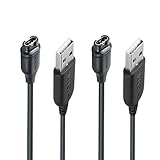
- 【Wide Compatibility】Compatible with Garmin Fenix 5 5S 5X Plus 6 6S 6X Pro Fenix 7 7S 7X and Approach S10 S40 S60 X10 G12 S12 S42,Vivosmart 5 Sapphire Editions,Vivoactive 3 Music 4 4S,Vivomove 3 3S Style,Forerunner 45 45S 155 165 158 265 265s 55 245 Music 745 935 945 LTE,Vivosport,BarkLimiter 2,2VT, Striker Cast GPS,Rey,First Avenger,Darth Vader,Enduro,Venu,Venu Sq 2 2S,Instinct Tactical Solar Edition,Tactix Charlie Delta,Quatix 5 6 Sapphire,Captain Marvel,D2 Charlie,D2 Delta PX S,Impact Bat Swing Sensor Smartwatch
- 【Durable & Premium Quality】Made of high quality Copper wire; ensure the excellent charging experience for your Device. Durable High-quality ABS + TPE Material and Pure Copper Wire ensures Stable Current Transmission, which assures the quality of the charge
- 【Fast Charge, Stable Performance】You can connect it with power source on PC, Powrbank,laptop, notebook, Wall Charger,because this charging method can provide high efficiency and high stability charging experience for you. Provides fast and stable charging speed, Data Sync is available.
- 【Safe Charging】JIUJOJA charging cable adopts the original charging cable direct connection technology and process, ensuring the stability of data transmission and the safety of charging of the product, and reducing the charging abnormalities caused by artificially adding power chips and overheating during charging.
- 【Quality Assured】 Two Years Warranty, Just Replace New or direct refund to you if quality problem.
Keep the features you value; limit the rest selectively
- For everyday wear, begin with Battery Manager or Power Manager if your model provides them, then review display behavior and connectivity before considering health or activity tracking.
- For a long activity, prioritize the GPS precision and recording you need, then choose an activity Power Mode that fits the duration and conditions.
- After changing settings, compare the watch’s battery display following a normal period of use. Keep a change only if its runtime benefit is worth its specific feature cost.
- Use your model’s owner’s manual for exact menu paths and to confirm that a setting exists on your watch.
Product prices and availability are accurate as of the date/time indicated and are subject to change. Any price and availability information displayed on Amazon at the time of purchase will apply.




