To update a Garmin fēnix 8, hold the middle-left button from the watch face, then open Watch Settings > System > Software Update. There you can check for updates, install one that has downloaded, or enable automatic updates. To see what is installed, go to Watch Settings > System > About, then compare the version with the software history for your exact fēnix 8 model.
Install an update from the watch
- From the watch face, hold the middle-left button to open Watch Settings.
- Select System > Software Update.
- Choose the available update action: install a downloaded update, enable automatic updates, or check for updates manually.
- If an update is offered, follow the on-screen prompts to install it.
The watch can automatically check for updates when paired to a phone over Bluetooth or connected to Wi-Fi. For model-specific connection details, see Garmin’s System Settings manual and Product Updates manual.
| # | Preview | Product | Price | |
|---|---|---|---|---|
| 1 |

|
Garmin fēnix® 8 Solar, Sapphire, 51mm, DLC Titanium, Black/Pebble Gray | $1,098.00 | Buy on Amazon |
| 2 |

|
Garmin fēnix® 8, 47mm, Black | $742.48 | Buy on Amazon |
| 3 |

|
Garmin fēnix® 8 Solar Sapphire, 47mm DLC Titanium Black/Pebble Gray | $996.66 | Buy on Amazon |
| 4 |

|
Garmin fēnix® 8, 43mm, Whitestone | $799.99 | Buy on Amazon |
| 5 |
|
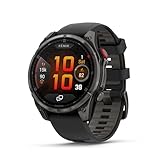
Garmin fēnix® 8 Pro, 51mm, Sapphire, DLC Titanium, Black/Pebble Gray | $1,197.00 | Buy on Amazon |
As an Amazon Associate I earn from qualifying purchases.
Other ways to receive fēnix 8 software updates
| Route | How it works | What to know |
|---|---|---|
| Garmin Connect | The app downloads released updates in the background while the watch is connected to the phone. | Garmin says it can take up to a week for a download to prompt installation, so a newly posted release may not appear immediately. |
| Wi-Fi | A Wi-Fi-capable watch can receive updates during a Wi-Fi sync. | Wi-Fi availability and setup depend on the model; check its manual. |
| Garmin Express | Connect the compatible watch to a computer running Garmin Express and check for software updates. | Garmin Express can also update maps on devices with onboard mapping. |
Garmin describes these as update routes, not as releases with different change logs. Use the software history for the exact watch variant to verify the version and its changes. Garmin’s fēnix 8 AMOLED software page also distinguishes beta releases: they are under development, available only for select models, and separate from regular released updates.
Recommended Free Tools
Check the installed software version
- From the watch face, hold the middle-left button to open Watch Settings.
- Go to System > About.
- Read the software version shown in the device information.
Garmin identifies About as the place to view device and software information. See the Viewing Device Information manual.
#1 Best Overall
- Advanced multisport GPS smartwatch for athletes/adventurers features a 1.4” solar charged display with scratch-resistant sapphire lens, durable titanium bezel and built-in LED flashlight for after-dark visibility
- Battery performance: up to 48 days of battery life in smartwatch mode with solar charging (assumes all-day wear with 3 hours per day outside in 50,000 lux conditions) and up to 149 hours in GPS mode with solar charging (assumes continuous use for entire period in 50,000 lux conditions) — all with an always-on display, so you’re ready to take on the toughest challenges
- Power up your body’s performance, endurance and resistance to injury with targeted strength training plans, real-time stamina tracking, sport-specific workouts and a full range of built-in sports apps
- Your training readiness score is based on sleep quality, recovery, training load and HRV status to determine if you’re primed to go hard and reap the rewards (data presented is intended to be a close estimation of metrics tracked)
- For your active lifestyle, a built-in speaker and mic let you make and take phone calls from your wrist when your watch is paired to your smartphone — and you can even use your smartphone’s voice assistant to respond to text messages and more
Find the release notes for your exact model
- Open Garmin’s software page for your fēnix 8 variant. Do not assume a page for a different display version or Pro model applies to your watch.
- Find the version number and release date that match the version shown under About.
- Read the change log attached to that version. Garmin says the date shown in the software history is the version’s release date.
For example, the retrieved Garmin support history for the fēnix 8 AMOLED listed version 22.41, July 2026, with fixes for treadmill calibration not producing more accurate treadmill distance and a possible reset during a golf activity. That entry is specific to the AMOLED software page, not a claim that every fēnix 8 variant received the same version or changes. Check Garmin’s variant-specific software history for the relevant release.
Independent reader supportYour contribution helps us test, update, and keep practical guides available for everyone.If a published update is not showing on your watch
A release appearing in Garmin’s history does not mean every device has already received it. Garmin says a Garmin Connect download may take up to a week before the watch prompts you to install it. You can try a manual check under Watch Settings > System > Software Update, or use Garmin Connect, Wi-Fi sync, or Garmin Express if supported by your setup. If checking a support page, make sure it matches your exact fēnix 8 variant.
Quick Recap
Best Value
- Multisport GPS smartwatch with built-in inReach technology for two-way satellite and LTE connectivity (active subscription required; coverage limitations may apply; some jurisdictions regulate or prohibit the use of satellite communication devices)
- Rugged design with a bright 1.4" AMOLED touchscreen display, titanium bezel, scratch-resistant sapphire lens and other premium materials
- In an emergency, inReach satellite technology allows you to trigger an interactive SOS message to the Garmin ResponseSM coordination center for 24/7 assistance (active subscription required; coverage limitations may apply; some jurisdictions regulate or prohibit the use of satellite communication devices)
- LTE network connectivity lets you leave your phone behind; use your watch to exchange messages and make voice calls — plus let friends follow along with LiveTrack location sharing (30-second update rate) and location check-ins with the on-device Garmin Messenger app (active subscription required; coverage limitations may apply)
- inReach technology allows you to send messages and get location check-ins over satellite when taking on an off-grid adventure (active subscription required; coverage limitations may apply; some jurisdictions regulate or prohibit the use of satellite communication devices)
Rank #4
- Advanced multisport GPS smartwatch for athletes/adventurers features a bright 1.3” AMOLED display, stainless steel bezel, enhanced graphical interface and a built-in LED flashlight for after- dark visibility
- Power up your body’s performance, endurance and resistance to injury with targeted strength training plans, real-time stamina tracking, sport-specific workouts and a full range of built-in sports apps
- Battery performance: up to 10 days in smartwatch mode; up to 28 hours in GPS mode
- Your training readiness score is based on sleep quality, recovery, training load and HRV status to determine if you’re primed to go hard and reap the rewards (data presented is intended to be a close estimation of metrics tracked)
- For your active lifestyle, a built-in speaker and mic let you make and take phone calls from your wrist when your watch is paired to your smartphone — and you can even use your smartphone’s voice assistant to respond to text messages and more
Rank #3
- Advanced multisport GPS smartwatch for athletes/adventurers features a 1.3” solar charged display with scratch-resistant sapphire lens, durable titanium bezel and built-in LED flashlight for after-dark visibility
- Battery performance: up to 28 days of battery life in smartwatch mode with solar charging (assumes all-day wear with 3 hours per day outside in 50,000 lux conditions) and up to 92 hours in GPS mode with solar charging (assumes continuous use for entire period in 50,000 lux conditions) — all with an always-on display, so you’re ready to take on the toughest challenges
- Power up your body’s performance, endurance and resistance to injury targeted strength training plans, real-time stamina tracking, sport-specific workouts and a full range of built-in sports apps
- Your training readiness score is based on sleep quality, recovery, training load and HRV status to determine if you’re primed to go hard and reap the rewards (data presented is intended to be a close estimation of metrics tracked)
- For your active lifestyle, a built-in speaker and mic let you make and take phone calls from your wrist when your watch is paired to your smartphone — and you can even use your smartphone’s voice assistant to respond to text messages and more
Rank #2
- Advanced multisport GPS smartwatch for athletes/adventurers features a bright 1.4” AMOLED display, stainless steel bezel, enhanced graphical interface and a built-in LED flashlight for after- dark visibility
- Power up your body’s performance, endurance and resistance to injury with targeted strength training plans, real-time stamina tracking, sport-specific workouts and a full range of built-in sports apps
- Battery performance: up to 16 days in smartwatch mode; up to 47 hours in GPS mode. Fits wrists with the following circumference: Silicone band: 125-208 mm UltraFit Band: 125-215 mm Leather Band: 132-210 mm Metal Band: 132-210 mm
- Your training readiness score is based on sleep quality, recovery, training load and HRV status to determine if you’re primed to go hard and reap the rewards (data presented is intended to be a close estimation of metrics tracked)
- For your active lifestyle, a built-in speaker and mic let you make and take phone calls from your wrist when your watch is paired to your smartphone — and you can even use your smartphone’s voice assistant to respond to text messages and more
Product prices and availability are accurate as of the date/time indicated and are subject to change. Any price and availability information displayed on Amazon at the time of purchase will apply.
Free tools Windows power users keep installed
One-click scans. No signup required.




