What’s actually slowing this PC down?
Pick the symptom - the matching free tool is one click away.
If your Garmin fēnix 8 is frozen, force it to turn off and restart. To restore factory-default settings while keeping your saved information and activity history, choose Reset Default Settings—not Delete Data and Reset Settings. Sync with Garmin Connect before resetting to upload your activity data.
Restart a frozen or unresponsive fēnix 8
A forced restart is for a watch that is locked up or frozen. It does not restore the watch’s settings to factory defaults.
| # | Preview | Product | Price | |
|---|---|---|---|---|
| 1 |

|
Garmin fēnix® 8 Solar, Sapphire, 51mm, DLC Titanium, Black/Pebble Gray | $1,098.00 | Buy on Amazon |
| 2 |

|
Garmin fēnix® 8, 47mm, Black | $742.48 | Buy on Amazon |
| 3 |

|
Garmin fēnix® 8 Solar Sapphire, 47mm DLC Titanium Black/Pebble Gray | $996.66 | Buy on Amazon |
| 4 |

|
Garmin fēnix® 8, 43mm, Whitestone | $799.99 | Buy on Amazon |
| 5 |
|
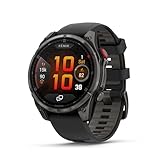
Garmin fēnix® 8 Pro, 51mm, Sapphire, DLC Titanium, Black/Pebble Gray | $1,197.00 | Buy on Amazon |
As an Amazon Associate I earn from qualifying purchases.
- Press and hold the power button until the watch turns off. Hold it for up to 30 seconds if needed.
- Release the button.
- Press the power button again to turn the watch on.
Garmin warns that this may lose some data, such as recent steps, or the current time. Its instructions do not say that a forced restart erases all saved activities. Garmin Support: My Garmin Watch Freezes or Reboots
Restore default settings without deleting saved history
Before using a reset option, sync the watch with Garmin Connect so activity data can upload. Garmin’s fēnix 8 manual says Reset Default Settings restores watch settings to factory defaults while saving user-entered information and activity history. Settings will change; this is not an option that leaves the watch wholly untouched.
#1 Best Overall
- Advanced multisport GPS smartwatch for athletes/adventurers features a 1.4” solar charged display with scratch-resistant sapphire lens, durable titanium bezel and built-in LED flashlight for after-dark visibility
- Battery performance: up to 48 days of battery life in smartwatch mode with solar charging (assumes all-day wear with 3 hours per day outside in 50,000 lux conditions) and up to 149 hours in GPS mode with solar charging (assumes continuous use for entire period in 50,000 lux conditions) — all with an always-on display, so you’re ready to take on the toughest challenges
- Power up your body’s performance, endurance and resistance to injury with targeted strength training plans, real-time stamina tracking, sport-specific workouts and a full range of built-in sports apps
- Your training readiness score is based on sleep quality, recovery, training load and HRV status to determine if you’re primed to go hard and reap the rewards (data presented is intended to be a close estimation of metrics tracked)
- For your active lifestyle, a built-in speaker and mic let you make and take phone calls from your wrist when your watch is paired to your smartphone — and you can even use your smartphone’s voice assistant to respond to text messages and more
- From the watch face, hold the middle-left button.
- Select Watch Settings > System > Restore & Reset > Reset.
- Select Reset Default Settings.
Use the on-watch labels if they differ from this path, since menu wording may change in later software or manual revisions. Garmin fēnix 8 Series Owner’s Manual: Resetting All Default Settings
Which reset options delete data?
Delete Data and Reset Settings is the destructive choice. Garmin says it restores factory-default settings and deletes user-entered information and activity history. If configured, it also deletes the Garmin Pay wallet and stored music. Do not choose it if you want to retain your saved data.
Rank #2
- Advanced multisport GPS smartwatch for athletes/adventurers features a bright 1.4” AMOLED display, stainless steel bezel, enhanced graphical interface and a built-in LED flashlight for after- dark visibility
- Power up your body’s performance, endurance and resistance to injury with targeted strength training plans, real-time stamina tracking, sport-specific workouts and a full range of built-in sports apps
- Battery performance: up to 16 days in smartwatch mode; up to 47 hours in GPS mode. Fits wrists with the following circumference: Silicone band: 125-208 mm UltraFit Band: 125-215 mm Leather Band: 132-210 mm Metal Band: 132-210 mm
- Your training readiness score is based on sleep quality, recovery, training load and HRV status to determine if you’re primed to go hard and reap the rewards (data presented is intended to be a close estimation of metrics tracked)
- For your active lifestyle, a built-in speaker and mic let you make and take phone calls from your wrist when your watch is paired to your smartphone — and you can even use your smartphone’s voice assistant to respond to text messages and more
The manual lists other separate actions, including Delete All Activities, Delete All Messages, Reset Totals, Reset Dive Computer and Delete Temporary Files. The data-preserving settings reset is not the same as selecting these individual actions. Garmin says tissue load should only be reset if you do not plan to use the device again in the future. Garmin fēnix 8 Series Owner’s Manual: Resetting All Default Settings
The Tool Desk
Outbyte PC Repair FREERepair Windows errors before they cause bigger problemsFix Now →Outbyte Driver Updater FREEScan for outdated or missing drivers - takes under a minuteDriver Scan →Choose the action that matches the problem
| Action | When to use it | How | Effect described by Garmin |
|---|---|---|---|
| Forced restart | The watch is frozen or unresponsive. | Hold the power button until it turns off, then turn it on again. | May lose recent steps or current time; Garmin does not say it erases all saved activities. |
| Reset Default Settings | You want to restore factory-default settings while keeping user information and activity history. | Watch Settings > System > Restore & Reset > Reset > Reset Default Settings. | Resets settings and saves user-entered information and activity history. |
| Delete Data and Reset Settings | You intend to erase saved information and history. | Select this option from the reset menu. | Deletes user-entered information and activity history; may also delete configured Garmin Pay and stored music. |
The frozen-watch support article is shown for a fēnix 8 – 47 mm AMOLED variant and describes Garmin watches with physical buttons; the reset instructions are from the fēnix 8 Series manual.
Quick Recap
Best Value
- Multisport GPS smartwatch with built-in inReach technology for two-way satellite and LTE connectivity (active subscription required; coverage limitations may apply; some jurisdictions regulate or prohibit the use of satellite communication devices)
- Rugged design with a bright 1.4" AMOLED touchscreen display, titanium bezel, scratch-resistant sapphire lens and other premium materials
- In an emergency, inReach satellite technology allows you to trigger an interactive SOS message to the Garmin ResponseSM coordination center for 24/7 assistance (active subscription required; coverage limitations may apply; some jurisdictions regulate or prohibit the use of satellite communication devices)
- LTE network connectivity lets you leave your phone behind; use your watch to exchange messages and make voice calls — plus let friends follow along with LiveTrack location sharing (30-second update rate) and location check-ins with the on-device Garmin Messenger app (active subscription required; coverage limitations may apply)
- inReach technology allows you to send messages and get location check-ins over satellite when taking on an off-grid adventure (active subscription required; coverage limitations may apply; some jurisdictions regulate or prohibit the use of satellite communication devices)
Rank #4
- Advanced multisport GPS smartwatch for athletes/adventurers features a bright 1.3” AMOLED display, stainless steel bezel, enhanced graphical interface and a built-in LED flashlight for after- dark visibility
- Power up your body’s performance, endurance and resistance to injury with targeted strength training plans, real-time stamina tracking, sport-specific workouts and a full range of built-in sports apps
- Battery performance: up to 10 days in smartwatch mode; up to 28 hours in GPS mode
- Your training readiness score is based on sleep quality, recovery, training load and HRV status to determine if you’re primed to go hard and reap the rewards (data presented is intended to be a close estimation of metrics tracked)
- For your active lifestyle, a built-in speaker and mic let you make and take phone calls from your wrist when your watch is paired to your smartphone — and you can even use your smartphone’s voice assistant to respond to text messages and more
Rank #3
- Advanced multisport GPS smartwatch for athletes/adventurers features a 1.3” solar charged display with scratch-resistant sapphire lens, durable titanium bezel and built-in LED flashlight for after-dark visibility
- Battery performance: up to 28 days of battery life in smartwatch mode with solar charging (assumes all-day wear with 3 hours per day outside in 50,000 lux conditions) and up to 92 hours in GPS mode with solar charging (assumes continuous use for entire period in 50,000 lux conditions) — all with an always-on display, so you’re ready to take on the toughest challenges
- Power up your body’s performance, endurance and resistance to injury targeted strength training plans, real-time stamina tracking, sport-specific workouts and a full range of built-in sports apps
- Your training readiness score is based on sleep quality, recovery, training load and HRV status to determine if you’re primed to go hard and reap the rewards (data presented is intended to be a close estimation of metrics tracked)
- For your active lifestyle, a built-in speaker and mic let you make and take phone calls from your wrist when your watch is paired to your smartphone — and you can even use your smartphone’s voice assistant to respond to text messages and more
Product prices and availability are accurate as of the date/time indicated and are subject to change. Any price and availability information displayed on Amazon at the time of purchase will apply.




