Quick wins for a faster PC:
Fix the driver behind crashes, sound loss and screen glitchesFind Drivers →Clear out junk files and repair common Windows errorsFree Scan →Scan for outdated or missing drivers - takes under a minuteDriver Scan →Charge the original Fitbit Versa, turn on Bluetooth, and start setup in the Google Health app by following its on-screen device instructions. Do not initiate pairing from your phone’s Bluetooth settings. If setup fails, clear stale connections and restart the watch and phone before retrying.
This guide covers the original Fitbit Versa, not Versa 2, Versa 3, or Versa 4. Check your model before following its restart steps or buying accessories.
Before you start
Have these items ready:
- The original Fitbit Versa and its charger. Connect the watch to its charger before setup.
- A compatible phone. Google’s current setup requirements list iOS 16.4 or later, or Android 11 or later.
- The Google Health app. Open the app and follow its current device setup instructions.
- A Google Account or the account requested by the app. New users need a Google Account. The prior Fitbit-account transition deadline was February 2, 2026, so follow the current account prompt rather than assuming an old Fitbit login will work.
- Bluetooth enabled. Keep the phone and watch close together during setup.
On Android, check that location services are on, Google Health has the required location permission, and power-saving mode is off if the app cannot discover the watch.
How to pair the original Fitbit Versa
- Check that your phone meets the minimum requirements: iOS 16.4 or later, or Android 11 or later.
- Connect the Versa to its charger before setup.
- Turn on Bluetooth on your phone.
- Open Google Health and follow the on-screen device setup instructions to add the original Fitbit Versa.
- Complete the prompts in the app, including the account prompt.
Do not select or pair the Versa from the phone’s Bluetooth settings as a substitute for setup in the app.
Recommended Free Tools
#1 Best Overall

- 1.Wall charger + charging cord Compatible with Fitbit Versa 3 & Versa 4 & Sense 2 & Sense, Pixel Watch 3/Pixel Watch 2 Smartwatch. Magnetic Charging Cable make charging your watch utterly effortless. You do not have to remove the case or bands when charging with this charger
- 2. [Raw Charging speed] The charger kit provides raw charging speed for about 1 hour on a full charge. Note: Please use the recommended USB adapter (5V/1A)。 Lightweight and portable: This charger is compact in size and light in weight, making it easy to carry and use. It is suitable for travel, work or daily life use.
- 3. Simple and easy to use: watch in the charger to start charging. The product also comes with a USB interface, which can be connected and used through a computer or other device.
- 4. Safety protection: The charger is made of high-quality materials and is equipped with a safety protection function to ensure that your device will not be damaged during use.
- 5. Reliable and durable: Due to its high-quality materials and manufacturing technology, the watch charger has a long life and is durable, and can always work normally after multiple uses.
Do not pair the Versa from Bluetooth settings alone
Bluetooth needs to be enabled, but initial setup belongs in the app’s device setup flow. Use the phone’s Bluetooth settings only when troubleshooting a stale pairing—for example, to forget or remove an old Fitbit entry—then retry setup through Google Health.
If Fitbit Versa does not appear or pairing fails
Try these steps in order. If setup still fails after the documented connection cleanup and restarts, contact customer support.
Rank #2

- Plug and Play: This charger is compatible with Fitbit Sense/Sense 2/Versa 3/Versa 4 charger, Simply attach watch back to 4 pins for instant charge. Boost power effortlessly. Enjoy hassle-free charging (USB A to C cable included)
- Safe & Reliable: Vipcase Fitbit charger upgraded with strong magnetism, keeps Fitbit firmly in place. Stable current/voltage ensures safe, quick charging, protecting your Fitbit watch from damage
- Exquisite stand design: The design of the charger provides a safer charging environment for your watch. Safeguards Fitbit watch during charging, preventing scratches. Doubles as a stylish desktop accessory, enhancing your fashionable lifestyle
- View messages more timely: The angle of the base bracket (105° viewing angle), the perfect viewing angle allows you to see information in time while charging for your Fitbit Watches, so that you will not miss important information or meetings
- Portable & Lightweight: 44g Fitbit charger, ultra-compact for hassle-free carry. Charge your watch anywhere, home, office, or on-the-go. Blue LED blinks 3-5s on power-up, confirming operation
- Refresh Bluetooth. Turn Bluetooth off, wait 10 seconds, turn it back on, and retry setup in Google Health.
- Check the charge. Connect the watch to its charger before trying again.
- Restart the original Versa. Hold the left button and bottom-right button together for 10 seconds. Release both when the Fitbit logo appears. This is the original Versa procedure; later models use different instructions.
- Restart the phone. Reopen Google Health and retry the in-app setup.
- Remove stale connections if needed. Remove old Fitbit devices from the account as appropriate, and forget or remove the Versa from the phone’s Bluetooth settings before retrying setup in Google Health.
- Check Android settings. Confirm that location services and Google Health’s location permission are enabled, and turn off power-saving mode if it is on.
- Contact support if the problem continues. Follow the official setup support page’s escalation guidance. Do not treat a factory reset as the default fix; resetting can erase locally stored watch data.
What to do if the Versa will not charge
The watch should be connected to its charger before setup. Check that it is seated correctly and that the charger is compatible with the original Fitbit Versa. Charging hardware is relevant if the battery is low or the original charger is unavailable; replacing a charger is not a general fix for Bluetooth or pairing problems.
If you need a replacement, verify that the listing explicitly identifies compatibility with the original Fitbit Versa before buying. Compatibility with another Versa generation should not be assumed.
What’s actually slowing this PC down?
Pick the symptom - the matching free tool is one click away.
Rank #3

- Maledan 2-Pack Charger Dock Compatible with Fitbit Versa 3 & Versa 4 & Sense 2 & Sense Smartwatch. Magnetic Charging Cable make charging your watch utterly effortless. You do not have to remove the Sense/Versa 3 case or bands when charging with this fitbit versa 4 charger
- Maledan design compatible with Fitbit Sense/Sense 2/Versa 3/Versa 4 charger is made of High-Quality ABS Material with 3.3ft/1m longer charging cable, durable & very convenient to use. The power cord exiting the back of the fitbit sense 2 charger allows it to sit flat on the table
- Magnetic adsorption fitbit versa 3 charger design keeps your watch securely in place for optimal charging; It can be plugged into USB port on PC, laptop, notebook, etc. Rigorous Insulation Resistance & Durability Tests create the fast, efficient & stable charging adapter
- Our Versa 3/Fitbit Sense charger is reliable on advanced safety. Built with over-current, over-voltage, short-circuit and over-temperature protection. Using high quality technology and material to offer you safe charging protection and experience
- Lightweight & Portable Sense 2/Fitbit Versa 4 Chargers, suitable for work, home, travels. Put it in your bag and keep your watch always on. Reliable & Friendly Service for any quality issues; Only Replacement Charger for Sense/Sense 2/Versa 4/Versa 3(Watch or band NOT included)
Confirm your Versa model before buying accessories
The original Versa, Versa 2, Versa 3, and Versa 4 are different models. Confirm which one you own before following model-specific instructions or buying a charger. The original Versa restart combination in this guide is not a universal procedure for later models.
Pairing checklist
- Confirm that the watch is the original Fitbit Versa.
- Use a phone running iOS 16.4 or later, or Android 11 or later.
- Connect the watch to its charger before setup.
- Turn on Bluetooth and start setup in Google Health.
- Follow the current account prompt in the app.
- On Android, check location services, app permission, and power-saving mode if discovery fails.
- If setup fails, refresh Bluetooth, restart the original Versa and phone, and remove stale connections before retrying.
- Contact customer support if the documented steps do not resolve setup.
FAQ
Can I pair an original Fitbit Versa directly from my phone’s Bluetooth menu?
No. Turn on Bluetooth, but start setup by following the device instructions in Google Health. The Bluetooth menu can be used to remove a stale pairing during troubleshooting.
Rank #4

- ▶Compatible with: This charger cable compatible with Fitbit Versa 4/Versa 3/Sense 2/Sense. 【Not compatbile with Fitbit Versa 2, Versa, Versa Lite】
- ▶Magnetic & Speedy: the Versa 4/Versa 3 charger with strong magnetic, securely hold and keep smart watch in place for charging. It works like the original, a full charge takes about 2.5 hours.
- ▶Safety Protection: the Sense 2/Sense charger build-in smart chips protecting watch from over-current or over-charging.
- ▶Convenience & Easy to Use: To get a charging, just plug the USB- A into USB port on your PC, laptop, notebook, wall charger or car charger. very convenient to charge Versa 3 & Sense at home, in office, in car or on travel.
- ▶Package includes: 2 x 3.3ft/100cm charging cabel for Versa 4/Versa 3/Sense 2/Sense (smart watch is not included).with sincerely after-sales service, if have any question we will deal with it for you within 24 hours.
Which phones support the current Fitbit Versa setup process?
The current requirements list iOS 16.4 or later, or Android 11 or later. Android users may also need location services and app permission enabled, with power-saving mode off if discovery fails.
How do I restart the original Fitbit Versa?
Hold the left button and bottom-right button together for 10 seconds, then release both when the Fitbit logo appears. This procedure is for the original Versa; later models use different instructions.
Best Value
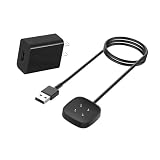
- Compatibility with Fitbit Versa 4 Versa 3 Sense 2 Sense Smart Watch Charger
- ❌ ❌ ❌ Not compatbile with Versa 2, Versa, Versa Lite, Versa SE
- Safe Protection: The charger build-in smart chips, protecting watch from over-current, over-voltage or short-circuit.
- Convenient and Easy to Use: To get a charging just plug it into USB port on your PC, laptop, notebook, wall charger. Geting a better experience, we suggest you to use the recommended adapter
- What You Get: 1 pack wall adapter+ cables with worry-free 12 months of warranty and lifetime friendly customer service.
What should I do if my original Fitbit Versa will not connect?
Refresh Bluetooth, connect the watch to its charger, restart the Versa and phone, and remove stale account or Bluetooth connections before retrying setup in Google Health. If those steps fail, contact customer support.
Should I factory-reset my Versa to fix pairing?
Do not make a factory reset your first step. The documented troubleshooting steps emphasize ordinary connection cleanup and restart first, and a reset can erase locally stored watch data.
Will a charger for another Versa model work with the original Versa?
Do not assume so. Check that a replacement listing explicitly identifies compatibility with the original Fitbit Versa.
The Bottom Line
Connect the original Fitbit Versa to its charger, turn on Bluetooth, and follow the device setup instructions in Google Health—not the phone’s Bluetooth menu. If setup fails, refresh Bluetooth, restart the original Versa using its correct button combination, clear stale connections, and contact customer support if the problem remains.
Free tools Windows power users keep installed
One-click scans. No signup required.
Quick Recap
Product prices and availability are accurate as of the date/time indicated and are subject to change. Any price and availability information displayed on Amazon at the time of purchase will apply.




