Recommended Free Tools
First, find your Frogman’s module number on the caseback and use that number to open the matching Casio operation guide library. Frogman controls and setting sequences vary by module, so no single button sequence applies to every model. The steps below are for module 3521 only; use your own module’s guide for alarms and for any other procedure.
Find your module number before setting anything
Turn the watch over and look for the module number on the caseback. Enter that number in Casio’s official manual library and open the matching operation guide. Check the manual’s button diagram and confirm its module number matches your watch before following a sequence.
As an Amazon Associate I earn from qualifying purchases.
Pay particular attention to how the manual enters Timekeeping Mode, which buttons change settings, how long a button must be held, and how alarms are configured. Those details can differ across modules.
Set the Home City on module 3521
Casio’s module 3521 guide says to set the Home City before manually changing the time and date. These steps apply only to module 3521.
#1 Best Overall

- The product video shows "fluorine elastomer band", but this product is a composite band (resin x fine resin with metal parts embedded). It also features a double locking one-push tri-fold clasp with an extension mechanism that allows you to easily adjust the band when wearing a wetsuit
- G-SHOCK "Frogman" series analog display model with ISO standard 200 m submersible waterproofing to support underwater missions
- Dive mode / Tide graph mode to support diving activities: Dive mode to show diving time and surface rest time. Tide graph mode displays tide information anywhere and current time in that city. Analog display of useful functions for diving activities
- Bluetooth Radio Solar: Support Bluetooth, standard radio wave time correction. Equipped with tough solar, it is stable to drive various functions
- Smartphone Link: Dedicated app allows you to easily set tide data around 3000 locations around the world in the app. You can also check the dive logs on your smartphone and enjoy the data measured on the watch side
- Enter Timekeeping Mode.
- Hold A for at least two seconds, until the city code flashes.
- Use B and D to select the city code. Holding either button scrolls through settings at high speed.
- Press A to complete the setting.
The module 3521 guide also provides a summer-time setting with OFF and ON choices. Check the guide’s instructions and the appropriate setting for your location rather than assuming the watch has selected it correctly.
Adjust the time and date on module 3521
- In Timekeeping Mode, hold A until the city code flashes.
- Press C to move through the settings until the field you want to change is flashing.
- Use B or D to change most flashing settings. When the seconds field flashes, press D to reset the seconds to 00.
- Press A to complete the setting.
If the seconds are 30 through 59 when you reset them, the minutes increase by one. The watch exits the setting operation automatically after roughly two or three minutes without a button press. Module 3521 supports both 12-hour and 24-hour timekeeping; consult its guide for the display setting procedure.
Rank #2

- ISO 200 Meters Water Resistant
- Multi-Band 6 Atomic Timekeeping
- Bluetooth smartphone link
- Tough Solar Power
- Japan Imported/ Comes with Casio's one year international warranty if it is purchased from Shaun's Watch Store.
Set an alarm using the guide for your module
Use the alarm procedure in the manual matching your module number. The available alarm controls and steps are not established as universal across Frogman watches, so instructions for another module should not be treated as instructions for yours.
As an example of why the module matters, Casio’s module 3569 guide describes up to five alarms and says an alarm sounds when the current Home City time matches the alarm setting. That is module 3569 documentation, not proof that a particular Frogman has the same alarm count or behavior.
Rank #3
![Casio G-Shock Digital Dial Resin Quartz Men's Watch [GWF-1000-1jf] (Japan Import-No Warranty)](https://m.media-amazon.com/images/I/41C6A+w1fhL._SL160_.jpg)
- Japanese model
- Japamese manual
- English PDF manual
Casio’s module 3589 guide describes its own alarm procedure and says alarms can also be configured through the CASIO WATCHES app when the watch is paired with a phone. Do not assume your Frogman supports that app workflow unless its matching guide says so.
Quick Recap
Best Value
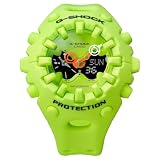
- Case size (L W H): 49.1 58.2 19.6 mm
- Case and bezel material: Resin
- Construction: Shock Resistant
- Weight: 74 g
- Water resistance: 200-meter water resistance
Rank #4

- 30th Anniversary Model / Love The Sea Earth
- Shock resistant
- Easy to see in darkness
- Stable solar power
- ISO 200 meter water resistant
Product prices and availability are accurate as of the date/time indicated and are subject to change. Any price and availability information displayed on Amazon at the time of purchase will apply.




