On the Speedmaster Moonwatch Professional reference 310.32.42.50.04.001, which runs the manual-winding Calibre 3861, you set the time by pulling the crown out to position 2, turning it, and pushing it back to position 1. The chronograph is run with the start/stop pusher and cleared with the reset pusher, which only works once the timer has stopped. Speedmaster is a family rather than a single watch, so confirm your reference and caliber before following these steps, because some models use a different crown layout.
Confirm your reference and caliber first
The Speedmaster line covers several references and movements, and the crown positions are not the same across all of them. The steps below are the ones OMEGA’s official user manual gives for reference 310.32.42.50.04.001. That manual describes a two-position crown: position 1 is the normal and winding position, and position 2 is the time-setting position. Find your reference number on the caseback or in your papers, and check the caliber in OMEGA’s documentation for that reference. If your crown has three positions, or your manual describes a date or time-zone setting that this reference does not have, use the manual that matches your watch and ignore the numbers here.
OMEGA’s 13 January 2026 Moonwatch announcement introduced new black-and-white Moonwatch Professional models that use Calibre 3861, so this movement is current across that part of the line. The announcement confirms the caliber only; the manual for your exact reference is the operating authority.
Set the time on the 3861 Moonwatch Professional
- Wind the watch if it has stopped. With the crown in position 1, turn it forward to wind the movement by hand. OMEGA’s manual warns against forcing the crown while winding. The manual lists a 50-hour power reserve for this reference; that figure applies to reference 310.32.42.50.04.001 and should not be assumed for every Speedmaster.
- Pull the crown out to position 2. The seconds hand stops, which lets you set the time to the second.
- Turn the crown to set the time. Turn it forwards or backwards until the hour, minute and seconds match the reference time. The manual’s wording is: “Turn the crown forwards or backwards to set the time.”
- Push the crown back to position 1. This restarts the seconds hand and synchronises the watch with the reference time. Push it fully in so it sits at position 1 and does not stay half-pulled.
Run and reset the chronograph
The chronograph is controlled by the two pushers on the upper right of the case. The workflow is always the same, and the order matters:
What’s actually slowing this PC down?
Pick the symptom - the matching free tool is one click away.
#1 Best Overall

- Model 310.30.42.50.01.002
- Start timing. Press the start/stop pusher once. The chronograph seconds hand begins to run.
- Stop timing. Press the start/stop pusher again to stop the hand and read the elapsed time.
- Reset. Press the reset pusher only after the chronograph has stopped. OMEGA’s manual says reset can only be done when the chronograph is stopped and warns against forcing the reset pusher while it is running.
Crown layouts on other Speedmaster models
OMEGA’s instructions for another Speedmaster chronograph describe a three-position crown. In that manual, position 1 is manual winding, position 2 is date and time-zone correction, and position 3 is time setting. The manual also describes a date change when the hour hand passes midnight during a time-zone adjustment. This is the layout for that manual’s model only. Not every Speedmaster has a date or a three-position crown, so compare your watch against the table below before changing anything.
| Crown feature | Two-position layout (reference 310.32.42.50.04.001, per its OMEGA manual) | Three-position layout (per another OMEGA Speedmaster manual) |
|---|---|---|
| Position 1 | Normal and winding | Manual winding |
| Position 2 | Time setting; seconds hand stops | Date and time-zone correction |
| Position 3 | Not present | Time setting |
| Date or time-zone adjustment | Not stated in this manual | Described in that manual, including a date change at midnight |
| Caliber | Calibre 3861 | Not stated for the model in the manual cited here |
When you compare variants, use three checks: the caliber, the number and function of the crown positions, and whether the watch has a date or time-zone adjustment at all. If your crown does not match the two-position layout, the three-position manual is not automatically the right one either. Find the manual for your exact reference.
Quick Recap
Best Value

- Rubber
- Rotating bezel, gmt
- Automatic-self-wind movement
- Case diameter: 40mm
- Water resistant to 330 feet
Rank #4
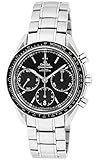
- OMEGA Speedmaster Racing Chronograph 326.30.40.50.01.001
Rank #3

- Model 310.32.42.50.01.001
Rank #2

- Stainless steel case
- Black dial
- Swiss-automatic movement
- Case diameter: 40mm
- Water resistant to 330 feet
Product prices and availability are accurate as of the date/time indicated and are subject to change. Any price and availability information displayed on Amazon at the time of purchase will apply.




