On the current Rolex Air-King, reference 126900, unscrew the crown, wind the watch if needed, then pull the crown to the time-setting position and adjust the hands. There is no date display or date-setting step on this reference. When you finish, screw the crown fully back against the case. If you have an older Air-King, check its exact reference and use the matching Rolex guide.
Check whether your Air-King has a date
Rolex’s current Air-King is reference 126900. Its listed functions are central hours, minutes and seconds, with stop-seconds; it has no date display. The steps below apply to this current reference, not necessarily to every discontinued or vintage Air-King. Rolex’s current Air-King specifications identify the model and its functions.
| # | Preview | Product | Price | |
|---|---|---|---|---|
| 1 |
|
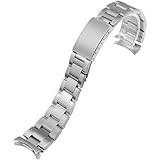
Oyster Watch Band Replacement For Vintage Rolex Air King 1500 5500 5501 | $29.99 | Buy on Amazon |
As an Amazon Associate I earn from qualifying purchases.
Set the time on the current Air-King
The crown has three positions: position 0 is screwed down, position 1 is for winding, and position 2 is for setting the time. Follow Rolex’s Air-King guide for the procedure:
Do these 3 things before closing this tab:
1Repair Windows errors before they cause bigger problems2Fix the driver behind crashes, sound loss and screen glitches3Clear out junk files and repair common Windows errors- Unscrew the crown. Turn it out from position 0 until it reaches position 1.
- Wind the watch if needed. In position 1, turn the crown clockwise. Turning it the other way has no effect. If the watch has stopped or you are setting it for the first time, Rolex specifies at least 25 turns for a partial wind.
- Set the time. Pull the crown to position 2. The seconds hand stops. Turn the crown in either direction to move the hour and minute hands to the correct time.
- Screw the crown closed. Push it back to position 1, then apply light pressure as you screw it clockwise against the case until fully closed.
These instructions come from the US Rolex Air-King user guide, printed April 2022.
#1 Best Overall
- Compatible: Rolex Air King 5500 and Rolex Date 1500 with a 19mm lug opening in 1960's tapered style.Fits for Most Rolex Watch Model Collection: Oyster Perpetual, Datejust, Lady‑Datejust, Day‑Date, President, 1908, Explorer, Explorer II, GMT‑Master II, Air‑King, Cosmograph Daytona, Yacht‑Master, Yacht‑Master II, Submariner, Sea‑Dweller, Deepsea, Land‑Dweller, Sky‑Dweller, Cellini...etc.
- Size: 7 Inches (With Clasp Closed) Fits Wrist Size Up To 8.5 Inches
- Material: It is made of Highest Quality 316L stainless steel.It is durable and long lasting
- Product Features:1960's Vintage Tapered Style Design;Matte Brushed Finish; Interchangeable Clasp
- Package Includes: 1 Heavy Solid Link Oyster Watch Band; 2 Spring Bars
Why the crown must be closed
Rolex specifies that the Air-King is waterproof to 100 metres (330 feet) with the crown fully screwed down. The depth rating is not permission to open or operate the crown underwater: Rolex explicitly warns, “The crown should never be unscrewed underwater.” Screw it down after setting or winding.
If your Air-King is an older reference
Do not assume the current reference’s functions or crown procedure apply to an older Air-King. Find the watch’s exact reference and select its specific instructions from Rolex’s Timepiece User Guides. The current 126900’s guide does not establish the setting instructions or date functions of every historical reference. If the crown will not operate normally, Rolex recommends professional service through an Official Rolex Jeweler or Service Center; its service information describes official service channels.
Quick Recap
Product prices and availability are accurate as of the date/time indicated and are subject to change. Any price and availability information displayed on Amazon at the time of purchase will apply.




