Use your Frogman’s tide graph and moon display as planning context—not as a forecast of dive-site conditions or a safety decision. The readings depend on the watch’s location and time settings, and Casio warns: “Displayed information is intended for reference only. Do not use it for maritime navigation, etc.” Check official local tide information and follow your dive operator’s procedures before entering the water.
First, identify your Frogman’s module
Frogman controls and location settings vary by module. Find the module number printed on the watch case or in its operation guide, then follow that guide rather than assuming another Frogman uses the same buttons or setup method. The Casio documentation cited here covers modules 3184, 3521, and 3559.
As an Amazon Associate I earn from qualifying purchases.
| Module | What the cited Casio guide documents |
|---|---|
| 3184 | Tide and moon lookup, a tide graph in Diving Mode, and high-tide-time adjustment. Read the 3184 operation guide. |
| 3521 | Hourly tide-data lookup and guidance on tide-cycle categories. See the specific-date and time instructions. |
| 3559 | Location setup using UTC offset, longitude, and lunitidal interval, plus tide and moon-age display. See the tide and moon-age guide. |
These examples are not a complete feature list for every Frogman. Confirm the display and controls available on your exact watch in its manual.
Set the location before checking the display
Tide and moon data are tied to configured location and timekeeping information. If those settings are wrong—or no longer match where you are—the displayed data may not represent the place you intend to check.
#1 Best Overall

- The product video shows "fluorine elastomer band", but this product is a composite band (resin x fine resin with metal parts embedded). It also features a double locking one-push tri-fold clasp with an extension mechanism that allows you to easily adjust the band when wearing a wetsuit
- G-SHOCK "Frogman" series analog display model with ISO standard 200 m submersible waterproofing to support underwater missions
- Dive mode / Tide graph mode to support diving activities: Dive mode to show diving time and surface rest time. Tide graph mode displays tide information anywhere and current time in that city. Analog display of useful functions for diving activities
- Bluetooth Radio Solar: Support Bluetooth, standard radio wave time correction. Equipped with tough solar, it is stable to drive various functions
- Smartphone Link: Dedicated app allows you to easily set tide data around 3000 locations around the world in the app. You can also check the dive logs on your smartphone and enjoy the data measured on the watch side
Module 3184
The 3184 guide bases Tide/Moon Data on the selected Home City. It also describes adjusting the high-tide time. Where a day has two high tides, the guide says to set the first; the watch calculates the second. Use local tide information to check the timing rather than relying on a generic setting. Consult the 3184 operation guide.
Module 3559
The 3559 setup uses a UTC offset, longitude, and lunitidal interval. Casio says to reconfigure the saved location after moving far from it, and notes that the lunitidal interval varies from region to region, including within the same country or geographic area. See Casio’s instructions for specifying where you are using the watch.
Rank #2

- ISO 200 Meters Water Resistant
- Multi-Band 6 Atomic Timekeeping
- Bluetooth smartphone link
- Tough Solar Power
- Japan Imported/ Comes with Casio's one year international warranty if it is purchased from Shaun's Watch Store.
The lunitidal interval is the delay between the Moon’s meridian passage and actual high tide. Casio attributes that delay to factors including seawater viscosity, friction, and seafloor topography. A setting that works for one shore or port should not be assumed accurate for another. Use the local tide information for your dive area to check high-tide timing.
What’s actually slowing this PC down?
Pick the symptom - the matching free tool is one click away.
Check a tide for a particular date and time
Module 3184 lookup
On module 3184, the initial tide screen shows the current date at 6:00 a.m. Change the displayed time in one-hour steps to browse tide data, and select another date when needed. The initial moon data is for noon on the current date; you can select another date for moon data. The guide’s lookup behavior is specific to this module, so use its instructions for the button sequence.
Rank #3
![Casio G-Shock Digital Dial Resin Quartz Men's Watch [GWF-1000-1jf] (Japan Import-No Warranty)](https://m.media-amazon.com/images/I/41C6A+w1fhL._SL160_.jpg)
- Japanese model
- Japamese manual
- English PDF manual
Modules 3521 and 3559
Lookup controls differ across modules. Casio’s 3521 instructions describe moving through tide data hourly from a lookup that starts at 6:00 a.m. For module 3559, follow its own guide for viewing tide level and moon age; do not transfer the 3184 or 3521 controls to it.
Refresh Diving Mode on module 3184 after a date change
If the date changes while a 3184 remains in Diving Mode, its tide graph and moon phase do not automatically update to the new date. Exit Diving Mode and enter it again to refresh the data.
Rank #4

- 30th Anniversary Model / Love The Sea Earth
- Shock resistant
- Easy to see in darkness
- Stable solar power
- ISO 200 meter water resistant
Understand what the tide and moon displays tell you
Tide graph and tide-cycle pattern
The graph provides a view of the tide pattern for the configured place and selected time. Casio’s 3521 guidance describes a spring tide as a larger difference between high and low water, a half tide as moderate, and a neap tide as a smaller difference. Treat these as broad cycle descriptions—not a precise prediction for a particular dive site or a substitute for local tide tables.
Moon age and phase
Moon age and phase describe the lunar cycle; they do not establish visibility, current strength, or conditions at a specific site. The 3184 guide states that moon-age calculation is accurate to ±1 day. In some modules, the phase icon’s orientation depends on the view or hemisphere setting. If the icon appears reversed, check the manual for your exact module.
Best Value
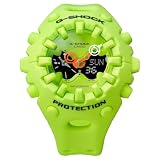
- Case size (L W H): 49.1 58.2 19.6 mm
- Case and bezel material: Resin
- Construction: Shock Resistant
- Weight: 74 g
- Water resistance: 200-meter water resistance
Why a Frogman tide graph may look wrong
- Location settings do not match the dive area. Confirm the selected Home City on module 3184 or the location inputs required by your module. For 3559, Casio provides a separate location-setup procedure.
- High-tide timing has not been checked locally. Lunitidal interval varies by location. Compare the watch’s timing with authoritative local tide information and adjust only as your module’s guide allows.
- The date changed while module 3184 stayed in Diving Mode. Exit and re-enter the mode to refresh its tide graph and moon phase.
- The timekeeping settings are incorrect. The 3184 guide advises checking timekeeping settings if the data seems wrong.
- You are following instructions for a different module. Verify the module number and use its own operation guide; controls and configuration methods are not interchangeable.
Use the display as context, not dive-safety equipment
Casio’s module 3559 guide states: “Displayed information is intended for reference only. Do not use it for maritime navigation, etc.” Use the Frogman display only as a secondary aid for schedule and tide-cycle context. Verify actual local conditions through official tide information and follow your dive operator’s planning and safety procedures. The display does not establish whether a dive is safe and does not replace a dive computer or other required dive-planning and safety equipment. Read Casio’s module 3559 tide and moon-age guidance.
Quick Recap
Product prices and availability are accurate as of the date/time indicated and are subject to change. Any price and availability information displayed on Amazon at the time of purchase will apply.