The Tool Desk
Outbyte PC Repair FREEClear out junk files and repair common Windows errorsFree Scan →Outbyte Driver Updater FREEScan for outdated or missing drivers - takes under a minuteDriver Scan →On the GMA-S2100, press C to cycle to Alarm, Countdown Timer, or Stopwatch Mode. The same buttons do different jobs in each mode: D usually starts or advances, while A sets, resets, or toggles. These steps use Casio Operation Guide 5611, which Casio links from the GMA-S2100-1A product page.
Identify the buttons and get to the right mode
Casio’s 5611 guide labels the watch’s buttons A, B, C, and D. Press C repeatedly to cycle through Timekeeping, World Time, Stopwatch, Alarm, and Countdown Timer modes. To return to Timekeeping Mode from another mode, hold C for at least two seconds.
As an Amazon Associate I earn from qualifying purchases.
If the analog hands obstruct the digital display, press B and C together to move them out of the way; press them together again to restore them. The button functions remain the same while the hands are shifted.
Set, enable, and stop an alarm
The watch provides five daily alarms, labeled AL1 through AL5, plus a separate hourly time signal labeled SIG. A daily alarm is set for a time of day; it is not a countdown.
#1 Best Overall

- This high-quality watch has a black plastic strap (21 cm length and 20 mm width) with a pin buckle
- Case diameter: 40 mm, case height: 11 mm, case colour: black. Dial colour: black
- Waterproof: 20 bars -Weight: 42 g
- International products have separate terms, are sold from abroad and may differ from local products, including fit, age ratings, and language of product, labeling or instructions.
Set an alarm time
- Press C until Alarm Mode appears.
- Press D to cycle through AL1, AL2, AL3, AL4, AL5, and SIG. Choose an AL screen; its number and alarm time appear on the display.
- Hold A until SET disappears and the hour digits flash.
- Press C to switch the flashing selection between hours and minutes. Press D to increase the selected value or B to decrease it.
- Press A to finish setting.
If the watch is displaying time in 12-hour format, check the P indicator when setting a time in the afternoon.
Turn an alarm on or off
In Alarm Mode, use D to select the alarm, then press A to toggle it. ON means the alarm is enabled; “– –” means it is disabled. An alarm-on indicator appears in all modes when at least one alarm is enabled. At its set time in Timekeeping Mode, an enabled daily alarm sounds for about 10 seconds. Press any button to stop it. To test an alarm, hold D while in Alarm Mode.
Rank #2

- Casio G-Shock Alarm World Time Quartz Analog-Digital Ladies Watch GMA-P2100ST-4ADR
Use the hourly signal
Select SIG in Alarm Mode with D, then press A to toggle the signal. When enabled, the watch beeps twice every hour on the hour.
Outdated Drivers Are Slowing You Down
One free scan finds every outdated or missing driver and matches the right update for your exact hardware.Free scan · exact hardware matchPC Slower Than It Used to Be?
A free scan shows the junk files, broken settings and background clutter dragging Windows down - then fixes them in one click.Free scan · Windows 10 & 11Set and run the countdown timer
The countdown timer accepts a start time from one second to 24 hours, in one-second increments. It counts down a chosen duration to zero.
Rank #3

- ●Impact-resistant structure
- Press C until Countdown Timer Mode appears.
- If a countdown is running, press D to stop it, then press A to reset. If it is paused, press A to reset.
- Hold A until SET disappears and the hour digits flash.
- Press C to move the selection through hours, minutes, and seconds. Use D to increase the flashing value or B to decrease it.
- Press A to exit setting.
- Press D to start. Press D again to pause, and again to resume. Press A to reset to the configured start time.
At zero, the timer alarm sounds; press any button to stop it.
Use the stopwatch
The stopwatch measures elapsed time, split time, and first- and second-place finishes. Press C until Stopwatch Mode appears.
Rank #4
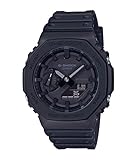
- {"bullet_point1":"clip-on"}
- The rugged watch's 45.4mm case is expertly crafted from fine resin mixed with carbon fiber, an innovative composition that is lighter and more durable than resin
- The smooth black dial features an analog-digital display and double LED light feature, for easy visibility in the dark
Measure elapsed time
- Press D to start timing.
- Press D to stop. Press D again to resume if needed.
- When finished, press A to reset the display to zero.
Display a split time
- Press D to start.
- Press A to display the split time.
- Press A again to release the split display.
- Press D to stop timing, then A to reset.
Record two finishers
- Press D to start.
- Press A when the first participant finishes.
- Press D when the second participant finishes.
- Press A to release the display and show the second participant’s time; press A again to reset.
According to Casio’s Operation Guide 5611 (2019), the stopwatch measures in hundredths of a second during the first hour, then in whole seconds, with a maximum measuring capacity of 24 hours. An elapsed-time operation continues internally if you change modes, but a split time will no longer be displayed after leaving Stopwatch Mode.
Quick wins for a faster PC:
Clear out junk files and repair common Windows errorsFree Scan →Fix the driver behind crashes, sound loss and screen glitchesFind Drivers →If a sound does not play
- Muting the button-operation tone does not mute alarms or the hourly signal. Casio says alarms, the hourly time signal, and other beepers continue to operate when button sounds are off.
- Casio cautions that the beeper may not sound when battery power is low.
- Use the 5611 guide for these procedures. Button assignments can differ between G-Shock modules, so instructions for a different module number may not apply.
Sources: CASIO Operation Guide 5611 (PDF; copyright 2019) and the Casio GMA-S2100-1A product page.
Quick Recap
Best Value
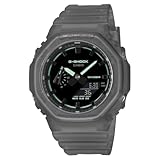
- Case size (L W H): 48.5 45.4 11.8 mm
- Case and bezel material: Carbon / Resin
- Construction: Shock Resistant Carbon Core Guard structure
- Weight: 51 g
- Water resistance: 200-meter water resistance
Product prices and availability are accurate as of the date/time indicated and are subject to change. Any price and availability information displayed on Amazon at the time of purchase will apply.




