Outdated Drivers Are Slowing You Down
One free scan finds every outdated or missing driver and matches the right update for your exact hardware.Free scan · exact hardware matchWindows Errors? Fix Them Before They Spread
Repair common Windows errors and clear accumulated junk for a smoother, more stable PC - no reinstall needed.Free scan · no reinstallShort answer: Galaxy Watch faces depend first on your watch’s operating system. Galaxy Watch4 and newer models use Wear OS powered by Samsung, so their faces come through the Wear OS/Google Play ecosystem and Galaxy Wearable. The original Galaxy Watch, Galaxy Watch Active, Active2, and Galaxy Watch3 use Tizen and follow the older Galaxy Store process.
Identify your model before downloading anything. A face made for Wear OS is not automatically compatible with a Tizen watch, and a face that worked on a Galaxy Watch4 may not work on a Galaxy Watch7, Watch8, or Galaxy Watch Ultra unless it supports the current Watch Face Format.
Galaxy Watch face compatibility at a glance
A watch face is the main screen you see when you raise or tap the watch. Besides showing the time, a face may provide complications or widgets for information such as activity, weather, calendar appointments, battery status, and data from other apps. The available information depends on the design and the watch face system it supports. Google’s Watch Face Format documentation explains how current Wear OS faces expose this information.
| Your watch | Operating system | Where to look for faces | Important warning |
|---|---|---|---|
| Galaxy Watch4, Watch5, Watch5 Pro, Watch6, Watch6 Classic, Watch7, Galaxy Watch Ultra, Watch8, and Watch8 Classic | Wear OS powered by Samsung | Wear OS/Google Play and Galaxy Wearable | Check the individual face for Wear OS and Watch Face Format compatibility. |
| Original Galaxy Watch, Galaxy Watch Active, Galaxy Watch Active2, and Galaxy Watch3 | Tizen | Galaxy Store and Galaxy Wearable | Do not assume a Wear OS face or Wear OS face app will work. |
Samsung’s Galaxy Watch compatibility guidance identifies the Watch4, Watch5, Watch5 Pro, Watch6, Watch6 Classic, Watch7, and Galaxy Watch Ultra as Wear OS models. Samsung’s current US watch family also includes the Galaxy Watch8, Galaxy Watch8 Classic, and Galaxy Watch Ultra. The model list is a useful starting point, but the watch’s installed Wear OS generation can still matter for some third-party apps.
#1 Best Overall

- 【compatible with All 20mm Watch Band】 Lerobo 3 pack stretchy braided nylon solo loop bands widely compatible with Samsung Galaxy Watch 7/6/5/4 44mm 40mm, Watch FE, Watch 6 Classic 47mm 43mm, Watch 5 Pro 45mm, Watch 4 Classic 46mm 42mm, Watch Active 2 44mm 40mm/Active,Watch 3 41mm, Watch 42mm, compatible with Samsung Gear Sport/ for Gear S2/S2 Classic, compatible with Gizmo Watch and other watches with 20mm width lugs. PLEASE NOTE: NOT compatible with Samsung Galaxy Watch 8/8 classic
- 【Breathable & Stretchy Nylon Material】 Our bands compatible with Samsung Galaxy Watch 7 band made of super strong stretchable elastic braided nylon material, which makes the strap soft, lightweight, breathable & skin-friendly, preventing skin from irritation rash. Works for all day-workouts and daily life, bring you a new comfortable wearing experience.
- 【Adjustable Comfortable Size】 Lerobo stylish replacement wristband straps compatible with Samsung Watch 6 44mm 40mm 43mm 47mm with latest elastic material and adjustable metal buckle design allows you to adjust watch band to your comfort level, fit for 5.3"- 9.8" (130mm-230mm) wrist of women men. You don't need to worry about buying the wrong size.
- 【Unique Design for Your Daily Dress Up】 These compatible with Samsung Galaxy Watch 4/compatible with Samsung Galaxy Watch 5 elastic band have fashionable wave patterns and vivid colors, which can improve your style and make your watch brand new. Perfect gift for Birthday, Christmas Day, Mother's Day, Father's Day, Thanksgiving Day, Valentine's Day, etc.
- 【Security & Easy to install】 Lerobo 20mm quick release watch bands with pins on both ends lock precisely and securely on the smart watch interface. And the elastic material band will let you feel like a scrunchie on wrist, comfortable to put on and easy to take off without any tool.
How to change the watch face
From the watch
- Wake the watch and display the current Home screen or watch face.
- Touch and hold the current face.
- Swipe left or right through the available faces.
- Tap the face you want to use.
The selected face should immediately become the watch’s Home screen. This method changes among faces already available on the watch.
From the Galaxy Wearable app
- Open Galaxy Wearable on the connected Android phone.
- Open the watch-face section.
- Select a face and apply it to the watch.
- If the face supports changes, tap Customize and adjust the available options.
Samsung documents customization options such as hand color, background color, widgets, and complications, but not every face provides them. If there is no Customize button, that normally means the face was published without user-adjustable controls rather than that the watch is malfunctioning. The exact layout and labels can vary with the Galaxy Wearable version, watch model, region, and software version. Samsung’s watch-face installation instructions cover both the on-watch and app-based workflows.
How to install an additional face
On a Wear OS Galaxy Watch, look for additional faces in the Play Store on the watch or through the store and featured-watch-face areas in Galaxy Wearable. After installing a compatible face, return to the watch-face picker and apply it.
On a Tizen watch, use the Galaxy Store and Galaxy Wearable flow instead. A Play Store listing intended for Wear OS is not a substitute for a Tizen-compatible Galaxy Store listing.
Which third-party Galaxy Watch face platform should you use?
There is no single catalog that is right for every Galaxy Watch. The practical choice is determined by your operating system, the face format, and whether you want a ready-made design or tools for creating your own.
| Platform | Most suitable for | Compatibility details |
|---|---|---|
| Facer watch faces | Wear OS owners who want a very large catalog, including licensed designs. | Facer’s listing advertises more than 500,000 faces and lists Galaxy Watch4 through Watch8, Galaxy Watch Ultra, and relevant Pro or Classic variants. Tizen support is now a legacy case. |
| WatchMaker watch faces | People who want a large catalog plus face creation and customization tools. | The listing describes more than 150,000 faces and support for Galaxy Watch4 through Watch8, Watch8 Classic, and Galaxy Watch Ultra. Individual faces can still have their own OS or synchronization limits. |
| Pujie for Wear OS 6 | Owners of newer Wear OS generations who want detailed customization. | The listing names Galaxy Watch7, Watch8, Watch8 Classic, Galaxy Watch Ultra, Galaxy Watch Ultra 2025, and Watch6 and Watch5 among supported devices, and says the app complies with Watch Face Format. |
| Pujie for Wear OS 4 | Owners of the earlier Wear OS branch, particularly Galaxy Watch4 through Watch6. | The separate listing covers Galaxy Watch4, Watch5, and Watch6 but explicitly excludes Watch7, Watch8, Galaxy Watch Ultra, and Wear OS 6 or newer. |
Facer: broad catalog, but not a good new Tizen recommendation
Facer is a logical option for a current Wear OS Galaxy Watch if your priority is variety or licensed designs. Its Google Play listing advertises more than 500,000 faces and names Galaxy Watch4, Watch5, Watch6, Watch7, Watch8, Galaxy Watch Ultra, and their applicable Classic or Pro variants.
Rank #2

- 【Premium Genuine Leather & Soft Silicone】Charlam leather bands for galaxy watch 7 band are crafted with luxury leather exterior and soft silicone interior, shows sophistication and skin-friendly comfort. Perfect for men and women, it seamlessly transitions from business to casual wear. The premium materials ensure lasting elegance for your Galaxy Watch 7/6/5/4/FE/Active 2/Classic/Pro
- 【One-Second Magnetic Buckle】Charlam lether bands for galaxy watch 6 band uses adjustable fold-over magnetic clasp to ensure secure fit and effortless easy on/off for samsung watch bands and all 20mm bands. Strong magnetism keeps it firmly locked during workouts, while slide-free adjustment guarantees perfect wrist fit 135mm-200mm(5.3"-7.8"). No more fumbling
- 【Sweat-Proof & Breathable Comfort】Charlam leather bands for samsung galaxy watch 7 bands with a soft silicone interior base prevents sweat absorption and skin irritation. Strategically designed air channels enhance airflow, keeping your wrist cool with Samsung Watch 7 bands. Ideal for active lifestyles – stays comfortable all day, every day
- 【Compatible Modles】Charlam leather bands for samsung watch bands compatible with Galaxy Watch 7/6/5/4/3/FE/Active 2 (40mm/44mm), Watch 6/4 Classic (42mm/43mm/46mm/47mm), and Watch 5 Pro (45mm). Universal 20mm lug width works with all matching galaxy watch bands – no adapter needed
- 【Durable and Secure Fit】Designed with durability in mind, our galaxy watch 4 band offers a strong and secure fit, perfect for daily use and sports. The premium materials resist wear and tear, while the innovative design ensures the band remains comfortably in place, no matter the activity. Stay confident that your Samsung watch 7 bands will last long and fit perfectly
The Tizen qualification is important. Facer says Samsung Tizen watches such as Galaxy Watch3 and older are supported only for people who already had the Facer watch app installed, because Samsung ended Tizen support in October 2025. Facer also says Google removed legacy watch apps from Play Store distribution on January 14, 2026. For someone buying or setting up an older Tizen watch now, Facer should therefore not be treated as a dependable new-install option.
WatchMaker: catalog plus creation tools
WatchMaker’s official Play Store listing describes a catalog of more than 150,000 faces, face creation and customization tools, and a creator community. That makes it a reasonable match for someone who wants to browse designs and eventually build or modify a face rather than only select Samsung’s built-in options.
Recommended Free Tools
Model-level support does not guarantee that every design in the catalog works on every Galaxy Watch. Before installing or paying for a particular face, check its listing for the required Wear OS generation, face format, and any synchronization requirements.
Pujie: choose the app branch by Wear OS generation
Pujie is the clearest example of why the model name alone is not enough. Pujie publishes separate apps for different Wear OS generations. Its Wear OS 6 listing targets newer watches, while its Wear OS 4 listing targets earlier devices and excludes the newer models.
If you own a Galaxy Watch6, do not choose solely by the model name: check the watch’s actual software generation and the app listing. A Galaxy Watch6 can appear in compatibility information for both branches, while Watch7, Watch8, and Galaxy Watch Ultra owners should use the newer branch identified for Wear OS 6 or later. Installing the wrong branch can make a catalog appear unavailable even when the watch itself is otherwise supported.
Why the Watch Face Format matters in 2026
Google’s current documentation says that, as of January 2026, Watch Face Format is required for installing watch faces on all Wear OS devices. WFF is a declarative, XML-based format developed with Samsung: the face declares its resources and behavior, and the platform renders it instead of relying on an arbitrary rendering APK. See the official Watch Face Format documentation for the platform requirements.
Do these 3 things before closing this tab:
1Repair Windows errors before they cause bigger problems2Fix the driver behind crashes, sound loss and screen glitches3Clear out junk files and repair common Windows errorsRank #3
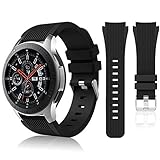
- 【 Suitable For Modle 】 Replacement for Samsung Galaxy Watch 1 46mm(Released in 2018)/Samsung Galaxy Gear S3 Classic/Samsung Galaxy Gear S3 Frontier/samsung galaxy watch 3 45mm Smart watch. Only compatible with these 4 Samsung watches, not compatible with other Samsung models. (NOT for galaxy watch 4/5/6/7 all series, Galaxy Watch 3 41mm.)Please confirm your watch model before purchasing.(Watch is NOT included.)
- 【 Good Material 】 This smart watch bands made of premium silicone, skin-friendly and no fading. Premium Watch Buckle design, 22mm quick release easy to install and remove.
- 【 Multiple Color Selection 】 A variety of colors are available for perfect for daily and nightly wear. Make your galaxy watch 3 45mm/ Gear S3 Frontier watch/ galaxy watch 46mm look unique.
- 【 One Size --S & L Bands Included】The package includes: 1 X short side, 2 X long side compatible with your Galaxy Watch 46mm /Gear S3 Frontier, Classic Watch /Galaxy Watch 3 45mm. Suitable for men and women.
- 【 Excellent After-Sales Service 】 HSWAI provide a wonderful shopping experience, If there is any problem when using this band, just contact us and then we will offer a perfect solution immediately.
For ordinary users, the main consequence is compatibility. A face that was built under an older Wear OS distribution method may no longer install or function after a watch upgrade. Samsung specifically warns that previously used faces may stop working on Galaxy Watch7 or Galaxy Watch Ultra when they do not support the latest format, and recommends finding another face in the Play Store. In 2026, compatibility text mentioning current Wear OS and WFF is more meaningful than a generic claim that a face supports Samsung watches.
Before installing or buying a face, check four things:
- Your exact watch model.
- Your installed Wear OS generation, where applicable.
- Whether the face supports the current Watch Face Format.
- Whether the face is distributed through the storefront your watch actually uses.
Wear OS versus Tizen: do not mix the two ecosystems
The Galaxy Watch brand spans two different software families. Galaxy Watch4 and newer models use Wear OS powered by Samsung. Older Galaxy Watch, Active, Active2, and Watch3-era devices use Tizen.
That difference affects more than the store name:
- Wear OS: faces are obtained through Google Play or Galaxy Wearable, and current installations are subject to Watch Face Format requirements.
- Tizen: Samsung’s documented route is Galaxy Store through Galaxy Wearable. Older Tizen faces should not be assumed to run on Wear OS, and Wear OS faces should not be assumed to run on Tizen.
- Third-party support: a platform may list current Galaxy Watch models while ending or restricting support for older Tizen watches.
If you have a Galaxy Watch3 or older, search specifically for Tizen compatibility and confirm that the app or face can still be obtained through the supported store. A recommendation that simply says compatible with Galaxy Watch is incomplete.
What’s actually slowing this PC down?
Pick the symptom - the matching free tool is one click away.
Can a Galaxy Watch work with an iPhone?
Samsung states that its Wear OS Galaxy Watches cannot be set up with iOS. That applies to the Galaxy Watch4 and newer Wear OS generation. If you use an iPhone and are considering a current Galaxy Watch for its faces, check phone compatibility before buying; a face catalog cannot overcome the setup requirement.
Creating your own Galaxy Watch face
For creators, Samsung Watch Face Studio is the official authoring route. Samsung describes it as a graphic tool for creating Wear OS smartwatch faces, with controls for elements including color, background imagery, and fonts. You can start with Samsung Watch Face Studio and use Google’s current Watch Face Format documentation alongside it when preparing a face for modern Wear OS distribution.
Rank #4
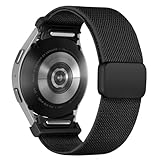
- 【New Upgrade Design】:This magnetic nylon watch band for Galaxy watch 7 features a One Click+Stainless steel clasp design,with seamless One Click Attachment connectors for quick and easy installation and removal. The connectors seamlessly fit for your samsung galaxy 6 watch band, while the clasp allows for easy adjustment, ensuring a secure fit without slipping, and enhancing the overall wearing experience.
- 【Premium Material】:This fabric elastic strap is made of soft Stretchy nylon material,crafted from recyclable green environmental-friendly materials.The newly upgraded clasp is made of stainless steel, featuring a dual-layer electroplating process that prevents fading.The connectors are constructed with high-strength TPU material,and come with an extended metal expansion rod for strong pull testing without detachment.
- 【Compatible Models】:The One Click Nylon Bands only Compatible with Samsung Galaxy Watch 7 40mm 44mm/Galaxy Watch FE 40mm/Samsung Galaxy Watch 6 40mm 44mm/Galaxy Watch 6 Classic 43mm 47mm/Galaxy Watch 5 40mm 44mm/Galaxy Watch 5 Pro 45mm/ Samsung Galaxy Watch 4 40mm 44mm/Galaxy Watch 4 Classic 42mm 46mm.《Please Note》This no gap sport band is Not Compatible With Samsung galaxy watch 3 45mm&46mm/ galaxy watch 46mm/Galaxy Gear/active, Ticwatch Pro.
- 【Adjustable Size】:Elastic nylon band for galaxy watch 7 6 5 4 band is 3nd generation new upgrade adjustable stainless steel clasp,secure and convenient clasp makes the band more beautiful and easier to put on and take off,more pretty,convenient and stable.The innovative buckle makes the band length suitable for wrist size 4.5"-9.0".
- 【24H-Online Service】:You will get 1 Nylon fabric One Click bands for Samsung galaxy watch 7 6 5 4 FE band. If you have any questions about our strap, please feel free to contact us and we will solve it as soon as possible until you are satisfied.
Watch Face Studio is different from a consumer face catalog: it is intended for designing and authoring faces. A creator still needs to account for current WFF and Google Play or Watch Face Push publishing requirements. Google documents both Google Play and Watch Face Push as publishing paths for Watch Face Format faces.
A practical decision guide
If you own a Galaxy Watch4, Watch5, or Watch6
- Use the Wear OS/Google Play and Galaxy Wearable route, not the Tizen route.
- Check whether a third-party platform has separate Wear OS 4 and Wear OS 6 apps.
- For Pujie, verify the watch’s software generation before choosing between the Wear OS 4 and Wear OS 6 listings.
- Do not assume that an older face will remain installable simply because the watch originally supported it; check current WFF requirements.
If you own a Galaxy Watch7, Watch8, Watch8 Classic, or Galaxy Watch Ultra
- Prioritize faces that explicitly support the current Watch Face Format.
- Use the newer Pujie branch when the listing identifies your watch and Wear OS generation.
- If a previously used face has disappeared or stopped working, look for a WFF-compatible replacement rather than repeatedly reinstalling the old version.
If you own a Galaxy Watch3 or older
- Stay within the Tizen and Galaxy Store ecosystem.
- Confirm that a face or platform still supports your specific model before relying on it.
- Do not purchase a Wear OS-only face based on a listing that mentions Galaxy Watch without naming the operating system.
If you are choosing a watch as well as a face
Buying a current Wear OS model gives you access to the current Play-based face ecosystem, but an existing owner does not need to replace a functioning watch merely to change its face. If you are shopping for a compatible current platform, compare the Galaxy Watch8, Galaxy Watch8 Classic, and Galaxy Watch Ultra against your phone and feature requirements, then verify each face’s listing separately.
Troubleshooting Galaxy Watch face problems
A face does not appear in the store
- Check the ecosystem. A Tizen watch needs a Tizen/Galaxy Store-compatible face; a Wear OS watch needs the Wear OS route.
- Check the model and OS generation. A platform may support Watch4–6 but exclude Watch7–8 and Ultra, or the reverse.
- Check WFF. In 2026, a face without current Watch Face Format support may not be installable on a Wear OS device.
- Check regional and account availability. Store listings and featured content can vary by country and account.
A face worked before but stopped after an upgrade
Start with Watch Face Format compatibility. Samsung warns that older faces may no longer work on Galaxy Watch7 or Galaxy Watch Ultra when they do not support the latest format. Search the Play Store for an updated version or choose another face that explicitly supports the current format. If the face belongs to a third-party platform, also check whether that platform has moved the design to a different app branch.
Pujie says the watch is not supported
Check the two Pujie listings rather than reinstalling the same app repeatedly. The Wear OS 4 listing covers Watch4, Watch5, and Watch6, while the Wear OS 6 listing names Watch5, Watch6, Watch7, Watch8, Watch8 Classic, and Galaxy Watch Ultra models and excludes Wear OS 4 devices. Use the branch that matches the watch’s installed Wear OS version.
The Customize option is missing
Samsung says customization appears only when the selected face supports it. Try another face or open its listing to see whether it advertises editable colors, complications, widgets, or other controls. The absence of Customize is not by itself an installation failure.
Installation fails or the face does not sync
- Confirm that the watch is connected through Galaxy Wearable.
- Confirm that the phone is compatible. Wear OS Galaxy Watches require a compatible Android phone and cannot be set up with iOS.
- Verify that the app and face match the watch’s operating system and generation.
- Check the face listing for WFF support and any individual synchronization limitations.
- Try applying the face from the watch’s face picker after installation rather than assuming installation automatically makes it active.
What to check before paying for a face
- Exact model: Watch4, Watch5, Watch6, Watch7, Watch8, Ultra, and older Tizen models are not one interchangeable compatibility group.
- Operating system: confirm Wear OS or Tizen.
- Face format: for Wear OS in 2026, look for current Watch Face Format support.
- Store route: Play Store/Galaxy Wearable for Wear OS; Galaxy Store/Galaxy Wearable for legacy Tizen.
- Customization: confirm that the listing promises the controls you actually want. Some faces are fixed designs.
- Catalog terms: third-party catalogs can contain a mixture of free, paid, licensed, community-created, and individually restricted designs. Never infer that every face in a platform is free or compatible with every Galaxy Watch.
Frequently Asked Questions
Can I use a Wear OS face on a Galaxy Watch3?
Usually not. Galaxy Watch3 uses Tizen, while Galaxy Watch4 and newer models use Wear OS. Look for a face explicitly distributed for Tizen through the Galaxy Store and Galaxy Wearable.
Best Value
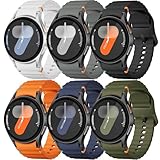
- 【Compatible Models】No gap silicone watch bands with Decorative Woven Line are compatible for Samsung Galaxy Watch 7 band 44mm 40mm/Galaxy Watch 6 band 40mm 44mm/Galaxy Watch 6 Classic bands 47mm 43mm/Galaxy Watch 4 band 40mm 44mm/Galaxy Watch 5 band 40mm 44mm/Galaxy Watch 5 Pro band 45mm/Galaxy Watch 4 Classic band 42mm 46mm/Galaxy Watch FE band 40mm.Not for other models. Note: watch not included
- 【Comfortable Silicone Material】The galaxy watch 7 band 40mm 44mm is made of premium soft silicone rubber,which is lightweight,flexible,durable and comfortable to wear all day. It does not cause any irritation or discomfort even during strenuous exercise.Silicone material is also easy to clean, making your band looks fresh in daily wearing
- 【No Gap Design】DMVEIMAL for Samsung watch 7 6 5 4 bands feature a No Gap+Quick Release design for easy tool-free installation and removal. Change your style in seconds. Corrugated surface and both sides with orange blue stitching makes the Galaxy Watch band more special and different,enhancing the overall aesthetic
- 【Wrist Size】Sport Band for Samsung Watch 7 bands 40mm 44mm is adjustable and fits wrists ranging from 5.51 inches to 8.1 inches (140 mm to 205 mm).You can adjust the buckle and holes to fit your wrist size.Match any mood or style with an assortment of bands in various colors. Suitable for many indoor and outdoor activities such as leisure, travel, work, sports, cycling, camping, adventures, etc
- 【Best Service】Package includes 6 pack silicone sport band for galaxy watch 7 6 5 4 FE. (Notice: Smart Watch not Included), We provide you the best product quality and customer service.12 months warranty and 24-hour customer service, Please kindly CONTACT US once you have any questions
Why did an old face stop working on my Galaxy Watch7 or Galaxy Watch Ultra?
It may not support the current Watch Face Format. Samsung warns that older faces can stop working on these models when they do not support the latest format. Find an updated or replacement face in Google Play that explicitly supports WFF.
Which Pujie app should I install for a Galaxy Watch?
Match the app to the watch’s Wear OS generation. Pujie’s Wear OS 4 listing covers Galaxy Watch4, Watch5, and Watch6, while its newer listing targets Wear OS 6 devices and names Watch7, Watch8, Watch8 Classic, and Galaxy Watch Ultra models. Check the watch software version rather than relying only on the model name.
Why can’t I customize my Galaxy Watch face?
Not every face supports customization. Samsung displays the Customize option only when the selected face provides editable controls.
Can I set up a Wear OS Galaxy Watch with an iPhone?
No. Samsung states that Wear OS Galaxy Watches cannot be set up with iOS. A compatible Android phone is required.
PC Slower Than It Used to Be?
A free scan shows the junk files, broken settings and background clutter dragging Windows down - then fixes them in one click.Free scan · Windows 10 & 11Crashes, No Sound, or Screen Glitches?
Random freezes, missing sound and display glitches usually trace back to one bad driver. Find and replace yours safely.Free scan · under a minuteCan I create my own Samsung Galaxy Watch face?
Yes. Samsung Watch Face Studio is the official authoring tool for Wear OS smartwatch faces. For current distribution, creators should also follow Google’s Watch Face Format and publishing requirements.
The Bottom Line
Choose the face ecosystem by operating system first, then verify the exact model, Wear OS generation, and Watch Face Format support. Wear OS Galaxy Watches use Google Play and Galaxy Wearable; Galaxy Watch3 and older use the legacy Tizen/Galaxy Store route. For current watches, WFF compatibility is the key check in 2026, while owners of older Tizen models should avoid assuming that modern third-party catalogs still support them.




