Quick wins for a faster PC:
Fix the driver behind crashes, sound loss and screen glitchesFind Drivers →Clear out junk files and repair common Windows errorsFree Scan →Scan for outdated or missing drivers - takes under a minuteDriver Scan →SKMEI manuals are model-specific. To download the correct free PDF, read the model number engraved on the back of the watch and enter that exact code into SKMEI’s official manual/download search. Do not rely on appearance alone: button assignments, features, battery types, and water-resistance limits vary by model.
There is no single SKMEI watch instruction manual. SKMEI manuals are model-specific, so the fastest way to find the correct free PDF is to read the model number engraved on the back of the watch and enter that number into SKMEI’s official manual/download search. Examples of model codes include 1251, 1155B, and 9083.
Do not choose a manual only because the watch looks similar. Before using any PDF, compare its model number, button labels, display layout, and listed features with your watch. A generic four-button guide can give the wrong instructions for a touch-screen, Bluetooth, world-time, or sensor-equipped model.
How to download a free SKMEI manual PDF
- Turn the watch over and look for the engraved model code on the rear case. It may be a four-digit number or a number followed by a letter, such as 0817B or 1155B.
- Use the official SKMEI manual/download page and search for the exact code. SKMEI’s product and support areas are divided by watch type and model rather than organized around one universal manual.
- Check the PDF title and diagrams. The model shown in the document should match the code on your case. Also check the number and names of the buttons, the shape of the display, and the functions described.
- Download or save the PDF to your phone. This is useful when setting the watch away from an internet connection or when the screen is difficult to read.
- If the official search does not find the model, search by the exact code elsewhere and treat the result as a fallback, not as proof that it applies to your watch.
SKMEI’s regional support instructions use the same basic approach: enter the numeric code engraved on the back of the watch to find a PDF. The regional pages may provide manuals in a particular language, while the manufacturer’s broader catalog may expose a product file or manual under the individual product page.
#1 Best Overall

- Vintage Square Minimalist Silhouette Design: Retro classic unisex digital watches adopt iconic slim square dial and streamlined metal case, presenting timeless street fashion charm for both men and women daily matching.
- Multifunctional Core Digital System Configuration: Practical functional unisex sports watches integrate alarm chronograph date week display EL backlight and 12 24 hour time format, satisfying daily timing demands of office workers students and outdoor lovers.
- 30M Daily Life Water Resistant Performance: Reliable durable unisex lifestyle watches come with 30M water resistant structure, resisting water splashes from hand washing rain and daily sweating without damaging internal parts.
- Premium Polished Stainless Steel Strap Craft: Skin friendly lightweight unisex bracelet watches use polished solid stainless steel link band, adjustable in length to fit thin and thick wrists for all day comfortable wearing.
- Eye Friendly EL Backlight Nighttime Visibility: User friendly luminous unisex casual watches equip soft EL green backlight, making digital numbers clearly visible in dim light for night commuting evening sports and late study.
Confirmed official SKMEI manual examples
The following examples demonstrate why the model number matters. They are not interchangeable manuals, and the publication date of an individual PDF does not necessarily indicate when the watch was released or when the manual was last revised.
| Model | Functions described in the official manual | Important identification detail |
|---|---|---|
| 1405 | Time, date, weekday, daily alarm, hourly chime, 12/24-hour display, 1/100-second chronograph with split timing, and EL backlight | Uses Light, Mode, Reset, and Start controls; the manual describes solar-assisted power backed by a battery. The PDF is dated July 5, 2017 and identifies module documentation BJK609. |
| 1602 | Time and date, 23:59:59 stopwatch, 24-hour countdown, five alarm groups, hourly chime, dual time, LED backlight, and touch-screen setting | Mode switching and adjustment use a different sequence from many ordinary four-button watches. Its touch-screen behavior makes the exact manual especially important. |
| 1681 | Perpetual calendar from January 1, 2000 through December 31, 2099, 12/24-hour selection, alarm, hourly signal, stopwatch, countdown, ambient/wrist-temperature functions, temperature history, and LED/EL lighting | The temperature feature is a watch sensor function, not a medical-grade thermometer. The manual says to wear the watch for approximately 10 minutes before measuring wrist temperature. |
| 1743 | Low-power Bluetooth LE 4.0, phone synchronization, message and call notifications, remote photography, steps, calories, walking distance, automatic calendar, app-based alarm, chronograph up to 23:59:59, and EL backlight | This is a smart-watch manual. Pairing, permissions, app behavior, and phone compatibility are separate from the button instructions used by conventional digital models. |
| 1834 | Time, date, weekday, daily alarm, hourly chime, 12/24-hour selection, automatic calendar, world time for 31 cities and 29 time zones, summer-time setting, 60-minute countdown, stopwatch, dual time, years 2000–2039, and EL backlight | The mode sequence includes real time, world time, countdown, stopwatch, pointer adjustment, and alarm. |
| 1812 | Dual time, chronograph, alarm, date, weekday, EL light, countdown, and 12/24-hour format | The official product page associates these functions with model 1812 and provides a product-file area. |
Official product pages for models including 1384, 1456, 1667, and 2025 also show that SKMEI assigns different feature sets and product files to different watches. The official download page should therefore be treated as a model search, not as a single static list covering every watch SKMEI has made.
What the buttons usually do
On many conventional SKMEI digital watches, a Mode button cycles between time, alarm, stopwatch, countdown, and other screens. The remaining buttons commonly perform some combination of light, reset/select, start/stop, or value adjustment. Official manuals for the 1405, 1602, and 1834 illustrate this general pattern.
However, the button assignment is not standardized across the brand. Depending on the model:
The Tool Desk
Outbyte PC Repair FREEClear out junk files and repair common Windows errorsFree Scan →Outbyte Driver Updater FREEScan for outdated or missing drivers - takes under a minuteDriver Scan →- Holding a button may enter the setting screen rather than changing the displayed value.
- One button may select the field while another increases the value.
- The Start or Reset button may confirm a setting on one model but change a value on another.
- The light button may be used for backlight only, or may have a different function while setting.
- A touch screen, Bluetooth connection, pointer-adjustment mode, world-time screen, or sensor mode may change the normal sequence entirely.
Use the generic pattern only to orient yourself. Do not use it as a substitute for the PDF belonging to the watch.
Common SKMEI operations
Setting the time and date
Most digital models require you to enter the normal time display, hold the designated setting button, and move through fields such as seconds, hour, minute, year, month, and day. Another button usually selects the field and a Start- or Reset-type button changes its value. The exact order and buttons vary.
After setting the time, check whether the display is in 12-hour or 24-hour mode. An afternoon or evening time may show an AM/PM indicator in 12-hour mode. Models with automatic calendars may require the correct year, month, and date before the weekday is displayed correctly.
Using the alarm and hourly chime
Open the alarm mode and look for the alarm indicator and, where available, the hourly-signal or chime indicator. Some watches use repeated presses of a button to turn these functions on or off; others require entering a setting sequence. The SKMEI 1602 is an example of a model with multiple alarm groups, while other models provide only one daily alarm.
Rank #2

- EXTRA LARGE DIGITAL DISPLAY FOR MAXIMUM READABILITY The Casio AE-1500WH-5AVCF features an oversized wide-face display designed for quick, easy viewing of time, date, and functions at a glance. The large digital screen makes it ideal for outdoor adventures, travel, work, fitness, and everyday wear.
- RUGGED KHAKI DESIGN BUILT FOR OUTDOOR ADVENTURES Featuring a military-inspired khaki resin band, durable resin case, and resin glass crystal, this Casio digital watch delivers a rugged look with lightweight comfort. The 100-meter water resistance makes it suitable for swimming, outdoor activities, and daily wear.
- 10-YEAR BATTERY LIFE POWERED BY CR2032 LITHIUM BATTERY Powered by a CR2032 lithium battery, the AE-1500WH-5AVCF delivers approximately 10 years of battery life, providing dependable long-term performance while minimizing battery replacements.
- ADVANCED DIGITAL FUNCTIONS FOR TRAVEL, TRAINING & EVERYDAY USE Stay organized with Dual Time, a 1/100-second stopwatch, and a 24-hour countdown timer with auto-repeat. Additional features include 5 multi-function alarms with snooze, hourly time signal, and selectable 12/24-hour format.
- AMBER LED BACKLIGHT & LONG-LASTING CASIO RELIABILITY The built-in amber LED backlight with afterglow provides clear visibility in low-light conditions. Additional features include a full auto calendar through 2099 and quartz accuracy of approximately ±30 seconds per month for dependable everyday timekeeping.
Running the stopwatch or chronograph
In stopwatch mode, the Start button commonly begins and pauses timing, while Reset clears the result after timing has stopped. Some models support split or lap timing. The 1405 specifies 1/100-second chronograph precision, while the 1602 and 1834 specify timing ranges or modes that should be followed from their own diagrams.
Do not assume that a displayed hundredth-second value means the watch maintains that accuracy over long periods. It describes the display or timing resolution of the chronograph, not the watch’s overall timekeeping accuracy.
Using a countdown timer
Enter countdown mode, set the hours, minutes, or seconds supported by the model, and start the timer. Some SKMEI watches offer a 24-hour countdown, while the 1834 documentation describes a 60-minute countdown. When the countdown reaches zero, the watch may beep, flash, or return to a default value depending on the module.
Changing 12-hour and 24-hour display
The 12/24-hour option is usually available during time-setting or from the normal time screen. The setting may be controlled by the same increment button used for hours, so consult the model diagram rather than repeatedly pressing buttons at random.
Quick wins for a faster PC:
Clear out junk files and repair common Windows errorsFree Scan →Fix the driver behind crashes, sound loss and screen glitchesFind Drivers →Repair Windows errors before they cause bigger problemsFix Now →Using dual time or world time
Dual time normally stores a second manually configured time. World time may provide a city or time-zone list. These are not the same feature. The 1834, for example, describes 31 cities and 29 time zones and includes a summer-time setting; a simple dual-time watch will not have those controls.
Using the light
Press the designated Light, LED, or EL button briefly to illuminate the display. Backlight duration and button behavior differ by model. If the light is weak while the time display is still visible, the battery may be nearing depletion, although a dim display can also result from a faulty light circuit or poor contact.
Using temperature or other sensors
Sensor functions require the instructions for the specific module. The 1681 manual’s wrist-temperature procedure calls for wearing the watch for approximately 10 minutes before measurement. Wrist and ambient readings are affected by skin contact, body position, surrounding temperature, and the watch case; do not use them for medical decisions.
Pairing a Bluetooth SKMEI watch
The 1743 is fundamentally different from a standard digital watch. Its manual covers BLE 4.0 phone synchronization, notifications, remote photography, activity measurements, and app-controlled alarms. Pairing may require installing the model’s intended app, enabling Bluetooth, granting notification permissions, and keeping the watch close to the phone. If the phone cannot find the watch, follow the app’s pairing procedure rather than trying to configure it as an ordinary digital watch.
Rank #3
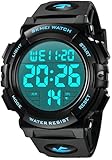
- Digital Watch with Multi-Functional: shock resistant, water resistant, stopwatch, night light, auto date, calendar, alarm, 12/24H, hourly signal
- Perfect for All Sports: shockproof with large face and super easy to read LED screen, ideal for running, swimming, hiking, fishing and other outdoor and indoor sports
- Waterproof with Stylish Minimalism: 164 Ft / 50M water resistant with unique simple military black dial. Shower, swimming, raining, sweating, no problem!
- Build for Comfort & Durable: soft imported PU band and long last stainless steel back case, a great value you don't want to miss
- Waterproof: 164 Ft / 50 M water resist, Please DONOT press any buttons underwater, and in case of damaging waterproof ring,please keep it away from steam and hot water.
How to verify a manual before following it
- Model code: Does the PDF show the exact number engraved on your watch?
- Button layout: Do the number, positions, and labels match?
- Display: Does the screen have the same icons, sub-displays, hands, or touch area?
- Features: Does the manual describe the functions your watch visibly has?
- Operating system: Is it a conventional digital watch, an analog-digital model, or a Bluetooth/app watch?
For example, a manual that describes 29 time zones and world-time cities is unlikely to belong to a basic alarm-and-chronograph watch. A Bluetooth manual should not be applied to a non-smart model, even if both watches have four side buttons. A manual that shows a touch screen is not a safe match for a button-only watch.
Third-party SKMEI manual archives
When the official search is unavailable or does not expose an older model, third-party repositories can be useful. They are archives, not the manufacturer’s support system, so verify the file carefully before operating the watch.
ItsManual lists a limited selection, including models 0814, 0817B/0817Bm, 0931/1060, 0984A, 1029/1029Bm, and 1283, along with several generic or smart-watch manuals. SkillToyz lists PDF links for models including 1251, 1257, 1858, 1894, 1907, 2108, and 2122.
Before using an archive PDF, compare the exact model code, controls, display, and features. A generic file in a “SKMEI manuals” category is not evidence that the instructions apply to every SKMEI watch. If a third-party PDF conflicts with the markings on your watch, stop and continue searching for a model-specific document.
Independent reader supportYour contribution helps us test, update, and keep practical guides available for everyone.Battery replacement and a blank or dim display
Battery size is not universal across SKMEI watches. Official documentation for model 1500 identifies a CR2430, while third-party documentation for particular SKMEI models identifies a CR2025. These examples are enough to show why you should not buy a battery based only on the brand name.
- Check the original manual or the marking on the installed battery.
- Confirm the model and module before ordering a replacement.
- Match the battery code exactly; do not substitute a CR2025 or CR2430 by appearance alone.
- If the caseback must be opened, consider a qualified watch technician, especially for a water-resistant watch.
- After service, check that the gasket is correctly seated and ask whether the water resistance has been tested.
A blank screen can be caused by a depleted battery, poor battery contact, a damaged module, or moisture. Replacing the cell without checking the seal can create a second problem: water resistance may be reduced when the caseback is disturbed.
For a battery search, use a model-matched replacement watch battery only after verifying whether your watch requires CR2025, CR2430, or another size. For a water-resistant case or an uncertain module, professional watch battery replacement is safer than guessing.
Recommended Free Tools
Rank #4

- 50M Waterproof Adventure Watch:This SKMEI men's rugged digital sports watch features 50M waterproof performance making it ideal for swimming hiking and all outdoor adventures without water damage concerns.
- Luminous Display Chronograph:Equipped with luminous display time reads clearly in dark environments. The chronograph function tracks seconds precisely during sports or daily activities.
- Military Style Trendy Design:Boasting a military style look this wristwatch adds tough sophistication to your outfits suitable for casual and semi formal occasions.
- Alarm Function Reliable Time:The built in alarm ensures you never miss important moments while precise timekeeping keeps your daily schedule on track.
- Durable Construction Long Lasting:Made with high quality durable materials this watch withstands outdoor challenges and daily wear providing lasting performance.
Water resistance and maintenance warnings
Water resistance is model-specific. SKMEI product pages show different ratings, including 30-meter and 50-meter examples, so one model’s rating cannot be applied to another. Follow the rating and restrictions printed on your own watch and in its manual.
In particular:
- Do not press buttons underwater unless the exact manual explicitly permits it.
- Avoid hot showers, hot tubs, and high-heat water. Heat can affect seals and allow moisture ingress later.
- Do not treat a water-resistance number as permission for every swimming, diving, or high-pressure activity.
- Have the seals checked after battery replacement or caseback service if water resistance matters.
- If condensation appears under the crystal, stop using the watch and have it inspected promptly.
Quick troubleshooting
The official page cannot find my model
Re-read the rear-case code, including letters. Try the code without spaces or punctuation, then check the manufacturer’s product-category pages. If the model is discontinued, look in a third-party archive, but verify the file against the physical watch.
The buttons do not work as the PDF says
Recheck the model and module number. Make sure the watch is in the correct mode and that you are holding the setting button for the required time. If the display layout or button labels differ, the manual is probably for another variant.
The time is correct but the weekday is wrong
Check the year, month, and date as well as the time. Automatic-calendar models calculate the weekday from those fields. Some manuals cover only a defined year range—for example, the 1834 documentation specifies 2000–2039—so do not assume the calendar is perpetual.
The watch will not pair with a phone
Confirm that the watch is a Bluetooth model such as the 1743, install or open the intended app, enable Bluetooth, and allow the permissions required for notifications or activity data. Do not expect a conventional digital SKMEI watch to appear as a Bluetooth device.
The watch fogs up or has stopped after water exposure
Do not keep pressing buttons or attempt repeated resets. Remove the watch from water, dry the exterior, and have the case and movement inspected. Moisture damage can continue even after the display temporarily returns.
What “2024” means for these manuals
The phrase “2024” in a search title should not be read as a claim that every SKMEI PDF was written or updated in 2024. The available documentation has mixed dates: some older manuals remain available through current manufacturer pages, while newer product pages contain newer model numbers. The reliable rule is to match the manual to the watch’s exact model and module, not to select a PDF because of its year.
Bottom line: read the code on the back of the SKMEI watch, search that exact code through SKMEI’s official manual/download system, and verify the buttons and display before following the instructions. Use third-party archives only as a carefully checked fallback. Battery type, water resistance, button assignments, and features all vary by model.
What’s actually slowing this PC down?
Pick the symptom - the matching free tool is one click away.
Frequently Asked Questions
The model number is generally engraved on the rear case. Look for a four-digit code or a number followed by a letter, such as 1251, 0817B, 1155B, or 9083.
Where is the SKMEI watch model number?
No. SKMEI manuals are model- and sometimes module-specific. Button assignments and features differ between conventional digital, touch-screen, Bluetooth, world-time, and sensor-equipped watches.
Is there one universal SKMEI instruction manual?
There is no universal SKMEI battery. Official documentation identifies a CR2430 for model 1500, while documentation for other models identifies CR2025. Check the original battery, case, or exact manual before buying a replacement.
What battery does a SKMEI watch use?
Avoid pressing buttons underwater unless the exact manual explicitly permits it. SKMEI support guidance also warns against hot showers because heat and pressure can compromise seals.
Can I press SKMEI watch buttons underwater?
The Bottom Line
Use the model number—not the watch’s appearance—to find the correct SKMEI manual PDF. Search the engraved code through SKMEI’s official support/download system, then verify the button layout and features. Third-party archives are fallback sources only; battery sizes, water-resistance ratings, and operating steps vary by model.
Quick Recap
Product prices and availability are accurate as of the date/time indicated and are subject to change. Any price and availability information displayed on Amazon at the time of purchase will apply.




