Short answer: The latest Timekettle W4 software story is a combination of a system-wide over-the-air upgrade announced in January 2026, continuing Timekettle app updates, a revised offline translation engine, and new subscription-based services. Timekettle has not published a definitive W4 firmware number or complete public changelog, so the safest way to check your status is through the current Timekettle app after connecting the earbuds.
What is the latest W4 update?
As of August 18, 2026, the latest publicly documented W4 changes are not one clearly numbered firmware release. They comprise three related layers:
As an Amazon Associate I earn from qualifying purchases.
- Device-level OTA changes: Timekettle announced a January 2026 upgrade involving a translation-engine selector, an enhanced hybrid algorithm, and next-generation bone-conduction voice capture.
- Timekettle app updates: Release notes added W4 modes, improved Listen & Play, expanded language support, and listed performance fixes. The latest iOS version reviewed was 3.4.28, dated July 27, 2026.
- Service and subscription changes: New multimedia translation, voice-call translation, and AI real-time recap functions may require the W4 Unlimited Plan after their introductory trials.
Timekettle said the major upgrade would roll out over the air to supported devices from January through the first quarter of 2026. The announcement does not provide a W4-specific firmware version or independently confirm that every region and device has completed the rollout. Read Timekettle’s January 2026 announcement.
What’s actually slowing this PC down?
Pick the symptom - the matching free tool is one click away.
W4 update timeline
| Date | Change | What it means |
|---|---|---|
| April 4, 2025 | LLM translation added | An app-level translation capability. |
| September 4, September 23 and November 10, 2025 | W4 mode support | One-on-One and Listen & Play support appeared in the iOS release history. |
| November 13, 2025 | Listen & Play improvements | Timekettle listed optimized Listen & Play plus instant questions and comments. |
| January 5, 2026 | System-wide OTA upgrade announced | Translation Engine Selector, enhanced hybrid processing and bone-conduction voice capture. |
| April 14, 2026 | Offline-engine update | Timekettle claimed faster response, better accuracy and more natural phrasing. |
| May 11, 2026 | Nine additional languages | Listed in the iOS release history; the indexed note does not identify them. |
| June 30, 2026 | W4 subscription announcement | Advanced cloud-based functions were added to the app’s service offering. |
| July 27, 2026 | iOS app version 3.4.28 | Performance improvements and bug fixes were listed. |
These entries are App Store release-note claims, not independent tests of translation quality or latency. See the Timekettle iOS version history.
#1 Best Overall

- Fluent, Real-Time Conversation in 52 Languages: Enjoy fluid, bidirectional translation in 52 languages and 106 accents with W4 Pro. Its dual-channel design lets both parties speak and be translated simultaneously—no awkward pauses, no interruptions. Ideal for travel, meetings, and cross-cultural interactions, making every conversation feel natural and spontaneous.
- Triple-Mic Noise Cancellation for Accurate Voice Pickup: Equipped with three microphones and vector-based noise reduction, W4 Pro filters out surrounding voices to capture only yours. Even in crowded settings or close-range conversations, it avoids cross-talk and boosts speech recognition accuracy—ensuring clear, precise translations at all times.
- Smarter Meetings with Listen & Play Mode: Switch seamlessly between listening and speaking in multilingual meetings with the Listen & Play feature—perfect for smooth collaboration. AI Semantic Segmentation helps you focus on key content, boosting efficiency. Share your thoughts instantly with one tap. All sessions are auto-recorded, and AI Memo highlights the key takeaways for easy follow-up.
- Instant Media & Call Translation Anytime: Break language barriers in real-time with W4 Pro’s Media Translation. Whether you're in a video meeting, watching foreign content, or answering unexpected calls, communication stays clear and smooth.
- Reliable Offline Translation Anywhere: No internet? No problem. W4 Pro supports smooth offline translation with 13 language pairs across 8 major languages, including English to Spanish, Chinese, French, German, and Japanese. Switch easily between online and offline modes for uninterrupted communication—wherever you are.
What the 2026 OTA upgrade is supposed to improve
Translation Engine Selector
Timekettle says the new selector can choose among translation engines to match different languages or situations. The intended result is more appropriate processing rather than relying on one engine for every conversation. The company describes this as a state-of-the-art upgrade; there is no independent benchmark in the available public material.
Enhanced hybrid algorithm
The hybrid approach is intended to combine processing methods for better speech recognition and translation. In practice, results will still depend on language pair, background noise, overlapping speakers, microphone placement, network access and the selected mode.
Bone-conduction voice capture
Timekettle also announced next-generation bone-conduction voice capture. This is aimed at isolating the wearer’s speech and improving pickup in difficult environments. It should be treated as a manufacturer claim, not a guarantee that the W4 will produce accurate translations in every noisy meeting, vehicle or crowded street.
Do these 3 things before closing this tab:
1Repair Windows errors before they cause bigger problems2Scan for outdated or missing drivers - takes under a minute3Clear out junk files and repair common Windows errorsTimekettle advertises up to 98% translation accuracy, a 0.2-second response and support for 52 languages and 106 accents on its W4 product page. Those are advertised maximums, not independently verified results or guaranteed performance. Check the current W4 product information.
How to install the W4 update
Use this sequence for both app-based changes and any available OTA device update:
- Charge the W4 earbuds and charging case.
- Confirm that the phone is online and meets Timekettle’s stated requirements: Android 10 or later or iOS 14 or later.
- Update or install the latest Timekettle app from the relevant app store.
- Open the app and connect the W4 to the phone over Bluetooth.
- Open the W4 device homepage inside the Timekettle app.
- Follow any update or OTA prompt shown for the connected device.
- Keep the earbuds powered and follow the app’s instructions until the process finishes. Do not interrupt the connection during an update.
- Reconnect the W4 and check whether the new mode, language or setting is visible.
Timekettle’s public guidance confirms the latest-app and W4-device-homepage path, but the indexed documentation does not expose a universal text-based firmware procedure. Menu names can vary by platform, region, account and rollout stage, so do not assume that every app will show a button labelled “Firmware Update.” Timekettle’s tutorial library includes How to Use the Updated APP?.
What remains free, and what may cost extra?
Timekettle says the standard W4’s core modes remain available without a subscription:
Free tools Windows power users keep installed
One-click scans. No signup required.
- One-on-One: designed for direct conversations.
- Listen & Play: intended for listening to translated speech, such as talks, lessons or media.
The W4 product information identifies these newer functions as trial-based and then subscription-gated:
Rank #2

- Fluent, Real-Time Conversation in 52+ Languages: Enjoy fluid, bidirectional translation in 52 languages and 106 accents with W4 Pro. Its dual-channel design lets both parties speak and be translated simultaneously—no awkward pauses, no interruptions. Ideal for travel, meetings, and cross-cultural interactions, making every conversation feel natural and spontaneous.
- Triple-Mic Noise Cancellation for Accurate Voice Pickup: Equipped with three microphones and vector-based noise reduction, W4 Pro filters out surrounding voices to capture only yours. Even in crowded settings or close-range conversations, it avoids cross-talk and boosts speech recognition accuracy—ensuring clear, precise translations at all times.
- Smarter Meetings with Listen & Play Mode: Switch seamlessly between listening and speaking in multilingual meetings with the Listen & Play feature—perfect for smooth collaboration. AI Semantic Segmentation helps you focus on key content, boosting efficiency. Share your thoughts instantly with one tap. All sessions are auto-recorded, and AI Memo highlights the key takeaways for easy follow-up.
- Instant Media & Call Translation Anytime: Break language barriers in real-time with W4 Pro’s Media Translation. Whether you're in a video meeting, watching foreign content, or answering unexpected calls, communication stays clear and smooth. Enjoy up to 300 minutes of audio, video, or call translation monthly—with extra time available for purchase in the app if needed.
- Reliable Offline Translation Anywhere: No internet? No problem. W4 Pro supports smooth offline translation with 13 language pairs across 8 major languages, including English to Spanish, Chinese, French, German, and Japanese. Switch easily between online and offline modes for uninterrupted communication—wherever you are.
- Multi-Media Translation
- Voice Call Translation
- AI Realtime Recap
According to Timekettle’s published FAQ, each W4 receives a separate 10-minute trial for Multi-Media Translation and Voice Call Translation after its first Bluetooth connection. The trial is tied to the hardware, while a paid subscription is tied to the user account. The listed U.S. price for the W4 Unlimited Plan is $14.99 per month; Apple handles international pricing, taxes and currency conversion. Confirm the current amount in your local app store before subscribing.
This means the software update itself may be free while some capabilities delivered through the updated app or cloud service are not. The app’s new features should not be treated as automatically included with every W4 purchase.
Important W4 versus W4 Pro differences
| Feature | W4 | W4 Pro |
|---|---|---|
| List-price signal | $349 | $449 |
| Call translation | Timekettle’s W4 product information says the standard W4 does not support call translation. | Two-way call translation is listed as supported. |
| Music playback claim | Up to six hours | Up to 12 hours on Timekettle’s product information. |
| Phone requirement | Uses the Timekettle app and smartphone. | Also requires the Timekettle app and smartphone. |
| Offline operation | Depends on the mode and language resources. | One-on-One and Listen & Play are described as supporting online and offline use; Media Translation requires internet. |
| Subscription wording | The W4 FAQ describes a $14.99-per-month Unlimited Plan for advanced functions. | The separate W4 Pro page says all features are currently included with the one-time purchase. |
The subscription wording is inconsistent across Timekettle’s pages. It may reflect model-specific treatment, changing policy or regional storefront copy. Check the current W4 Pro checkout page and in-app terms rather than applying the standard W4 subscription rules to the Pro model. See Timekettle’s W4 Pro information.
Do these 3 things before closing this tab:
1Scan for outdated or missing drivers - takes under a minute2Clear out junk files and repair common Windows errors3Fix the driver behind crashes, sound loss and screen glitchesOffline translation: what it does and does not mean
An offline-engine update does not make every W4 function independent of the internet. Offline translation normally refers to supported language and modes stored or processed locally. Cloud-dependent functions can still require a connection.
In particular, Timekettle’s W4 Pro information says One-on-One and Listen & Play can work online or offline, while Media Translation requires internet access. For the standard W4, check the specific language pack and mode shown in the app. Language totals advertised for the product do not necessarily mean every language is available in every offline combination.
If the update does not appear
- Update the Timekettle app through the App Store or Google Play.
- Confirm that the phone has internet access.
- Turn Bluetooth off and on, then reopen the app.
- Put both earbuds in the charging case and verify that they have sufficient charge.
- Reconnect from inside the Timekettle app rather than relying only on the phone’s Bluetooth settings.
- Restart the phone and try again.
- Check whether the missing feature is actually W4 Pro-only or subscription-gated.
- Wait and retry if the feature is being distributed in stages.
If the W4 disappears from the app, an update repeatedly fails, or one earbud will not power on, treat the problem as a pairing or hardware issue rather than repeatedly attempting the update. Timekettle lists [email protected] and, on its tutorial page, the U.S. number +1 (833) 491-1328, with stated hours of Monday through Saturday, 6 a.m. to 5 p.m. Pacific Time. Support details may change, so verify them on the current support page.
The public material does not document a W4-specific recovery mode, forced firmware file, rollback process or complete error-code table. Avoid unofficial button combinations or firmware downloads.
What’s actually slowing this PC down?
Pick the symptom - the matching free tool is one click away.
Should existing W4 owners install it?
Yes, in most cases. Keeping the app and connected device current is sensible for compatibility, newer language support, offline-engine improvements and bug fixes. Owners who use the earbuds for important business or travel conversations should test the updated mode and language pair before relying on it in a critical situation.
Rank #3
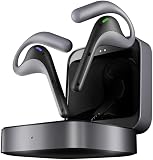
- Fluent, Real-Time Conversation in 52 Languages: Enjoy fluid, bidirectional translation in 52 languages and 106 accents with W4 Pro. Its dual-channel design lets both parties speak and be translated simultaneously—no awkward pauses, no interruptions. Ideal for travel, meetings, and cross-cultural interactions, making every conversation feel natural and spontaneous.
- Triple-Mic Noise Cancellation for Accurate Voice Pickup: Equipped with three microphones and vector-based noise reduction, W4 Pro filters out surrounding voices to capture only yours. Even in crowded settings or close-range conversations, it avoids cross-talk and boosts speech recognition accuracy—ensuring clear, precise translations at all times.
- Smarter Meetings with Listen & Play Mode: Switch seamlessly between listening and speaking in multilingual meetings with the Listen & Play feature—perfect for smooth collaboration. AI Semantic Segmentation helps you focus on key content, boosting efficiency. Share your thoughts instantly with one tap. All sessions are auto-recorded, and AI Memo highlights the key takeaways for easy follow-up.
- Instant Media & Call Translation Anytime: Break language barriers in real-time with W4 Pro’s Media Translation. Whether you're in a video meeting, watching foreign content, or answering unexpected calls, communication stays clear and smooth.
- Reliable Offline Translation Anywhere: No internet? No problem. W4 Pro supports smooth offline translation with 13 language pairs across 8 major languages, including English to Spanish, Chinese, French, German, and Japanese. Switch easily between online and offline modes for uninterrupted communication—wherever you are.
The update is most meaningful if you use Listen & Play, need offline translation, encounter difficult speech-capture conditions, or want newer app-based capabilities. It changes less for someone who only uses occasional basic One-on-One translation and does not want a subscription.
Should new buyers choose the W4?
- Choose the W4 for core travel conversations and Listen & Play at the lower advertised price, provided the smartphone requirement and subscription limits are acceptable.
- Choose the W4 Pro if two-way call translation, business workflows or longer advertised playback are central. Verify its current subscription terms before buying.
- Choose a conventional translation app if translation is infrequent and you do not want to spend roughly $349 on dedicated earbuds.
- Choose another dedicated translator if you want a device that does not depend on earbuds, a smartphone app or internet access for the functions you need.
The 2026 update improves the W4’s software proposition, but it does not by itself prove that the earbuds outperform every competing translator. The available evidence documents Timekettle’s updates and advertised specifications, not an independent head-to-head accuracy test.
Sources and current-status caveat
The January 2026 announcement describes a rollout plan rather than a user-visible W4 firmware number. The iOS listing provides the clearest public app timeline, but Android version details were not independently verified here. Prices, subscription terms, language availability and regional features can change. Check the connected W4 app and your local storefront for the final status before making a purchase or subscribing.
The Tool Desk
Outbyte Driver Updater FREEScan for outdated or missing drivers - takes under a minuteDriver Scan →Outbyte PC Repair FREEClear out junk files and repair common Windows errorsFree Scan →Official sources: 2026 announcement, iOS app history, W4 product page, W4 Pro page, and official app downloads.
Frequently Asked Questions
Is the W4 update free?
The app and device update may be free, but some newer W4 services require the Unlimited Plan after their included trials.
Is there a public W4 firmware version number?
No definitive W4-specific firmware number or complete public changelog is documented in the available official material. Check the connected device in the current Timekettle app.
Does the standard W4 support call translation?
Timekettle’s W4 product information says the standard W4 does not support call translation. Do not assume that an app feature labelled Voice Call Translation applies to your hardware.
Does offline translation work in every mode?
No. Offline availability depends on the mode and language. Timekettle specifically says W4 Pro One-on-One and Listen & Play can work offline, while Media Translation requires internet.
Does W4 Pro have the same subscription rules?
Not clearly. The W4 Pro page says features are currently included with the one-time purchase, while the standard W4 page describes a subscription for advanced W4 functions. Check current regional terms.
Quick Recap
Product prices and availability are accurate as of the date/time indicated and are subject to change. Any price and availability information displayed on Amazon at the time of purchase will apply.




