The best 4K Apple Watch wallpapers are high-resolution Photos-face backgrounds, not conventional watch-face files. This curated list covers 23 designs that can work well on Apple Watch when their focal subjects, contrast, and crop are chosen carefully.
The best 4K Apple Watch wallpapers are high-resolution images designed for Apple’s native Photos watch face—not downloadable watch-face packages. The 23 concepts below are grouped by mood so you can choose an image that looks good on a small screen and leaves enough quiet space for the time and complications.
“4K” describes the resolution of the source image. It does not mean that an Apple Watch renders a 4K display image. The watch crops and scales the photo to its own screen, so composition, contrast, and the size of your watch case matter more than the source file’s label.
How to set one as an Apple Watch wallpaper
- Open the Watch app on your iPhone.
- Tap Face Gallery, then choose Photos.
- Select a manually chosen collection or a shuffled collection of images.
- Customize the available layout and complications, then tap Add.
Apple’s Photos face supports manually selected collections of up to 24 photos. You can also open a photo in the Photos app on Apple Watch and use the option to create a Photos watch face from that image. Menu names and available customization options can vary by watch model and software version.
Recommended Free Tools
#1 Best Overall

- Compatibility: 6 Pack Flexible TPU Protector; Compatible for IDW13 / IDW15 / IDW19 / ID208 Plus Smart Watch
- Coverage: Material flexibility allows screen coverage even on curved devices
- Self-healing Film: If there are small bubbles on the surface, they will disappear naturally. It will improve over time, it will show the invisible effect of the fusion of the film and the machine
- HD Clear: Use of high-quality ultra-thin TPU、Clear transparent screen can restore the original color of Watch
- Easy Installation: Comes with an installation tool and instruction manual
23 best 4K Apple Watch wallpaper ideas
These are editorial wallpaper concepts and sourcing directions, not claims that a particular copyrighted image has been tested or is automatically licensed for republication. When downloading an image, verify its individual license before using it.
Nature and landscape wallpapers
Landscape images work particularly well when the horizon or main subject is kept away from the clock. Darker lower or upper areas also make white time text easier to read.
-
Alpine sunrise
Choose a sharp mountain range beneath a warm sunrise, with a darker lower third for readable time text. The bright sky creates an optimistic morning look while the shadowed foreground provides visual separation.
-
Misty pine forest
A soft green forest with layered fog gives the display depth without relying on tiny details. Look for an image with a relatively plain area behind the clock rather than a dense cluster of branches.
DriversCrashes, No Sound, or Screen Glitches?PerformanceWindows Errors? Fix Them Before They SpreadDriversOutdated Drivers Are Slowing You DownSpecial offer. See more information about Outbyte and uninstall instructions. Please review EULA and Privacy policy. -
Ocean horizon at blue hour
A nearly level horizon and deep blue gradient create a calm, minimalist background. Keep the horizon below the central text area if your chosen Photos layout places the time near the top.
-
Desert dunes
Rolling dunes provide strong diagonal lines that remain recognizable after cropping. A simple composition with one dominant ridge is usually more effective than a busy desert panorama.
-
Waterfall close-up
Use flowing water as the texture, but keep the brightest cascade away from the clock and complications. A darker rock edge or shaded foliage can provide a natural text zone.
-
Moonlit mountain silhouette
A nearly black mountain profile against a blue night sky is an excellent low-distraction choice. The moon can act as a single accent, provided it does not sit directly behind the time.
Free tools Windows power users keep installed
One-click scans. No signup required.
Special offer. See more information about Outbyte and uninstall instructions. Please review EULA and Privacy policy.Rank #2
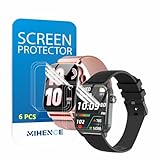 MIHENCE Screen Protector for TG09 / TG08 1.83'' Smartwatch (6PCS)
- Suitable for : Surface dedicated Screen protector Compatible for TRAUSI TG08 1.83'' Smartwatch / Trendia / iBesi TG09 1.83'' Smartwatch explosion proof film guard shield(Note: This item is TPU screen protector 6PCS, does not include watches)
- Note: Only fits Compatible for TG08 / TG09 1.83" Smartwatch, Not suitable for other 1.83'' Watch
- Easy installation: Easy installation, ultra clear HD, you will install quickly, save time and effort, hassle-free and bubble-free ( If there are tiny bubbles left during the lamination process, they will be automatically repaired within 12 hours to achieve a bubble-free invisible screen protector)
- Material : TPU,High quality transparent clear screen protector
- It has excellent window display, high sensitivity and comfortable touch feeling
Abstract and colorful wallpapers
Abstract images are forgiving because they do not need to preserve a recognizable subject. Favor broad shapes and gradients over fine textures that may become muddy on the smaller display.
-
Black-and-gold fluid marble
Dark swirls with one metallic gold vein create a premium-looking background. Position the brightest gold region beside—not underneath—the clock.
-
Blue-and-purple aurora gradient
A smooth transition from deep blue to violet gives the display color without visual clutter. A dark edge makes this idea especially suitable for white text and bright complications.
-
Neon magenta geometric grid
Use a restrained grid with large perspective lines rather than dense micro-patterns. The strongest magenta highlights should sit in a corner or along one side of the image.
Quick wins for a faster PC:
Repair Windows errors before they cause bigger problemsFix Now →Scan for outdated or missing drivers - takes under a minuteDriver Scan →Clear out junk files and repair common Windows errorsFree Scan →Special offer. See more information about Outbyte and uninstall instructions. Please review EULA and Privacy policy. -
Liquid chrome or titanium reflections
Metallic folds and reflective curves suit an Apple Watch’s industrial design. Choose a composition with large tonal blocks so the clock remains legible over the reflections.
-
Orange-red solar flare
A concentrated flare against a dark field produces a dramatic accent wallpaper. Keep the flare off-center and leave a comparatively even dark region for the time.
-
Monochrome ink swirl
Black, white, and gray ink produces a sophisticated neutral option. Avoid placing the densest swirl behind the clock, where it can compete with small numerals.
Minimal and dark wallpapers
Dark backgrounds are often the safest starting point for legibility, particularly when you use bright complications. They also reduce the chance that a colorful photo will compete with the information on the face.
Windows Errors? Fix Them Before They Spread
Repair common Windows errors and clear accumulated junk for a smoother, more stable PC - no reinstall needed.Free scan · no reinstallOutdated Drivers Are Slowing You Down
One free scan finds every outdated or missing driver and matches the right update for your exact hardware.Free scan · exact hardware matchRank #3
![YMHML 8 Pack Screen Protector Compatible for Apple Watch 40mm SE 3 / SE 2/1 Series 6/5 / 4, [Upgrade Flexible Film] Soft HD Clear Anti-Scratch Film for iWatch Accessories](https://m.media-amazon.com/images/I/51IF4ciAl+L._SL160_.jpg)
- ❥[Compatible models]: Specially designed for iWatch 40mm SE 3 / 2 /1 series 6/5/4 , not applicable to any other models. It is very important to check your size, please pay attention before buying!
- ❥[Max Coverage Protection]: Provide protection for your apple watch against scratches, waterproof, anti-fingerprint. Precise cutting technology and soft TPU material make the protective film perfectly cover the corners and edges of the device, the protector will not easily warp or even fall off.
- ❥[Easy installation]: To install the product more quickly, please view the online video. Even if you have never used the protector yourself, our video can make it easy to install, and no residue after removal.
- ❥[Anti-Scratch]: This screen protector is made of military-grade polyurethane, which can protector your Apple Watch SE series 6 / 5 / 4 40mm from scratch and daily wear. Advanced TPU materials make it self-healing within 24 hours.
- ❥[Hassle-free Service]: We provide you with professional customer service, any problems about quality or your order, please feel free to contact us, we will provide a satisfied solution for you within 24 hours.
-
Matte black texture with one bright accent
Use subtle grain, leather-like texture, or soft stone with a single colored line or glow. The restrained composition keeps the watch face practical while still giving it personality.
-
Deep navy star field
A sparse star field gives you a space-inspired look without the bright clutter of a nebula. Select an image with most stars concentrated away from the time zone.
-
White line art on charcoal
Minimal botanical, orbital, or geometric line art can look crisp on a small display. Keep the lines thick enough to survive scaling and avoid placing intersections behind the clock.
-
Dark green botanical silhouette
Large leaves or a single stem in near-black green create a subtle nature theme. A plain charcoal or forest-green area behind the time improves readability.
Special offer. See more information about Outbyte and uninstall instructions. Please review EULA and Privacy policy. -
Architectural shadow pattern
Hard-edged shadows from blinds, modern buildings, or staircases make a graphic background. Pick broad bands of light and dark rather than a photograph filled with small windows.
Space, science, and technology wallpapers
Science-themed images can be striking, but the best watch backgrounds simplify the subject. One large form is easier to read than a highly detailed image packed with stars, circuitry, or terrain.
-
Earth limb from orbit
A curved blue atmosphere against black space creates a natural frame for the display. Keep the brightest atmospheric rim to one side or along the lower edge.
-
High-contrast lunar surface
Crater shadows and a limited gray palette make a good monochrome wallpaper. Choose a crop with large crater forms; tiny surface detail will not remain clear on every case size.
The Tool Desk
Outbyte PC Repair FREERepair Windows errors before they cause bigger problemsFix Now →Outbyte Driver Updater FREEFix the driver behind crashes, sound loss and screen glitchesFind Drivers →Special offer. See more information about Outbyte and uninstall instructions. Please review EULA and Privacy policy.Rank #4
 Aemus Screen Protector Compatible for IDW29 / IDW26 Smart Watch 1.83"
- 6 Pack TPU Protector, For IDW26 Smart Watch 1.83" (Note: 1.83" refers to the watch screen size and specifications, not the size of the protective film)
- Which is flexible to offer maximum screen coverage. Material flexibility allows total coverage even on curved devices
- Films with Optically transparent, virtually invisible, and HD Clear screen protector with smooth glass-like surface and "True Touch" feel.
- With "scratch self-healing function", it can heal small scratches
- Lmmediately after application, there may be wavy or residual small air bubbles on the surface, and they will disappear naturally within a few hour.It will improve over time, please wait after pasting, it will show the invisible effect of the fusion of the film and the machine
-
Deep-space nebula
Use a nebula with an uncluttered center or a broad dark region for the clock. Saturated clouds at the edges add color without obscuring the time.
-
Blue or cyan circuit-board macro
A circuit-board close-up suits a technology-focused setup. Select a low-detail section with a few strong traces, and keep the brightest LEDs or highlights away from the text.
Seasonal and personality-driven wallpapers
These designs are useful for rotating a Photos face through the year or matching a favorite color palette without changing the entire watch setup.
-
Warm, low-saturation autumn leaves
Rust, ochre, and brown leaves create a seasonal image that remains comfortable to view. A shallow-focus photo with a darker corner is more practical than a uniformly bright pile of leaves.
Do these 3 things before closing this tab:
1Fix the driver behind crashes, sound loss and screen glitches2Clear out junk files and repair common Windows errors3Scan for outdated or missing drivers - takes under a minuteSpecial offer. See more information about Outbyte and uninstall instructions. Please review EULA and Privacy policy. -
Winter snow or icy blue abstraction
Choose a clean snow texture, frosted glass effect, or pale blue abstract design. Because bright whites can reduce contrast, look for a darker blue edge or select a layout and text color that remains visible.
How to crop a 4K wallpaper for your Apple Watch
There is no single crop that fits every Apple Watch perfectly. Apple publishes separate dimensional drawings for models including the Apple Watch Ultra and 45 mm Apple Watch models, and the visible result also depends on the Photos-face layout. Preview each image on your own watch before deciding that it is a good fit.
- Keep the focal subject out of the clock area. Faces, animals, moons, bright highlights, and important lettering should not sit beneath likely time or complication positions.
- Use contrast deliberately. White time text needs a darker, calmer background; dark text needs a lighter area. If the image is bright everywhere, it may be attractive but impractical.
- Prefer broad shapes. Fine branches, circuit traces, stars, and small architectural details can become indistinct after the image is reduced.
- Do not assume a 16:9 desktop wallpaper will work. A wide image may lose its subject when cropped to the watch’s taller, smaller viewing area.
- Make size-specific versions when possible. If you are preparing files for other people, create separate previews or crops for relevant case sizes rather than presenting one universal file.
- Check complications as well as the time. A background that works with a simple Photos face may become difficult to read once several complications are added.
Should you use a wallpaper app?
For most people, the native Photos face is the simplest route: save or create an image, select it in the Watch app, and adjust the face. Third-party apps can be useful when you want a searchable gallery, themed collections, personalized designs, or regularly refreshed artwork, but they are optional discovery tools—not official Apple products and not necessarily native watch-face file installers.
- Live Wallpapers 4K – Themes lists Apple Watch wallpaper styles including nature, abstract, dark, neon, and seasonal themes.
- Watch Faces & Wallpapers advertises a large gallery covering categories such as nature, quotes, aesthetic designs, neon, and astrology.
- Watch Faces Wallpapers lists categories including abstract, animals, flowers, cars, nature, storm, fire, quotes, and waves, and says its wallpapers come from Unsplash.
- Watch+ Widgets & Wallpapers focuses on wallpaper discovery and a studio for personalized watch-face designs.
Availability, compatibility, pricing, subscriptions, privacy details, and the designs shown in these apps can change. Some current listings also promote AI-generated designs, live themes, premium galleries, or recurring updates. Check the current U.S. App Store listing and the app’s privacy information before installing or paying. If you are specifically looking for an Apple Watch wallpaper app, treat the App Store description as a starting point and confirm what is actually saved to the watch.
What’s actually slowing this PC down?
Pick the symptom - the matching free tool is one click away.
Best Value

- Compatibility: 6 Pack TPU Protector, Compatible for ID208 Plus / P114 / P125 / MT65 / P66D Smart Watch 1.85" (Note: 1.85" refers to the watch screen size and specifications, not the size of the protective film)
- Coverage: Material flexibility allows screen coverage even on curved devices
- Self-healing Film: If there are small bubbles on the surface, and they will disappear naturally. It will improve over time, it will show the invisible effect of the fusion of the film and the machine
- HD Clear: Use of high-quality ultra-thin TPU、Clear transparent screen can restore the original color of Watch
- Easy Installation: Comes with an installation tool and instruction manual
Image licensing: can you download any 4K wallpaper?
No. A search result labeled “4K wallpaper” is not a blanket license to copy the image into an article, redistribute the original file, or use it commercially. Image libraries can show a mixture of free results and paid or separately licensed results. Unsplash searches, for example, distinguish ordinary results from Unsplash+ content.
For an editorial gallery, the safest choices are:
- commission or create original artwork;
- use an image whose individual license expressly permits your intended use;
- link to the original image page when recommending a source rather than hosting the file; and
- check attribution, commercial-use, modification, and redistribution requirements for every image.
Do not imply that every image returned by an image search or wallpaper app is free to republish. If you provide downloadable files, retain a record of the license and make clear whether the file is an original design, a licensed image, or merely a link to an external source.
Best starting choices by use case
| What you want | Start with | Why |
|---|---|---|
| Maximum readability | Matte black texture, moonlit mountain, or deep navy star field | Large dark areas leave room for bright text and complications. |
| A colorful but calm face | Blue-hour ocean or aurora gradient | Gradients add color without the busy detail of a crowded photograph. |
| A premium or industrial look | Black-and-gold marble or liquid chrome | Strong tonal shapes complement the watch’s metal design. |
| A seasonal rotation | Autumn leaves and icy blue winter art | Both can change the mood without requiring a new watch-face style. |
| A technology theme | Circuit-board macro or Earth limb from orbit | Both provide a recognizable theme while allowing an uncluttered crop. |
Bottom line
Use these 23 ideas as a shortlist for high-resolution Photos-face backgrounds, not as a promise of native Apple Watch face files. The most successful wallpaper is the one that survives your watch’s crop and keeps the time readable. Start with a dark or gradient design, preview it on your exact case size, and verify image rights before sharing or republishing it.
Frequently Asked Questions
Are 4K Apple Watch wallpapers downloadable watch-face files?
No. Apple Watch does not use these as conventional third-party watch-face packages. Save an image and add it through the native Photos watch-face workflow in the Watch app, or create a Photos face from an image on the watch.
How many photos can I use in an Apple Watch Photos face?
Apple’s documented workflow allows up to 24 manually selected photos in a Photos face. Shuffled collections are handled separately, and the exact layout options depend on the watch and software version.
Does Apple Watch display wallpapers in 4K?
No. 4K describes the source image’s resolution. The Apple Watch scales and crops the image for its own display, so a high-resolution source does not mean the watch renders a 4K image.
Are 4K wallpaper images free to use?
Not automatically. Check the individual image license, attribution rules, commercial-use terms, and redistribution permissions. Search results may include both free and separately licensed images.
The Bottom Line
Choose a high-resolution photo or original design, add it through the Apple Watch Photos face, and preview the crop on your exact watch model. “4K” refers to the source image—not 4K output from the Apple Watch display—and licensing still needs to be checked image by image.




