Yes—but only on a compatible Samsung Galaxy Watch running supported Wear OS and connected to a compatible Android phone running the Dexcom G6 app. The watch displays data synchronized from the phone. Dexcom G6 does not support Direct to Watch, so a Galaxy Watch cannot independently receive readings when the phone is left behind, disconnected, or unable to communicate with the Dexcom app.
For official compatibility, check Dexcom’s current G6 compatibility list for both your exact phone and watch setup before relying on the watch for glucose alerts.

As an Amazon Associate I earn from qualifying purchases.
What you need
- An active Dexcom G6 sensor and transmitter session
- A compatible Android phone running the Dexcom G6 app
- A Samsung Galaxy Watch that runs a supported Wear OS version
- The watch paired with the phone
- Bluetooth, internet access where required, and Dexcom notification permissions enabled
- Live glucose readings already appearing in the phone app
Dexcom’s current U.S. compatibility page lists Wear OS 3.0 as the supported smartwatch minimum. It also lists Android 13 as the minimum phone operating system and Android 16 as the highest tested Android version on the page’s current update. These requirements can change, and compatibility may depend on the exact model, region, software configuration, and app version.
Do these 3 things before closing this tab:
1Clear out junk files and repair common Windows errors2Fix the driver behind crashes, sound loss and screen glitches3Repair Windows errors before they cause bigger problemsOlder Dexcom setup material refers to Wear OS 2.0 and above, but the newer compatibility page should control your eligibility. Dexcom also says Android 9 and earlier no longer receive G6 app updates as of January 2025. Check the official compatibility checker rather than assuming that every Galaxy Watch generation works.
#1 Best Overall

- -Designed in the US
- -You don't need to take it out of the Fitted Leather Case when you use the device.
- -The neck lanyard gives you more options to carry your device.
- -SNK Fitted Leather Case
How the data reaches the watch
The official connection works like this:
G6 sensor → G6 transmitter → Android phone and Dexcom app → Samsung Galaxy Watch
The watch does not communicate directly with the G6 transmitter. It receives synchronized information from the Dexcom app on the phone, and the watch display may briefly lag behind the phone. Dexcom describes the Android watch integration in its Android Watch FAQ.
How to install the official Dexcom G6 watch face
Dexcom’s published instructions use a Pixel Watch as the example, so names and locations may differ on a Samsung watch:
- On the Wear OS watch, open Settings.
- Tap Play Store.
- Search for Dexcom G6.
- Select the Dexcom G6 app.
- Tap Install.
- After installation, tap Set watch face.
- Wait for the watch face to connect to the Dexcom G6 app on the phone.
Dexcom’s full procedure is available in its guide to setting up the G6 Android watch app face. On Samsung hardware, you may instead install or update the watch app through the Play Store on the watch or through the phone’s Galaxy Wearable and Wear OS management workflow. Then open the watch-face selector and choose Dexcom G6.
Rank #2
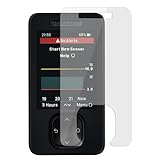
- 【What's included?】Flexible film *2, Wet&Dry Wipes *2, Dust-absorber *2, Cloth*2.
- 【Flexible Screen Protector】The Dexcom G7 Receiver Screen Protector uses 6H Tough TPU, which is both flexible and provides sufficient anti-fall strength.
- 【Fully Covered】The Dexcom G7 Receiver Screen Protector fully covers the panel for more comprehensive protection.
- 【Explosion-Proof Screen Protector】The Dexcom G7 Receiver Explosion-Proof Screen Protector is Scratch-resistant and wear-resistant.
- 【3-year warranty】High-quality after-sales guarantee service is just the beginning. If there is a problem, please contact us and we will reply you within 12 hours.
The phone must already be displaying current glucose data. During setup, the watch may show “Check Dexcom CGM on your mobile device.” That message usually means the watch has not yet received data from the phone—not that the sensor is necessarily faulty.
What you can see on the watch
The Dexcom G6 watch face is intended for glanceable viewing. Depending on the supported watch-face version and configuration, it can show the current glucose value, trend information, and a graph or recent history. The exact appearance and available controls can vary by watch and software version.
A reading on the watch is not proof that the connection will remain available. If the displayed number is old, confirm the current value in the Dexcom phone app and investigate the connection before relying on the watch.
Free tools Windows power users keep installed
One-click scans. No signup required.
Alerts: the important limitation
A Galaxy Watch is not an independent Dexcom G6 alert device. Dexcom says the watch will not receive CGM alerts, alarms, or notifications when it is not connected to the compatible smart device.
Rank #3

- -Designed in the US (patent pending)
- -You don't need to take it out of the Fitted Leather Case when you use the device.
- -It comes with a belt clip. It can be used on a belt or without a belt. There are different ways to carry you can choose.
- -The neck lanyard gives you more options to carry your device.
- -SNK Fitted Leather Case
For watch-based alerts to work, the phone must be receiving the G6 data and the watch must remain connected. Check:
- Dexcom notification permissions on the phone
- Watch notification permissions
- Bluetooth and phone-watch connectivity
- Watch sound and vibration settings
- Do Not Disturb, Sleep, Theater, Bedtime, and battery-saving modes
- Whether the phone itself is receiving Dexcom alerts
Do not treat the watch as your only safety mechanism. Keep using the display device and alert strategy recommended by Dexcom and your diabetes-care team. Follow Dexcom labeling and your clinician’s instructions for confirming readings and making treatment decisions.
Will Dexcom G6 work if the phone is at home?
Not through the official G6 integration. If the watch moves out of connection range, it will stop receiving current updates and watch-based alerts. An LTE-capable Galaxy Watch does not automatically turn G6 into a Direct to Watch system. Dexcom says Direct to Watch is unavailable for G6.
If you regularly need glucose information without carrying the phone, consider a compatible Dexcom receiver or another supported display device. A receiver is less convenient than a wrist display, but it is designed to serve as a dedicated G6 display. See Dexcom’s G6 compatibility FAQ for the system’s display requirements.
Rank #4
Troubleshooting
The Dexcom G6 app does not appear in the watch Play Store
- Check the exact watch model and Wear OS version against Dexcom’s current compatibility page.
- Update the Dexcom G6 app on the phone.
- Update Play Store components and system software on both devices.
- Confirm that the watch is paired, online, and using the expected Google account.
- Search directly for “Dexcom G6” on the watch.
- Restart both the phone and watch.
Dexcom has documented changes to how Android watch apps are distributed through Google Play. A missing result does not necessarily mean that the integration has been discontinued. If it still does not appear, use a supported phone or Dexcom receiver rather than sideloading an unverified package.
The watch says “Check Dexcom CGM on your mobile device”
- Open the Dexcom G6 app and confirm that it shows a current reading.
- Confirm Bluetooth and the phone-watch connection.
- Leave the phone app connected briefly while synchronization completes.
- Restart the watch app or watch if the message persists.
If the phone app itself has no current reading, fix the sensor, transmitter, or phone connection first. The watch cannot display data that the phone has not received.
The watch shows a stale value or dashes
First compare it with the phone app:
- Phone also has no current reading: troubleshoot the G6 sensor/transmitter-to-phone connection.
- Phone is current but watch is not: check pairing, Bluetooth, permissions, background activity, battery optimization, watch-app installation, and watch-face synchronization.
The watch may also become stale when it is outside phone range or when the phone or watch has suspended the relevant app.
Alerts are not vibrating on the watch
Confirm that the phone receives the Dexcom alert first. Then check watch notifications, sound and vibration, connection status, and any Do Not Disturb or power-saving mode. A visible watch number does not guarantee that the next alert will reach the watch.
Best Value

- WATERPROOF & SWEATPROOF - The dexcom g6 adhesive patches waterproof is suitable for every time you use it to protect your sensors, whether it's for bathing, swimming, surfing or other occasions.
- STRONG ADHESIVE - Strong skin grip dexcom g6 patches is made with high quality adhesive. It will protect your dexcom G6 sensor for up to 10 days without removing it.
- COMFORTABLE - You will hardly feel the presence of the skin adhesive in the process of use. The ultra thin dexcom g6 overpatches gives you a sense of comfort.
- HYPOALLERGENIC - These dexcom g6 adhesive patches are latex-free, so they are hypoallergenic and suitable for most people.
- 60pcs Economy Pack ensures a long time use. HONYOU G6 overpatches are your best partners. Let's ease with T1D/T2D
Official and third-party options compared
| Route | Advantages | Limitations |
|---|---|---|
| Official Dexcom G6 watch face | First-party and simplest supported watch route | Requires a compatible Wear OS watch, compatible phone, and live phone-watch connection |
| Dexcom receiver | Dedicated G6 display that does not depend on a watch-phone connection | Additional hardware; it is not a wrist display |
| Nightscout or xDrip+ ecosystem | More watch-face, complication, remote-viewing, and customization options | Third-party setup, possible delays, privacy considerations, maintenance, and compatibility breakage |
Nightscout’s wearable documentation and the xDrip+ Watch Guide describe community options. These are not equivalent to Dexcom’s official G6 integration and should not be treated as Dexcom-endorsed solutions.
Should you buy a Samsung Galaxy Watch for Dexcom G6?
A Galaxy Watch can be a useful glanceable display if you already use a compatible Android phone and are comfortable keeping it nearby. If phone-free operation is the priority, a receiver may be a better fit.
If you are buying a watch specifically for G6, verify the exact model and Wear OS version before purchase. Do not assume that LTE provides independent G6 access. Likewise, do not switch from G6 to another CGM solely for watch functionality without considering prescription access, insurance, pump compatibility, supply availability, and clinician guidance. Dexcom’s provider information says G6 app support continues after July 1, 2026, but does not state a final end date; treat that as an attributed, time-sensitive support statement rather than a permanent guarantee.
Quick wins for a faster PC:
Scan for outdated or missing drivers - takes under a minuteDriver Scan →Repair Windows errors before they cause bigger problemsFix Now →Final compatibility checklist
- ☐ My exact Android phone appears on Dexcom’s current G6 compatibility list.
- ☐ My Galaxy Watch runs the Wear OS version currently listed by Dexcom.
- ☐ The Dexcom G6 app is installed, current, and showing live data on the phone.
- ☐ The watch is paired with the phone and remains within connection range.
- ☐ The official Dexcom G6 watch app and watch face are installed.
- ☐ Phone and watch notification, sound, vibration, Bluetooth, and battery settings are configured.
- ☐ I have another appropriate display or alert plan if the phone-watch connection fails.
For the most reliable answer, use Dexcom’s live G6 compatibility checker rather than a static list of Samsung Galaxy Watch generations.
Quick Recap
Product prices and availability are accurate as of the date/time indicated and are subject to change. Any price and availability information displayed on Amazon at the time of purchase will apply.




