The Tool Desk
Outbyte PC Repair FREEClear out junk files and repair common Windows errorsFree Scan →Outbyte Driver Updater FREEFix the driver behind crashes, sound loss and screen glitchesFind Drivers →To adjust brightness on a Garmin fēnix 8, hold the middle-left button from the watch face, then open Watch Settings > Display & Brightness. The Brightness control sets the screen’s brightness level, but Garmin’s manual does not specify a numeric range or peak-brightness figure. Available display controls depend on whether your fēnix 8 has an AMOLED/microLED or Solar display.
How to adjust brightness on a Garmin fēnix 8
- From the watch face, hold the middle-left button.
- Select Watch Settings > Display & Brightness.
- Choose Brightness and adjust the screen brightness level.
Garmin defines Brightness as the control that “Sets the brightness level of the screen.” The owner’s manual does not state how many levels are available or give a measurement in nits. Garmin also says settings can be customized for situations such as sleep and activities through Focus Modes. See the fēnix 8 Series Owner’s Manual.
As an Amazon Associate I earn from qualifying purchases.
Which display controls are available on your model?
Garmin launched the fēnix 8 with either an AMOLED display or a solar-charging display. The manual marks some controls as specific to AMOLED/microLED models and others as specific to Solar models, so the exact menu can vary. Garmin’s August 27, 2024 launch announcement describes those display choices.
Do these 3 things before closing this tab:
1Fix the driver behind crashes, sound loss and screen glitches2Repair Windows errors before they cause bigger problems3Scan for outdated or missing drivers - takes under a minute| Control | What it does | Availability noted in the manual |
|---|---|---|
| Brightness | Sets the screen brightness level. | Display setting; no numeric scale stated. |
| Always On Display | Keeps watch-face data visible while dimming brightness and background. | AMOLED/microLED models. |
| Watch Face Seconds | Controls how often seconds appear while Always On Display is enabled. | AMOLED/microLED models. |
| Text Size | Adjusts text size. | Not marked as variant-specific in the cited manual passage. |
| Color Shift | Changes the screen to red, green, or orange shades for low-light use; includes Blue Light Filter mode and scheduling. | AMOLED/microLED models. |
| Wake On Alert / Backlight On Alert | Turns on the screen for a notification or alert. | Setting label varies in the manual by display context. |
| Wake On Gesture / Backlight On Gesture | Turns on the screen when you raise and turn your arm to look at your wrist. | Setting label varies in the manual by display context. |
| Keys & Touch | Turns on the screen in response to button presses and screen taps. | Solar models. |
| Timeout | Sets how long the screen remains on before turning off. | Display setting. |
| Touch and Touch Lock | Control touch availability and locking; Touch can be limited to Map Only, and Touch Lock can be cleared by swiping down after the screen turns off. | Touch features; availability may depend on model and mode. |
Why does the fēnix 8 screen dim or turn off?
Always On Display dims the watch face
On AMOLED/microLED models, Always On Display keeps watch-face data visible but reduces brightness and dims the background. It is designed to leave information on screen, not to keep the display at its normal active brightness. Garmin says this feature affects battery and display life.
#1 Best Overall

- Advanced multisport GPS smartwatch for athletes/adventurers features a bright 1.4” AMOLED display, stainless steel bezel, enhanced graphical interface and a built-in LED flashlight for after- dark visibility
- Power up your body’s performance, endurance and resistance to injury with targeted strength training plans, real-time stamina tracking, sport-specific workouts and a full range of built-in sports apps
- Battery performance: up to 16 days in smartwatch mode; up to 47 hours in GPS mode. Fits wrists with the following circumference: Silicone band: 125-208 mm UltraFit Band: 125-215 mm Leather Band: 132-210 mm Metal Band: 132-210 mm
- Your training readiness score is based on sleep quality, recovery, training load and HRV status to determine if you’re primed to go hard and reap the rewards (data presented is intended to be a close estimation of metrics tracked)
- For your active lifestyle, a built-in speaker and mic let you make and take phone calls from your wrist when your watch is paired to your smartphone — and you can even use your smartphone’s voice assistant to respond to text messages and more
Wake settings determine when the screen lights up
Wake On Alert lights the screen for a notification or alert. Wake On Gesture lights it when you raise and turn your arm to check the watch. On Solar models, Keys & Touch can wake the screen when you press a button or tap the display.
Timeout turns the screen off
Timeout controls the delay before the display turns off. Garmin says the selected timeout helps minimize image persistence on AMOLED/microLED displays. When the display is off, turning your wrist toward your body, tapping the screen, or pressing a button can wake the watch, depending on the available controls and settings.
Rank #2
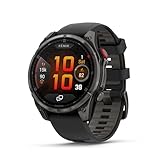
- Multisport GPS smartwatch with built-in inReach technology for two-way satellite and LTE connectivity (active subscription required; coverage limitations may apply; some jurisdictions regulate or prohibit the use of satellite communication devices)
- Rugged design with a bright 1.4" AMOLED touchscreen display, titanium bezel, scratch-resistant sapphire lens and other premium materials
- In an emergency, inReach satellite technology allows you to trigger an interactive SOS message to the Garmin ResponseSM coordination center for 24/7 assistance (active subscription required; coverage limitations may apply; some jurisdictions regulate or prohibit the use of satellite communication devices)
- LTE network connectivity lets you leave your phone behind; use your watch to exchange messages and make voice calls — plus let friends follow along with LiveTrack location sharing (30-second update rate) and location check-ins with the on-device Garmin Messenger app (active subscription required; coverage limitations may apply)
- inReach technology allows you to send messages and get location check-ins over satellite when taking on an off-grid adventure (active subscription required; coverage limitations may apply; some jurisdictions regulate or prohibit the use of satellite communication devices)
Does brightness affect battery life?
Yes. Garmin recommends lowering screen brightness and timeout to extend battery life, and stopping Always On Display use on AMOLED/microLED models. This is general battery guidance; it does not establish a specific runtime gain for a particular brightness setting or display variant. See Garmin’s battery-life tips.
What’s actually slowing this PC down?
Pick the symptom - the matching free tool is one click away.
For a visibility-first setup, raise brightness to a comfortable level and use the wake controls that suit how you check the watch. For a battery-first setup, lower brightness and timeout, and consider turning off Always On Display if your model offers it.
Rank #3

- Advanced multisport GPS smartwatch for athletes/adventurers features a bright 1.3” AMOLED display with scratch-resistant sapphire lens, durable steel or titanium bezel and a built-in LED flashlight for after-dark visibility
- Power up your body’s performance, endurance and resistance to injury with targeted strength training plans, real-time stamina tracking, sport-specific workouts and a full range of built-in sports apps
- Battery performance: up to 10 days in smartwatch mode; up to 28 hours in GPS mode
- Your training readiness score is based on sleep quality, recovery, training load and HRV status to determine if you’re primed to go hard and reap the rewards (data presented is intended to be a close estimation of metrics tracked)
- For your active lifestyle, a built-in speaker and mic let you make and take phone calls from your wrist when your watch is paired to your smartphone — and you can even use your smartphone’s voice assistant to respond to text messages and more
Protecting the AMOLED/microLED display
Garmin says image persistence, or pixel “burn-in,” is normal behavior for AMOLED devices. It advises avoiding static images at high brightness for long periods. A timeout that turns the display off can help minimize burn-in. The manual’s advice is about reducing prolonged static display exposure; it does not say that ordinary use guarantees burn-in or provide a timeline for it. Read Garmin’s display guidance in the owner’s manual.
Independent reader supportYour contribution helps us test, update, and keep practical guides available for everyone.Is fēnix 8 brightness automatic?
Garmin Support explains that an ambient-light sensor on some Garmin watches adjusts brightness to lighting conditions and notes a brightness limitation on the fēnix 8 screen. That support information does not establish a complete fēnix 8-specific automatic-brightness behavior or a user setting to disable it. The manual’s Brightness description simply says it sets the screen brightness level.
Quick Recap
Best Value

- Advanced multisport GPS smartwatch for athletes/adventurers features a bright 1.3” AMOLED display, stainless steel bezel, enhanced graphical interface and a built-in LED flashlight for after- dark visibility
- Power up your body’s performance, endurance and resistance to injury with targeted strength training plans, real-time stamina tracking, sport-specific workouts and a full range of built-in sports apps
- Battery performance: up to 10 days in smartwatch mode; up to 28 hours in GPS mode
- Your training readiness score is based on sleep quality, recovery, training load and HRV status to determine if you’re primed to go hard and reap the rewards (data presented is intended to be a close estimation of metrics tracked)
- For your active lifestyle, a built-in speaker and mic let you make and take phone calls from your wrist when your watch is paired to your smartphone — and you can even use your smartphone’s voice assistant to respond to text messages and more
Rank #4

- Advanced multisport GPS smartwatch for athletes/adventurers features a 1.4” solar charged display with scratch-resistant sapphire lens, durable titanium bezel and built-in LED flashlight for after-dark visibility
- Battery performance: up to 48 days of battery life in smartwatch mode with solar charging (assumes all-day wear with 3 hours per day outside in 50,000 lux conditions) and up to 149 hours in GPS mode with solar charging (assumes continuous use for entire period in 50,000 lux conditions) — all with an always-on display, so you’re ready to take on the toughest challenges
- Power up your body’s performance, endurance and resistance to injury with targeted strength training plans, real-time stamina tracking, sport-specific workouts and a full range of built-in sports apps
- Your training readiness score is based on sleep quality, recovery, training load and HRV status to determine if you’re primed to go hard and reap the rewards (data presented is intended to be a close estimation of metrics tracked)
- For your active lifestyle, a built-in speaker and mic let you make and take phone calls from your wrist when your watch is paired to your smartphone — and you can even use your smartphone’s voice assistant to respond to text messages and more
Product prices and availability are accurate as of the date/time indicated and are subject to change. Any price and availability information displayed on Amazon at the time of purchase will apply.




