PC Slower Than It Used to Be?
A free scan shows the junk files, broken settings and background clutter dragging Windows down - then fixes them in one click.Free scan · Windows 10 & 11Crashes, No Sound, or Screen Glitches?
Random freezes, missing sound and display glitches usually trace back to one bad driver. Find and replace yours safely.Free scan · under a minuteIf your Garmin GPS watch is stuck on the blue triangle or repeatedly restarts at the Garmin logo, force-restart it while connected to known-good power. Then check the charger, contacts, and computer data connection before attempting a factory reset. The triangle is a startup-failure symptom, not proof of a dead battery or one universal firmware fault.
If your Garmin GPS watch is frozen on the blue triangle or repeatedly shows the Garmin logo and restarts, begin with a forced restart while the watch is connected to known-good power. Then check the charger, contacts, and data connection before attempting any reset that erases data.
The triangle is a startup failure symptom, not a universal diagnostic code. Depending on the model and circumstances, the cause may be a temporary low-power state, interrupted charging, a software or update problem, incompatible Connect IQ content, or a hardware fault. A failed map update has been reported by users as a possible trigger on some watches, including a fēnix 6X Pro, but that is an example—not proof that every triangle loop is caused by corrupted maps or firmware.
Do this first: force-restart the watch while charging
Use this broad Garmin troubleshooting sequence for a watch that is unresponsive or will not get past the triangle:
#1 Best Overall

- 【Wide Compatibility】Compatible for Garmin Fenix 8 7 7S 7X Pro 6 6S 6X Pro 5 5S 5X Plus, Forerunner 965 955 945 935 745 265 255 245 165 55 45 45S Music, Approach S70 S62 S60 S50 S44 S42 S40 S12 S10 G12, X10, Instinct 3 2 2S 2X, Venu 3 2 plus 2S Sq, Vivoactive 6 5 4 4S 3, Quatix 7 6 6X 5, Vivosmart 5, Vivomove 3 3S Style Sport, Vivosport, D2 Charlie, D2 Delta PX, D2 Delta S, Impact Bat Swing Sensor, Tactix 8, Tactix 7, Tactix Charlie, BarkLimiter 2 2VT, Striker Cast, Rey, Swim 2, First Avenger, Darth Vader, Epix (gen 2), Enduro 3 2, Striker Cast GPS,Rey,First Avenger,Darth Vader,Enduro Smartwatch
- 【Durable & Premium Quality】Made of high quality wire; ensure the excellent charging experience for your Device. Durable High-quality ABS + TPE Material and Copper Wire ensures Stable Current Transmission, which assures the quality of the charge
- 【Fast Charge, Stable Performance】You can connect it to power source on PC, laptop, notebook, because this charging method can provide high efficiency and high stability charging experience for you. Also, Data Sync is available. Provides fast and stable charging speed
- 【Safe Charging】AWINNER Charging Cable has Voltage Regulator and PTC Inside to protect your Device being damaged by overcurrent when connected to power source. Made of over- voltage and over- current protection, they will protect your watch from being damaged when charging
- What You Get: Free Lifetime Replacement Warranty-As our fans
- Connect the watch to a known-good wall charger or directly to a computer USB port.
- Hold the watch’s power button continuously for 60 seconds, even if the screen does not appear to change.
- Release the button. Wait about 10 seconds.
- Hold the power button for another 60 seconds.
If the watch starts, allow it to finish booting and check the time, battery level, and recent activity data. Garmin says a forced restart may remove minor transient data such as recent steps or the current time, but saved activities should not normally be affected.
Some Garmin models use a shorter, model-specific freeze procedure: hold the power button until the watch shuts down, release it, and press the power button again. Button behavior varies, so use the 60-second charging procedure as the general first attempt and check the support instructions for your exact model if the controls behave differently.
If it still loops, verify that it is really charging
A watch can repeatedly restart when its battery is too depleted to complete startup—or when the charging connection is intermittent. Do not assume that the blue triangle means the battery has permanently failed.
Check the power source and cable
- Try a different wall outlet.
- If charging from a computer, try another USB port and avoid a hub or docking station.
- Inspect the cable for bent, missing, damaged, or uneven pins.
- Confirm that the plug or charging clip sits squarely on the watch.
- Leave the watch connected for a while before repeating the forced restart.
Garmin cables and connectors vary across GPS watch families. If the original cable is damaged, dirty, or unreliable, a compatible Garmin charging/data cable can be a sensible diagnostic or replacement purchase—but verify the exact model and connector type first. A cable that fits physically is not necessarily compatible, and a cable that supplies power may not support computer data transfer.
What’s actually slowing this PC down?
Pick the symptom - the matching free tool is one click away.
Clean and dry the charging contacts
Debris, sweat residue, or corrosion can interrupt charging. Garmin’s cleaning guidance allows the watch contacts to be cleaned with water or a damp lint-free cloth. A soft-bristled toothbrush can help remove debris. For cable pins, Garmin recommends a pencil eraser or a cotton swab with rubbing alcohol, followed by air-drying.
Rank #2
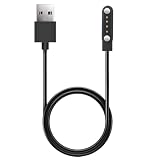
- 【Perfect Compatibility】Replacement Charger Cable for Izzo Golf Swami GPS Watch. Gives you a faster charging speed:)
- 【Durable & Safe】Over-current,over-voltage,short circuit,and over-temperature protection chip included, provides you a safe environment for charging, premium material have a longer service life,flexible and durable.
- 【Upgraded Strong Magnet】After market research, we have made key upgrades for the magnetic suction part to ensure strong enough suction.
- 【Compact & Portable】Lightweight and slim design, it fits even in your smaller pocket. whether at home or traveling, be your nice on-the-go companion.
- 【Considerate Service】We take responsibility for our products. For 12 months after the date of purchase, we take care of all quality-related issues
- Disconnect the watch from power before cleaning.
- Use gentle pressure; do not scrape the contacts.
- Let every surface dry completely before reconnecting the cable.
- Do not use metal pins, knives, needles, or other sharp objects.
- Do not put the watch or contacts in an ultrasonic cleaner.
Cleaning is worthwhile when the contacts are visibly dirty, but it is not a guaranteed cure for a software or hardware failure. If you see substantial corrosion, liquid damage, or bent contacts, skip repeated experiments and contact Garmin.
Try Garmin Express if a computer can detect the watch
Garmin Express is Garmin’s Windows and Mac application for registering, syncing, and updating compatible devices. If the watch remains connected long enough for the computer to recognize it, use this path:
- Connect the watch directly to the computer with a Garmin cable or a confirmed data-capable cable.
- Open Garmin Express.
- Select the watch if it appears.
- Install any available device software, map, or other updates.
- Keep the cable connected until the update and restart process is complete.
Do not use a cable merely because it charges another device. Some third-party cables provide power but omit the data wiring Garmin Express needs. If Express does not find the watch, try the following:
- Clean and dry the watch and cable contacts again.
- Use a known-good Garmin or confirmed data-capable cable.
- Connect directly to a different USB port, not through a hub.
- Restart the computer and the watch.
- Make sure the watch is in a data-transfer mode when the model requires one.
Garmin Express versions change over time, so obtain the current version from Garmin rather than relying on an old installer or an undated version number. The availability of particular update or recovery functions can also vary by model.
Remove Connect IQ content only if the watch can still sync
A recently installed or updated Connect IQ watch face, app, widget, data field, or music app is worth investigating if the watch began rebooting immediately afterward. This is a conditional step, not a universal diagnosis.
Rank #3

- ▶Compatibility:This charger compatible with Garmin Approach S10, Approach S12, Approach S40, Approach S42, Approach S44, Approach S50, Approach S60, Approach S62, Approach S70 smart watch (3.3ft USB charging cable)
- ▶Premium & Speedy: The approach S12 charging cable is made of high quality wire, provides a stable performance and a fast charging, about 2.5 hour a full charge.
- ▶Safe Protection: The approach S70 charger built in smart chip, protect your watch from over-current, over-voltage, over-circuit protection, offers a safe environment for charging.
- ▶Convenient and Easy to Use: To get a charging just plug it into USB port on your PC, laptop, notebook, wall charger or car charger. Geting a better experience, we suggest you to use the recommended adapter (5V 1A).
- ▶Package includes: 1 x charger for Approach S10/S12/S40/S42/S44/S50/S60/S62/S70 (smart watch is not included), 1 x grey dust plug, with sincerely after-sales service, if have any question we will deal with it for you within 24 hours.
If the watch can reach its normal interface and remains paired with your phone:
- Open Garmin Connect or the Connect IQ Store.
- Identify recently installed or updated content.
- Uninstall the suspect item.
- Synchronize the watch so the removal is applied.
This option is unavailable when the watch never boots far enough to connect or sync. In that situation, move on to the model-specific reset procedure rather than repeatedly trying to remove phone-based content.
The Tool Desk
Outbyte PC Repair FREEClear out junk files and repair common Windows errorsFree Scan →Outbyte Driver Updater FREEScan for outdated or missing drivers - takes under a minuteDriver Scan →Before a master reset: protect whatever data you can
A master reset is not the same as a forced restart. It returns the watch to factory settings and can erase stored user data, settings, profile information, records, activity history, and Connect IQ content. If the watch can connect even once, sync it with Garmin Connect before resetting.
Do not use one Garmin model’s button combination on another model. Reset sequences differ substantially between product families and generations.
For example, Garmin’s fēnix 5 procedure involves powering off, powering on until the triangle appears, then holding START/STOP and BACK. One button is released after the first beep and the other after the second. Garmin’s quatix 8 procedure also uses the triangle as a timing point, but calls for waiting five seconds after it appears, holding START/STOP and BACK, and releasing the buttons after specific vibrations. These procedures are not interchangeable.
Rank #4
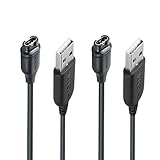
- 【Wide Compatibility】Compatible with Garmin Fenix 5 5S 5X Plus 6 6S 6X Pro Fenix 7 7S 7X and Approach S10 S40 S60 X10 G12 S12 S42,Vivosmart 5 Sapphire Editions,Vivoactive 3 Music 4 4S,Vivomove 3 3S Style,Forerunner 45 45S 155 165 158 265 265s 55 245 Music 745 935 945 LTE,Vivosport,BarkLimiter 2,2VT, Striker Cast GPS,Rey,First Avenger,Darth Vader,Enduro,Venu,Venu Sq 2 2S,Instinct Tactical Solar Edition,Tactix Charlie Delta,Quatix 5 6 Sapphire,Captain Marvel,D2 Charlie,D2 Delta PX S,Impact Bat Swing Sensor Smartwatch
- 【Durable & Premium Quality】Made of high quality Copper wire; ensure the excellent charging experience for your Device. Durable High-quality ABS + TPE Material and Pure Copper Wire ensures Stable Current Transmission, which assures the quality of the charge
- 【Fast Charge, Stable Performance】You can connect it with power source on PC, Powrbank,laptop, notebook, Wall Charger,because this charging method can provide high efficiency and high stability charging experience for you. Provides fast and stable charging speed, Data Sync is available.
- 【Safe Charging】JIUJOJA charging cable adopts the original charging cable direct connection technology and process, ensuring the stability of data transmission and the safety of charging of the product, and reducing the charging abnormalities caused by artificially adding power chips and overheating during charging.
- 【Quality Assured】 Two Years Warranty, Just Replace New or direct refund to you if quality problem.
Find the master-reset instructions for the exact model printed on the case, box, or original receipt, and follow that model’s sequence precisely. If you cannot identify the model, do not guess: Garmin’s support documentation or manual is the appropriate source.
What not to do
- Do not call the triangle a “death screen” or assume the battery is irreparably dead.
- Do not repeatedly perform a factory reset without first attempting a Garmin Connect sync.
- Do not poke charging openings or contacts with metal or sharp tools.
- Do not use an ultrasonic cleaner.
- Do not disconnect the watch during a Garmin Express update.
- Do not assume every Garmin watch uses the same reset buttons or cable.
- Do not install a PC-cleanup utility as a supposed Garmin firmware, battery, or watch-repair solution.
Approach golf watches: confirm the cable before ordering
Approach watches use model-specific charging cables or clips. Garmin provides separate replacement guidance for Approach devices when the original cable is damaged or no longer charges. If you own an Approach S10, S12, S20, S40, S42, S60, S62, S70, or another Approach model, identify the exact model before looking for an Approach replacement charging cable. Do not assume that a cable for a fēnix, Forerunner, or Venu fits an Approach golf watch.
Independent reader supportYour contribution helps us test, update, and keep practical guides available for everyone.When to stop troubleshooting and contact Garmin
Escalate to Garmin support when any of these conditions applies:
- The watch remains in the triangle or logo loop after the correct model-specific master reset.
- It shows no charging behavior after trying another outlet, port, cable, and cleaned contacts.
- A computer cannot detect it with a known-good data cable and direct USB connection.
- The watch has visible corrosion, bent contacts, liquid damage, or other physical damage.
- The problem began during an update and the watch will not remain connected long enough for Garmin Express to complete recovery.
Garmin may recommend support, exchange, or repair options depending on the model, region, warranty status, and diagnosis. There is no universal consumer battery-replacement or firmware-reflash procedure for all Garmin GPS watches. Do not assume that a battery replacement, motherboard repair, or manual firmware reflash will solve the loop.
Quick decision tree
| Question | Next action |
|---|---|
| Is the watch unresponsive? | Connect it to known-good power and hold the power button for up to 60 seconds; wait 10 seconds and retry once. |
| Does it appear to charge? | Try another outlet or USB port, inspect the cable, and clean and dry the contacts. |
| Does a computer recognize it? | Use a Garmin or confirmed data-capable cable, connect directly, and try another USB port. |
| Is it detected by Garmin Express? | Install available Garmin device updates and do not disconnect during the process. |
| Can it still boot and sync? | Remove recently installed or updated Connect IQ content, then sync again. |
| Does it still loop? | Use the exact model-specific master reset only after considering data loss. |
| Does the loop or charging failure persist? | Contact Garmin support, especially if there is physical damage. |
Frequently Asked Questions
Will a forced restart erase my Garmin activities?
Usually no. Garmin says a forced restart may remove minor transient information such as recent steps or the current time, but saved activities should not normally be affected. A master reset is different and can erase settings, profile information, records, activity history, and Connect IQ content.
Crashes, No Sound, or Screen Glitches?
Random freezes, missing sound and display glitches usually trace back to one bad driver. Find and replace yours safely.Free scan · under a minuteWindows Errors? Fix Them Before They Spread
Repair common Windows errors and clear accumulated junk for a smoother, more stable PC - no reinstall needed.Free scan · no reinstallBest Value
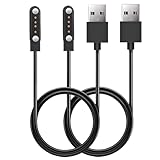
- 【Perfect Compatibility】Replacement Charger Cable for SkyCaddie LX2, LX5, LX5C Golf GPS Watch. Gives you a faster charging speed:)
- 【Durable & Safe】Over-current,over-voltage,short circuit,and over-temperature protection chip included, provides you a safe environment for charging, premium material have a longer service life,flexible and durable.
- 【Upgraded Strong Magnet】After market research, we have made key upgrades for the magnetic suction part to ensure strong enough suction.
- 【Compact & Portable】The magnetic charger has a lightweight and slim design, it fits even in your smaller pocket. whether at home or traveling, be your nice on-the-go companion.
- 【Considerate Service】We take responsibility for our products.For 12 months after the date of purchase, we take care of all quality-related issues.
Can I use the same button combination to reset every Garmin watch?
No. Garmin uses different reset sequences across watch families and generations. The correct procedure must be matched to the exact model; using a fēnix sequence on a quatix, Approach, Forerunner, or another watch may not work.
Does the blue triangle prove that my Garmin firmware is corrupted?
It can be one possibility, particularly if the loop began during an update, but it is not confirmed for every watch. Garmin’s general troubleshooting also considers low power, interrupted charging, software problems, and hardware issues.
Can any Garmin charging cable fix the reboot loop?
Only if it is compatible with the exact watch and supports data transfer. Some third-party cables can charge without allowing Garmin Express to detect the device. A Garmin or confirmed data-capable cable is the safer choice for computer troubleshooting.
The Bottom Line
Start with a forced restart while the Garmin watch is connected to known-good power. Then verify the outlet, cable, data connection, and contacts; use Garmin Express if the computer detects the watch. Remove Connect IQ content only when the watch can still sync. Treat the model-specific master reset as a destructive last software step, and contact Garmin if the triangle loop survives it or the watch shows charging or physical damage.
Recommended Free Tools




