What’s actually slowing this PC down?
Pick the symptom - the matching free tool is one click away.
On the Casio Mudman GDG-B100 (module 3587), you can correct the time and change alarms, World Time, summer time, and programmable timers through the CASIO WATCHES app. The watch must be connected to the phone for app-based changes. For button-by-button instructions to set the time and date directly on the watch, use Casio’s official module 3587 guide; the app procedures below do not establish that manual button sequence.
How do I set the time on a Casio Mudman GDG-B100?
Pair the watch with your phone using CASIO WATCHES. Once paired, the watch can connect and synchronize its time with the phone. Leave it in Timekeeping Mode for automatic time correction during daily use. Casio does not guarantee that correction happens at any particular moment.
![Casio GW-9500-1JF [G-Shock Master of G Series MUDMAN Triple Sensor Model] Watch Japan Import July 2023 Model](https://m.media-amazon.com/images/I/41bbHfxiCdL._SL160_.jpg)
As an Amazon Associate I earn from qualifying purchases.
Automatic correction may not work if the phone is too far from the watch, radio interference disrupts communication, the phone is updating its system, or CASIO WATCHES is not running. The watch may also show a connection failure. For supported steps to set the time and date directly on the watch, consult the module 3587 operation guide rather than using instructions for a different G-Shock module.
How do I set an alarm on a GDG-B100?
- Check that the Bluetooth indicator is displayed on the watch.
- Open CASIO WATCHES and tap My Watch.
- Select GDG-B100, then choose the alarm setting you want to change and follow the app’s instructions.
The GDG-B100 supports four daily alarms, according to Casio’s product specifications.
#1 Best Overall
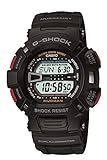
- Case size (L× W× H): 52 × 46.3 × 16.3 mm
- Shock Resistant, Mud Resistant, 200 meter water resistant, Auto Dual EL Backlights with Afterglow, Low Temperature Resistant, World Time - 29 time zones (48 cities), city code display, daylight saving on/off, 1/100 second stopwatch, Measuring modes: Elapsed time, split time, 1st-2nd place times, 1/100 second stopwatch
- Countdown timer -start time setting range: 1 minute to 24 hours (1-minute increments and 1-hour increments), Auto-repeat, progress beeper, Four Multi-function alarms & 1 snooze alarm, Hourly time signal, Full auto-calendar ,12/24 hour formats, Button operation tone on/off , Flash alert
How do I change the time zone on a Casio Mudman?
Use CASIO WATCHES to select the World Time city. The watch’s built-in list contains 38 cities, while the app offers approximately 300 and can configure a user city that is not in the watch’s built-in list.
- Confirm that the Bluetooth indicator is displayed.
- In CASIO WATCHES, tap My Watch and select GDG-B100.
- Choose the World Time setting, select the city you want, and follow the app’s instructions.
The app also lets you set summer time for World Time. The options mean:
Rank #2
- Auto: switches between standard time and summer time automatically.
- OFF: always indicates standard time.
- ON: always indicates summer time.
How do I set the timer on a GDG-B100?
- Check that the Bluetooth indicator is displayed.
- In CASIO WATCHES, tap My Watch, select GDG-B100, then choose Timer.
- Follow the app’s instructions to configure programmable timers or create a group of timers.
The GDG-B100’s interval timer supports up to five time settings, according to Casio’s product specifications.
Why are app settings not connecting?
App-based changes require a connection between the watch and phone. Check for the Bluetooth indicator on the watch before starting. If automatic time correction or an app setting fails, make sure the phone is nearby, CASIO WATCHES is running, and communication is not being disrupted by radio interference; a phone system update can also affect correction. Casio’s module 3587 support guide covers the connection and app procedures.
Quick Recap
Best Value

- Featuring a Black Band, Black Case, Scratch Resistant Mineral Crystal
- International products have separate terms, are sold from abroad and may differ from local products, including fit, age ratings, and language of product, labeling or instructions
- Original box and packaging: Watch back, but it might be different in the printed image
- Scratch resistant mineral
Rank #4

- For the fearless adventurer and nature lover, a robust and tireless Master of G MUDMASTER with case and bezel made of durable carbon and environmentally friendly materials.
Rank #3

- Precise Japan Quartz Movement - Tough Solar Powered
- Bio-Based Resin Case and Band, Stainless Steel Case Back
- Mineral Crystal, Multi-Function Digital Function including Digital Compass
- Case Size: 52.7 mm Diameter, 16.9 mm Thickness
- Water Resistant - 200 M
Product prices and availability are accurate as of the date/time indicated and are subject to change. Any price and availability information displayed on Amazon at the time of purchase will apply.

