The Tool Desk
Outbyte Driver Updater FREEScan for outdated or missing drivers - takes under a minuteDriver Scan →Outbyte PC Repair FREERepair Windows errors before they cause bigger problemsFix Now →Samsung Galaxy Watches do not have one universal Clear cache button. Depending on the problem, you may need to close recent apps, delete watch storage, clear the Galaxy Wearable app’s cache on your phone, or wipe the watch’s system cache partition.
For a generally slow or glitchy Wear OS Galaxy Watch—especially after an update—the least-destructive watch-side remedy is usually Wipe cache partition in the recovery menu. It is different from Wipe data/factory reset. Follow the menu labels carefully.
As an Amazon Associate I earn from qualifying purchases.
Which kind of cache do you need to clear?
| Symptom | Best first action |
|---|---|
| One app crashes or freezes | Force-stop, update, or uninstall that app or watch face. |
| Galaxy Wearable will not sync or pair | Clear the Galaxy Wearable app’s cache on the phone. |
| The watch is full | Delete unwanted audio, images, apps, or downloaded content. |
| The watch became generally slow after an update | Restart, update everything, then consider wiping the watch cache partition. |
| The watch is frozen | Force-reboot it by holding Home/Power and Back. |
| It has charging, screen, button, water, or physical damage | Seek service rather than clearing cache. |
These terms are often mixed together:
- App cache: Temporary files belonging to one app.
- System cache partition: Temporary operating-system files stored separately from personal data.
- Recent apps: Apps shown in the multitasking list. Closing them is not the same as wiping the system cache.
- Storage: Personal or installed content such as music, images, apps, and watch faces.
- Phone-side cache: Temporary files belonging to Galaxy Wearable or another companion service on the phone.
Before wiping the watch cache partition
- Charge the watch sufficiently and place it on a stable surface.
- Back up important information through Galaxy Wearable before broader troubleshooting or any reset. Samsung warns that data lost during a reset may not be recoverable: Samsung’s reset guidance.
- Do not select Wipe data/factory reset. That is a separate, destructive operation.
- Stop if the recovery menu does not match these labels. Button timing and menu names vary by model and firmware.
How to wipe the cache partition on a Galaxy Watch
This procedure is aimed mainly at newer Wear OS Galaxy Watch models. Samsung Community and Samsung Members guidance describe the following recovery-menu path:
Windows Errors? Fix Them Before They Spread
Repair common Windows errors and clear accumulated junk for a smoother, more stable PC - no reinstall needed.Free scan · no reinstallOutdated Drivers Are Slowing You Down
One free scan finds every outdated or missing driver and matches the right update for your exact hardware.Free scan · exact hardware match- Power off the watch. If it is frozen, use the force-reboot method below.
- Press and hold Home/Power and Back together.
- When the Samsung logo or Rebooting… appears, release both buttons.
- Immediately press Home/Power repeatedly until Select Reboot Mode appears.
- Use Home/Power to highlight Recovery.
- Press and hold Home/Power to select it.
- In recovery, use the Back button to highlight Wipe cache partition.
- Press Home/Power to select it.
- Highlight Yes, then press Home/Power.
- After the wipe completes, select Reboot system now.
The timing is the difficult part. If the watch starts normally, repeat the sequence and press Home/Power more quickly after the Samsung branding appears. Community instructions differ slightly on whether the watch must be fully powered off first, but they converge on the recovery path above.
#1 Best Overall
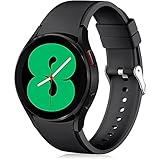
- 【Compatible Models】Lerobo 20mm smart watch bands compatible with Samsung Galaxy Watch 7/6/5 40mm 44mm/Galaxy Watch 6 Classic 47mm 43mm/Galaxy Watch 5 Pro 45mm/for Galaxy Watch 4 40mm 44mm /Galaxy Watch 4 Classic 42mm 46mm /Galaxy Watch 3 41mm only, not compatible with samsung galaxy watch active 2 40mm 44mm/ active/ galaxy watch 42mm/ galaxy watch 46mm/galxy watch 3 45mm and other universal watch with 20mm lugs. (Note: No watch included).
- 【Stylish Exterior Design】Lerobo new arrival wristband fits as good as original for galaxy watch 4 classic band and for galaxy watch 4 band/galaxy watch 7 band. Adopt exclusive arc design to achieve seamless connection with watch, which is more unique, fashionable and stable. A variety of popular colors band offer your smartwatch high-end looks could match your every mood & outfit to express your own personal style from work to workouts routine.
- 【Comfortable & Durable】The sport straps compatible with Samsung smartwatch are made of premium soft silicone rubber, skin-friendly and water resistance, anti-allergic and no fading, bring you a comfortable wearing experience. Premium Watch Buckle design, 20mm quick release pin easy to install and remove, NO tools required!
- 【Free Size for All】Adjustable size for all wrists. The adjustable watch band compatible with Samsung Galaxy Watch 4/for Galaxy watch 4 classic fit small or large wrist for 5.5"-8.5" (140mm-216mm). Easy to adjust the length and fit for women and men.
- 【Perfect Refined Gift】This for galaxy watch band is ideal option compatible with Samsung Watch accessories, best gift for men, women in many occasions like parties, business,meeting, anniversaries, Christmas, thanksgiving day or daily wearing whenever you are doing sports or working.
When the correct Wipe cache partition option is selected, Samsung Community guidance describes it as removing temporary system files without intentionally erasing personal watch data. It is not a guaranteed performance or battery-life upgrade, and Samsung’s mainstream US support pages do not document this recovery procedure as a universal option for every Galaxy Watch generation.
If the watch is frozen
Hold Home/Power and Back simultaneously until Rebooting… appears. Some models may require holding the buttons for up to approximately 30 seconds. This is a forced reboot, not a cache wipe; after the watch restarts, you can try entering recovery again. Samsung’s frozen-watch guidance is available at Samsung Support.
After rebooting, check for updates on both the watch and Galaxy Wearable. If the watch is stuck in a boot loop, remove recently installed apps or watch faces when possible and check for updates before considering a reset. See Samsung’s boot-loop troubleshooting.
Rank #2
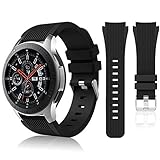
- 【 Suitable For Modle 】 Replacement for Samsung Galaxy Watch 1 46mm(Released in 2018)/Samsung Galaxy Gear S3 Classic/Samsung Galaxy Gear S3 Frontier/samsung galaxy watch 3 45mm Smart watch. Only compatible with these 4 Samsung watches, not compatible with other Samsung models. (NOT for galaxy watch 4/5/6/7 all series, Galaxy Watch 3 41mm.)Please confirm your watch model before purchasing.(Watch is NOT included.)
- 【 Good Material 】 This smart watch bands made of premium silicone, skin-friendly and no fading. Premium Watch Buckle design, 22mm quick release easy to install and remove.
- 【 Multiple Color Selection 】 A variety of colors are available for perfect for daily and nightly wear. Make your galaxy watch 3 45mm/ Gear S3 Frontier watch/ galaxy watch 46mm look unique.
- 【 One Size --S & L Bands Included】The package includes: 1 X short side, 2 X long side compatible with your Galaxy Watch 46mm /Gear S3 Frontier, Classic Watch /Galaxy Watch 3 45mm. Suitable for men and women.
- 【 Excellent After-Sales Service 】 HSWAI provide a wonderful shopping experience, If there is any problem when using this band, just contact us and then we will offer a perfect solution immediately.
How to clear watch storage
If your problem is insufficient space, wiping the system cache is not the right tool. On newer Wear OS models:
- Open Galaxy Wearable on the phone.
- Tap Watch settings.
- Tap Battery and device care.
- Tap Storage.
- Open categories such as Images or Audio, select unwanted items, and tap Delete.
Older watches may instead show About watch > Storage > Clean now or About watch > Memory > Clean now. Menu names depend on the model and software version. Deleting music, images, apps, or watch faces removes those items; it should not be described as clearing cache. Samsung’s storage guidance is at Samsung Support.
How to clear Galaxy Wearable’s cache on the phone
Use this when pairing, syncing, or the companion app is misbehaving:
Rank #3

- 【compatible with All 20mm Watch Band】 Lerobo 3 pack stretchy braided nylon solo loop bands widely compatible with Samsung Galaxy Watch 7/6/5/4 44mm 40mm, Watch FE, Watch 6 Classic 47mm 43mm, Watch 5 Pro 45mm, Watch 4 Classic 46mm 42mm, Watch Active 2 44mm 40mm/Active,Watch 3 41mm, Watch 42mm, compatible with Samsung Gear Sport/ for Gear S2/S2 Classic, compatible with Gizmo Watch and other watches with 20mm width lugs. PLEASE NOTE: NOT compatible with Samsung Galaxy Watch 8/8 classic
- 【Breathable & Stretchy Nylon Material】 Our bands compatible with Samsung Galaxy Watch 7 band made of super strong stretchable elastic braided nylon material, which makes the strap soft, lightweight, breathable & skin-friendly, preventing skin from irritation rash. Works for all day-workouts and daily life, bring you a new comfortable wearing experience.
- 【Adjustable Comfortable Size】 Lerobo stylish replacement wristband straps compatible with Samsung Watch 6 44mm 40mm 43mm 47mm with latest elastic material and adjustable metal buckle design allows you to adjust watch band to your comfort level, fit for 5.3"- 9.8" (130mm-230mm) wrist of women men. You don't need to worry about buying the wrong size.
- 【Unique Design for Your Daily Dress Up】 These compatible with Samsung Galaxy Watch 4/compatible with Samsung Galaxy Watch 5 elastic band have fashionable wave patterns and vivid colors, which can improve your style and make your watch brand new. Perfect gift for Birthday, Christmas Day, Mother's Day, Father's Day, Thanksgiving Day, Valentine's Day, etc.
- 【Security & Easy to install】 Lerobo 20mm quick release watch bands with pins on both ends lock precisely and securely on the smart watch interface. And the elastic material band will let you feel like a scrunchie on wrist, comfortable to put on and easy to take off without any tool.
- Open the phone’s Settings.
- Tap Apps.
- Select Galaxy Wearable.
- Tap Storage.
- Tap Clear cache.
Do not confuse Clear cache with Clear data. Clearing data resets the app and can remove stored settings, accounts, and databases, forcing reconnection or reconfiguration. Try cache first. The same principle may apply to the Galaxy Watch device plugin or Samsung Accessory Service when troubleshooting specifically points to them. Clearing Google Play services is an advanced step, not routine maintenance, and should not be done casually. Samsung explains the difference at Samsung Support.
How to fix one misbehaving watch app or watch face
- Open Galaxy Wearable.
- Tap Apps, then App info.
- Select the affected app.
- Tap Force stop and confirm.
Reopen the app, then update it if an update is available. If the trouble began after installing an app or watch face, uninstall that item or revert to a built-in watch face. Some preinstalled apps cannot be uninstalled. Samsung’s app troubleshooting steps are listed in its app-freeze and crash guide.
Does clearing cache delete your data?
| Action | What it affects |
|---|---|
| Close recent apps | Removes apps from the recent-apps list; it does not wipe system cache. |
| Wipe watch cache partition | Removes temporary system files. The expected behavior is to retain personal data when the correct option is chosen. |
| Clear Galaxy Wearable cache | Removes temporary files from the phone app, not the watch’s system cache. |
| Clear Galaxy Wearable data | Resets the companion app’s stored information and may require setup again. |
| Delete watch storage | Removes the selected music, images, apps, or other files. |
| Factory reset | Restores the watch to default settings and can remove apps, accounts, settings, downloads, and locally stored data. |
Samsung Health information that has already synchronized should generally be recoverable through the account or backup, but do not rely on that assumption before a reset. Back up first.
Rank #4

- Cute Floral Engraved Design: The Galaxy Watch 7 Band features precision laser engraving technology, creating vivid and lifelike floral patterns that add 3D elegance and a luxurious tactile feel. Perfect for any occasion, pretty roses bring timeless sophistication for formal events, while vibrant sunflowers radiate youthful energy for casual wear. This stylish Samsung watch bands for women is a beautiful floral print that celebrates and love nature, adding a personal look to your daily outfit
- High Quality Silicone Material: Crafted from premium silicone, the Samsung Watch 7 Bands are ultra-lightweight, skin-friendly, and hypoallergenic, ensuring a soft, smooth, irritation-free, and comfortable wearing experience all day long. Designed with waterproof and sweatproof properties, they’re effortless to clean and maintain. The bands’ ergonomic design and secure fit ensure they stay comfortably in place during any activity—whether you’re hitting the gym, working, sleeping, or playing sport
- Compatible Models: SNBLK 20mm silicone Samsung Watch bands are wildly compatible with Samsung Galaxy Watch 7 40mm 44mm/Galaxy Watch 6 40mm 44mm/Galaxy Watch 4 40mm 44mm/Watch 5 40mm 44mm/Galaxy Watch 6 classic 43mm 47mm/Galaxy Watch 5 pro 45mm/Samsung Galaxy Watch 42mm/Galaxy Watch FE/Galaxy Watch Active 2 40mm 44mm /Samsung Galaxy Watch 3 41mm/Samsung Galaxy Watch 4 Classic 42mm 46mm/Samsung Gear s2 Watch/Samsung Gear Sport Watch; Also works with any other smartwatch model with 20mm lugs
- Diverse Color Styles: This 6-pack of engraved bands offers multi-color combinations to match your mood and outfit. Featuring neutral tones like black, white, and starlight, plus vibrant hues such as red, purple, and green, it suits any occasion. Perfect for quick strap changes, this set is ideal for any occasion—whether it's an anniversary, birthday, or holiday. A practical and thoughtful gift, it’s designed for your wife, friends, or loved ones who appreciate both style and functionality
- Easy Adjustment & Installation: Featuring cleverly designed spring bars, it ensures quick and secure installation or removal for precise fit every time. The band is easy to adjust and wear, allowing you to customize the length for a perfect fit. Designed to accommodate wrists ranging from 5.5" to 7.6" (140mm to 195mm), it offers versatile adjustability for a wide range of users. While the durable buckle design provides a secure and seamless fit, ensuring stability and safety during any activity
What to do if wiping the cache does not help
- Check whether the watch is hot, damaged, wet, or having charging problems.
- Restart normally, or force-reboot it if frozen.
- Update the watch, Galaxy Wearable, companion components, and watch apps.
- Remove a recently installed app or watch face.
- Clear Galaxy Wearable’s phone-side cache if the problem is pairing or syncing.
- Free space if storage is nearly full.
- Back up the watch.
- Only then consider a factory reset.
- Contact Samsung service for repeated boot loops, hardware faults, battery deterioration, persistent cellular or Bluetooth failures, or physical damage.
Cache clearing is unlikely to fix a worn battery, cracked screen, stuck button, water damage, charging fault, sensor obstruction, incorrect fit, or a known firmware bug awaiting an update. It also will not create free storage when large music or image libraries are the real cause.
Model and software differences
Galaxy Watch4 and newer models use Wear OS and are the most likely to show the recovery sequence and the Battery and device care > Storage path described above. Older Tizen watches may use About watch > Memory > Clean now or About watch > Storage > Clean now instead. Galaxy Fit devices have different capabilities, and some app-uninstallation options do not apply to them.
Free tools Windows power users keep installed
One-click scans. No signup required.
Samsung notes that settings and features vary by device and software version. If your watch has no Recovery option, do not experiment with unrelated bootloader choices; use model-specific Samsung documentation or contact Samsung support.
Best Value

- 【Compatible with all 20mm watches】If pins breaking or missing, please contact us through Amazon. Lerobo Metal Elegant Casual Business Band Compatible with Samsung Galaxy Watch 7/6/5/4 FE 40mm/44mm/Galaxy Watch 6 Classic 43mm 47mm/Galaxy Watch 5 Pro 45mm/Galaxy Watch 4 Classic 42mm/46mm/Galaxy Watch Active 2 40mm 44mm/Galaxy Watch Active 40mm/Galaxy Watch 3 41mm/Watch 42mm. PLEASE NOTE: NOT compatible with Samsung Galaxy Watch 8/8 classic
- 【Upgrade Electroplating】Lerobo casual business stainless steel band compatible with Samsung Galaxy watch 7 6 5 4 and for galaxy watch active 2 uses a nano-electroplating process that deeply embeds pigments into the metal, providing superior durability and a lasting shine compared to ordinary plating methods.
- 【Quality Stainless Steel Material】Lerobo for galaxy watch 6 band Classic 43mm 47mm 40mm 44mm is crafted from top solid stainless steel with a smooth surface, which enhances the comfort and durability of the watch band. It will be comfortable touch feeling on your wrist without hurting your skin, luxury, handsome and practical, nobility and durability
- 【Adjustable Size】Lerobo design compatible with Samsung watch 7 6 5 4 band 40mm 44mm fit wrists of 6.2 -8.3 inches (157mm - 210mm), the stainless steel watch band can be adjusted by removal tool to fit your wrist perfectly
- 【Multi-color Selection】A variety of colors are available for perfect for daily and nightly wear. Aesthetics design watch bands for work, date, party, shopping, shows, any business & special occasions. Nice choice as a exquisite gift for Birthday, Christmas, Thanksgiving Day, Father's Day
Frequently Asked Questions
How often should I wipe my Samsung Watch cache?
There is no need to do it on a schedule. Use it as a troubleshooting step when persistent lag or glitches remain after restarting and updating.
Can I clear the watch cache without a phone?
The recovery-menu cache-partition procedure can be performed on the watch itself, but storage cleanup and Galaxy Wearable cache clearing require the relevant phone or watch menus.
Is wiping cache the same as a factory reset?
No. Wiping the cache partition targets temporary system files. A factory reset erases the watch’s configuration and locally stored content, so back up first.
What’s actually slowing this PC down?
Pick the symptom - the matching free tool is one click away.
Why is my watch still slow after cache wiping?
The cause may be a faulty app or watch face, insufficient storage, outdated software, battery or hardware trouble, or a firmware bug. Continue through the troubleshooting ladder rather than repeatedly wiping cache.

