You set the time and date on an Omega Seamaster Diver 300M with the crown, and you rotate the dive bezel by hand. The exact crown positions, and whether the watch has a date function at all, depend on the reference number. Omega publishes its instructions per reference, so identify your reference before you follow any sequence of crown movements.
Step 1: Find your reference number
The reference is the dotted code Omega uses to identify a specific model, such as 215.92.46.22.01.007 in the Planet Ocean manual discussed below. Check it against one of these sources:
- The warranty card or papers that came with the watch.
- The product page for your model on OMEGA’s official website, which lists several Diver 300M references with differing specifications.
- An authorized Omega retailer or service centre, if the papers are missing.
Once you have the reference, download or request the user manual for that exact reference. A manual for a neighbouring model, or for a different Omega family, will not reliably describe your crown.
Step 2: Confirm whether your model has a date display
Not every Diver 300M behaves the same way. OMEGA’s press release of 21 November 2024 announced a new Seamaster Diver 300M range in 42 mm sizes, and identifies the Co-Axial Master Chronometer calibre 8806 in the models it covers. The same release does not state whether those models carry a date. OMEGA’s product pages list other selected Diver 300M references, including examples with calibre 8800 and a date display. The table below shows what the two official sources establish and what they leave open.
#1 Best Overall
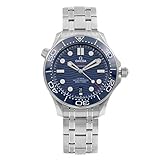
- Omega Seamaster Automatic Chronometer Black Dial Men's Watch 210.30.42.20.01.001
| Source | Movement named | Date display |
|---|---|---|
| Press release, 21 November 2024, new Diver 300M range | Co-Axial Master Chronometer calibre 8806 | Not stated in the release |
| OMEGA product pages, selected Diver 300M references | Calibre 8800 named in at least one listed example | Present in at least one listed example; not every reference has one |
If your watch shows a date window, your manual should describe a date correction. If it shows no date, the date steps below do not apply to your watch.
How Omega crown positions usually work: an example from another model
The official OMEGA user manual for the Planet Ocean 600M, reference 215.92.46.22.01.007, is a useful illustration of how Omega describes crown positions. It is not a Diver 300M procedure. In that manual:
Rank #2

- Model 212.30.44.52.01.001
- Position 1 is manual winding.
- Position 2 corrects the date and the time zone. The hour hand moves in one-hour jumps, and the date changes when the watch crosses midnight.
- Position 3 sets the time and stops the seconds hand so you can align it precisely.
- After the corrections, push the crown back to position 1.
Use this only to understand the typical three-position layout. Your Diver 300M manual defines its own positions, and it may differ in which position changes the date, whether the hour hand jumps, or where the seconds hand stops. Confirm each of these in the manual for your reference before turning the crown.
Water resistance depends on how the crown is seated
The Planet Ocean 600M manual states: “The crown pushed in against the case guarantees water resistance.” Treat that as a statement about that model. Before you wear a Diver 300M in water, check its manual for the required crown position, and confirm whether your reference uses a push-in crown, a screw-down crown, or both. After any adjustment, make sure the crown is fully seated in its correct position before the watch goes near water.
Quick wins for a faster PC:
Clear out junk files and repair common Windows errorsFree Scan →Scan for outdated or missing drivers - takes under a minuteDriver Scan →Rank #3

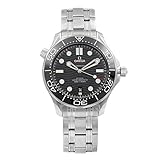
- Omega Seamaster Automatic Black Dial Men's Watch 210.32.42.20.01.001
Using the dive bezel
The Diver 300M has a diving bezel, which lets you track elapsed time underwater. A retailer’s description of one Diver 300M model identifies its bezel as unidirectional, which means it turns in one direction only. On a unidirectional bezel, the intended direction is counterclockwise, so if the bezel is knocked, it tends to shorten the remaining time rather than extend it. This is the standard reason divers prefer unidirectional bezels for timing dives.
To rotate the bezel, grip the knurled edge with your thumb and fingers and turn it only in the direction marked by the triangle or the printed arrow. Do not force it in the opposite direction. Confirm the direction, the markings, and how the bezel is meant to be used for your reference in its manual, because the official range announcement describes the Diver 300M family without giving a full bezel procedure.
Rank #4
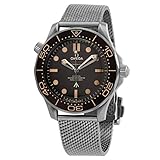
- Model 210.90.42.20.01.001
A practical checklist before you adjust anything
- Confirm the reference number and download the matching manual.
- Note whether your watch has a date display.
- Identify the crown positions and what each one controls.
- Check whether the manual gives a caution about changing the date.
- Confirm the bezel direction and markings.
- Note the crown position the manual requires before the watch is worn in water.
A video demonstration
SwissWatchExpo has published a video on setting the time on a Seamaster Diver 300M. It is not an Omega publication. Before you copy the motions in it, check the reference of the watch shown against yours, and compare what you see with the official manual.
Independent reader supportYour contribution helps us test, update, and keep practical guides available for everyone.If you cannot confirm your reference or crown positions
If the papers are missing and you cannot read the reference on the watch, do not guess at crown positions. An authorized Omega retailer or service centre can identify the model and tell you which manual applies. Forcing a crown or bezel that will not move is a reason to stop and seek service, not to try more pressure.
Recommended Free Tools
Quick Recap
Sources
- OMEGA press release, new Seamaster Diver 300M range, 21 November 2024
- OMEGA user manual, Planet Ocean 600M, reference 215.92.46.22.01.007
- OMEGA official site, Diver 300M product pages
- SwissWatchExpo video on setting the time on a Seamaster Diver 300M
Product prices and availability are accurate as of the date/time indicated and are subject to change. Any price and availability information displayed on Amazon at the time of purchase will apply.




