Outdated Drivers Are Slowing You Down
One free scan finds every outdated or missing driver and matches the right update for your exact hardware.Free scan · exact hardware matchPC Slower Than It Used to Be?
A free scan shows the junk files, broken settings and background clutter dragging Windows down - then fixes them in one click.Free scan · Windows 10 & 11TinyPod is a third-party Apple Watch case with a mechanical scroll wheel. It makes a compatible Apple Watch feel more like an iPod, particularly for downloaded music and podcasts, but it does not install iPod software or turn the watch into a true standalone music player. The display, storage, audio hardware, apps, authentication, and limitations all remain Apple Watch features.
That makes TinyPod most appealing to people who already own a compatible Apple Watch and want a pocketable, less phone-centric audio device—not to buyers expecting a modern classic iPod replacement.
As an Amazon Associate I earn from qualifying purchases.
What is TinyPod?
TinyPod is an enclosure for selected Apple Watch models. You remove the watch band, place the watch body inside the case, and carry it in a pocket or hand instead of wearing it on your wrist. The case leaves the Apple Watch display, touchscreen, side button, microphone, speaker, sensors, and magnetic charging area available through its cutouts.
Free tools Windows power users keep installed
One-click scans. No signup required.
Its defining feature is an external mechanical wheel. The wheel engages with the Apple Watch’s Digital Crown, so turning it produces the same input as rotating the Crown on the watch itself. TinyPod changes the form factor and adds tactile control; it does not replace watchOS with iPod software, add storage, or provide a headphone jack or dedicated audio circuitry. TinyPod’s official site and coverage from MacRumors describe the product and its mechanism.
#1 Best Overall
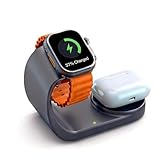
- 2-in-1 wireless charger stand designed for Apple Watch & AirPods, enabling fast charging by simple placement without tangled cables
- Premium metal-finish coating provides fingerprint-resistant texture, seamlessly blending into modern offices and homes
- Supports fast-charge protocol: 50% faster charging for Apple Watch, 80% AirPods power in 30 minutes
- Multi-protection safety system: Integrated safeguards against over-charging, over-voltage, short-circuit, and overheating with auto-detection for complete device protection
- Auto-sensing technology compatible with all Apple Watch series & AirPods Pro/3/2, delivering safe contact-free charging
Does TinyPod really turn an Apple Watch into an iPod?
Functionally, it can act as a small music player. Technically, it remains an Apple Watch.
A compatible watch can play downloaded music, podcasts, and audiobooks without the paired iPhone nearby. You can pair Bluetooth headphones or a speaker, making offline audio TinyPod’s clearest use case. Apple’s guidance on using Apple Watch without an iPhone is available at Apple Support.
The experience is not identical to an iPod. The wheel mainly controls Digital Crown behavior: it can scroll, zoom, or adjust values depending on the watchOS screen. You still need the touchscreen, side button, and on-screen controls for many selections and navigation tasks. Notifications, watchOS apps, settings, passcodes, and Apple Watch limitations remain in place.
How the click wheel works
- The Apple Watch’s Digital Crown sits inside the case.
- TinyPod’s internal mechanism engages with the Crown.
- Turning the external wheel rotates the Crown.
- watchOS interprets that movement using its normal Digital Crown behavior.
It is therefore a mechanical control rather than a software imitation of an iPod click wheel. The wheel can make scrolling more deliberate and nostalgic, but it does not control every function or create a music-only interface. For additional mechanism details, see Macworld’s explanation.
Rank #2

- Compatible with All Apple Watch Models: Specially designed for your Apple Watch, ZAPOGO watch charging dock is compatible for Apple Watch Series 11/10/9/8/7/SE/6/5/4/3/2 (includes 38mm 40mm 41mm 42mm 44mm 45mm version), Apple Watch Sport, Apple Watch Nike Plus, Apple Watch Hermes, and Apple Watch Edition. (Note: Not support series 1)
- Charging with Nightstand Modes: The watch charging stand supports Apple Watch in nightstand mode, bedside time-telling piece, also could be an alarm clock. (Tips: before using the nightstand mode function, please turn on the nightstand mode in your watch settings in advance)
- One-Step Charging Stand: Simply place your Apple Watch upright on the dock to start charging, no installation required, very easy to use. And it will cut off automatically when your watch is fully charged. (Note: The power adapter is not included, you may need a USB A port adapter)
- Portable Wireless Charging Stand: The charging station built-in a magnetic charger for your smartwatch. Strong magnetic keeps your watch firmly on the charging stand. Lightweight and compact design perfect for your home, kitchen and bedroom, office, business trips, holidays, travels. Convenient and elegant
- What You Get: 1 x Watch Charging Stand, 1 x 3.3ft USB C Cable, 1 x User Manual. You can consult us at any time, we will try our best to help
Which Apple Watch models fit TinyPod?
The current TinyPod product page lists these size and generation groups:
| Case size | Listed compatibility |
|---|---|
| 40/41mm | Apple Watch Series 4 through Series 9 and corresponding SE models |
| 44/45mm | Apple Watch Series 4 through Series 9 and corresponding SE models |
| 49mm | Apple Watch Ultra, Ultra 2, and Ultra 3 |
Do not assume that every Apple Watch fits. Match both the watch’s millimeter size and its listed generation using TinyPod’s current model selector. Compatibility information can change as Apple releases new watches, so check the official page immediately before ordering—especially for models not explicitly listed above.
TinyPod versus TinyPod lite
| TinyPod | TinyPod lite | |
|---|---|---|
| Listed price | $79 | $29 |
| Format | Hard case | Soft case |
| Mechanical wheel | Yes | No |
| Best for | Users who specifically want iPod-like scrolling | Users who only want a pocketable Apple Watch case |
The lite model is not merely a cheaper version of the same experience. Removing the wheel removes TinyPod’s signature feature. It is better understood as a lower-cost pocket case.
Quick wins for a faster PC:
Clear out junk files and repair common Windows errorsFree Scan →Scan for outdated or missing drivers - takes under a minuteDriver Scan →Repair Windows errors before they cause bigger problemsFix Now →What can TinyPod do without an iPhone?
Downloaded music, podcasts, and audiobooks
This is the most reliable phone-free use. Download content to the Apple Watch while it is paired with the iPhone, connect Bluetooth headphones, then test playback with the iPhone out of range. Offline support varies between third-party apps, so do not assume every streaming, podcast, or audiobook service behaves identically.
Rank #3

- COMPATIBILITY: Compatible with Apple Watch Ultra 4, Ultra 3, Ultra 2, Ultra, SE 3, Series SE, Series 11, Series 10, Series 9, Series 8, Series 7, Series 6, Series 5, Series 4, Series 3, Series 2, Series 1 (49mm 46mm 45mm 44mm 42mm 41mm 40mm 38mm), supports Apple Watch Nightstand Mode
- APPLE WATCH HOLDER: Designed to make charging and displaying your Apple Watch as convenient as possible by acting as a nightstand or desk dock stand that keeps your Apple Watch Charger securely in place and keeps your cable tidy
- PREMIUM SILICONE CHARGING DOCK: This Apple watch stand made from premium silicone material,enhances the stability and protects your devices away from scratching
- EASY TO USE: Simply place your Apple Watch on the stand to charge your watch; keep this stand near your bed to allow use of key functions such as alarm clocks and messages. It is perfect choice as Gift Christmas Day to your family or friend
- WARM TIPS: The silicone stand work with original iWatch adapters ONLY. DISCLAIMER: Apple Watch and Apple Watch Charger are NOT included
Calls and messages
A cellular Apple Watch with an active supported plan can remain connected away from the iPhone when coverage is available. GPS-only models do not offer the same independence. Apple also notes that some SMS, MMS, and third-party notification behavior can still depend on the paired iPhone being powered on and connected to a network. See Apple’s connectivity guidance.
Maps and internet services
These depend on Wi-Fi or cellular connectivity, the watch model, and the individual app. Offline features are not equivalent to carrying a fully independent phone.
Apple Pay
Apple Pay can work on compatible Apple Watch models without the iPhone nearby after setup, subject to supported cards, issuers, regions, and authentication. A passcode is required. Apple’s relevant documentation covers compatible devices and using Apple Pay.
The practical verdict: TinyPod can replace an iPhone for selected activities, especially offline audio, but it is not a general-purpose phone replacement.
Rank #4

- COMPATIBILITY: Compatible with Apple Watch Ultra 4, Ultra 3, Ultra 2, Ultra, SE 3, Series SE, Series 11, Series 10, Series 9, Series 8, Series 7, Series 6, Series 5, Series 4, Series 3, Series 2, Series 1 (49mm 46mm 45mm 44mm 42mm 41mm 40mm 38mm), supports Apple Watch Nightstand Mode
- APPLE WATCH HOLDER: Designed to make charging and displaying your Apple Watch as convenient as possible by acting as a nightstand or desk dock stand that keeps your Apple Watch Charger securely in place and keeps your cable tidy
- PREMIUM SILICONE CHARGING DOCK: This Apple watch stand made from premium silicone material,enhances the stability and protects your devices away from scratching
- EASY TO USE: Simply place your Apple Watch on the stand to charge your watch; keep this stand near your bed to allow use of key functions such as alarm clocks and messages. It is perfect choice as Gift Christmas Day to your family or friend
- WARM TIPS: The silicone stand work with original iWatch adapters ONLY. DISCLAIMER: Apple Watch and Apple Watch Charger are NOT included
The wrist-detection problem
Apple Watch normally uses wrist detection as part of its security and unlocking behavior. In a pocket case, the watch is no longer detecting normal skin contact, so TinyPod promotes disabling wrist detection to improve usability and potentially battery life.
That creates a meaningful trade-off. With wrist detection disabled, the watch may lock and request its passcode more often. Apple Pay and other protected functions can become less convenient, while leaving the watch unlocked can reduce security. You also should not assume that health, safety, or wrist-based tracking features work normally when the watch is enclosed in a pocket case. Apple explains the relationship between wrist detection and unlocking and the security requirements in its setup documentation.
Does TinyPod improve battery life?
TinyPod advertises “multi-day” battery life when wrist detection is turned off. That is a manufacturer claim, not a universal performance guarantee. Actual endurance depends on the watch’s generation and battery health, cellular use, Bluetooth audio, screen activity, notifications, streaming, maps, and Low Power Mode.
An old Series 4 or Series 5 may fit perfectly yet have a badly degraded battery. A case cannot restore lost battery capacity. Apple’s own battery estimates are based on defined test conditions, such as those described in its Apple Watch technical specifications, and should not be transferred directly to TinyPod use.
Best Value
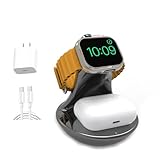
- 2-in-1 wireless charger stand designed for Apple Watch & AirPods, enabling fast charging by simple placement without tangled cables
- Premium metal-finish coating provides fingerprint-resistant texture, seamlessly blending into modern offices and homes
- Supports fast-charge protocol: 50% faster charging for Apple Watch, 80% AirPods power in 30 minutes
- Multi-protection safety system: Integrated safeguards against over-charging, over-voltage, short-circuit, and overheating with auto-detection for complete device protection
- Auto-sensing technology compatible with all Apple Watch series & AirPods Pro/3/2, delivering safe contact-free charging
Setup checklist
- Confirm the exact Apple Watch size, generation, and GPS or cellular status.
- Remove the band and insert the watch carefully.
- Check that the Digital Crown aligns with TinyPod’s internal mechanism.
- Verify that the touchscreen, side button, microphone, speaker, and charging area remain accessible.
- Pair Bluetooth headphones or a speaker.
- Download music, podcasts, and audiobooks before leaving the iPhone behind.
- Choose whether to disable wrist detection, understanding the security and passcode trade-off.
- Test playback with the iPhone out of range.
- Place the watch on its magnetic charging puck and confirm that it is charging.
- If you have a cellular model, test calls, messages, and data before relying on it away from home.
- Reduce unwanted notifications if your goal is a calmer device.
Common problems
- The wheel does not scroll: Check model compatibility, seating, and Crown alignment. Do not force the mechanism.
- The Crown feels stiff or skips: The watch may not be fully seated or the mechanism may not be engaging correctly.
- The watch keeps locking: Pocket use and disabled wrist detection can make authentication less convenient.
- Calls or messages fail: Check whether the watch is GPS-only, whether the cellular plan is active, and whether coverage is available.
- Offline music stops: Confirm that the content was actually downloaded and that the app does not require authorization or periodic connectivity.
- Charging fails: Re-seat the watch on the magnetic puck and check alignment.
- Battery life disappoints: Check battery health and account for cellular use, streaming, Bluetooth audio, and frequent screen activity.
Who should buy TinyPod?
TinyPod makes the most sense if you already own a compatible Apple Watch, like physical scrolling, use Bluetooth audio, and want downloaded media in a pocketable device. It is also an appealing experiment for former iPod owners and people who want to leave a large phone at home occasionally.
It is a weaker purchase if you want a true iPod interface, a headphone jack, long dedicated-player battery life, reliable full-time phone independence, or a device with no notifications. Buying a new Apple Watch, TinyPod, headphones, and a cellular plan solely for this setup can cost more than a used dedicated music player or minimalist phone.
Alternatives
- Use the Apple Watch normally: Cheaper, and it preserves wrist detection, health features, and ordinary authentication.
- TinyPod lite: A $29 soft case for pocket use without the scroll wheel.
- A refurbished Apple Watch: A possible route for new buyers, but check battery health, Activation Lock, exact size, charger inclusion, cellular status, and carrier compatibility.
- A used iPod or dedicated music player: Better for dedicated playback, wired headphones, physical controls, and fewer smart-device distractions, though older devices may have aging batteries and limited modern streaming support.
- A minimalist phone: More appropriate for calls and texts without the Apple Watch app ecosystem.
Availability and price
TinyPod’s current product page lists the hard-case TinyPod at $79 and TinyPod lite at $29. The page has also displayed “Pre-Order Sold Out | Shipping in Fall,” so check the live product page for current stock and delivery information rather than relying on launch coverage from 2024.
What’s actually slowing this PC down?
Pick the symptom - the matching free tool is one click away.
Final verdict
TinyPod is an imaginative repurposing accessory, not a new iPod. Its mechanical wheel gives an existing Apple Watch a more tactile, pocket-friendly identity, and downloaded audio makes the concept genuinely useful. But the watch remains a watchOS computer with touchscreen dependence, passcode friction, variable battery life, and cellular limitations.
For an owner of a compatible Apple Watch who wants a smaller music player and occasional phone-free use, TinyPod is a plausible upgrade. For anyone seeking a true dedicated audio player or a completely distraction-free phone substitute, a real iPod, dedicated music player, or minimalist phone is likely the better fit.




