Quick wins for a faster PC:
Clear out junk files and repair common Windows errorsFree Scan →Fix the driver behind crashes, sound loss and screen glitchesFind Drivers →Repair Windows errors before they cause bigger problemsFix Now →Apple released watchOS 11.0.1 on October 3, 2024, about three weeks after watchOS 11. It was a maintenance update rather than a feature release, addressing unexpected restarts, faster-than-expected battery drain, touchscreen problems on some newer watches, and two app-crash issues. Apple’s release notes list five fixes.
Because watchOS 11.0.1 is an older release—not the current watchOS version in 2026—it is best understood as the point release that corrected early watchOS 11 problems, not as a current upgrade recommendation.
What watchOS 11.0.1 fixed
Apple’s official notes identify these five changes:
- Unexpected restarts: Apple Watch could restart without warning for some users.
- Music app crashes: Music could unexpectedly quit while loading media.
- Battery drain: The update fixed a condition that could cause the battery to drain faster than expected.
- Temporary touchscreen unresponsiveness: Some Apple Watch Series 9, Series 10, and Apple Watch Ultra 2 users could temporarily lose touchscreen responsiveness.
- Messages crashes: Messages could unexpectedly quit when replying to a message containing a shared Apple Watch face.
The touchscreen fix is the only item Apple specifically limited to particular models in the public release notes. The other fixes were described generally for Apple Watch, so it would be inaccurate to say that every issue affected every watchOS 11-compatible model equally.
#1 Best Overall

- 👉2-Pack Convenient Spare Charger: Comes with 2 chargers in one pack, which can be used in various ways. Long, lightweight and compact enough fit in travel, home and office, such as night stand, desk, end table, car, camper and motorhome etc. You can carry it in your bag at any time in case you forget an extra charger
- 👉Wide Compatibility: Autallgee smart watch charger is compatible with Samsung Watch such as 8, 8 Classic, Ultra, 7, 6, 6 Classic, 5, 5 Pro, 4, 4 Classic, 3, as well as Active 2, Active, FE. [Watch 8(40mm/44mm), Watch 8 Classic(46mm), Watch Ultra (47mm), Watch 7 (40mm/44mm), Watch 6 (40mm/44mm), Watch 6 Classic (43mm/47mm), Watch 5 Pro (45mm), Watch 5 (40mm/44mm), Watch 4 (40mm/44mm), Watch 4 Classic (42mm/46mm), Watch 3 (41mm/45mm), Watch Active 2 (40mm/44mm), Watch Active 1 (40mm), FE(40mm) ]. 【Note: Not compatible with Samsung Watch 9/Ultra 2, Galaxy Gear S and Galaxy Fit】
- 🌳【Carbonfree Certified】Autallgee watch charging cables are Carbonfree Certified. Carbonfree Certified by ClimeCo, which certifies consumer products based on a cradle-to-grave assessment to determine the carbon footprint of the product and associated carbon emission reductions. Everyone contributes to the world’s carbon emission problems
- 👉Safe Charging: Build-in short-circuit protection IC in this charger to avoid overvoltage and overcurrent, also premium quality copper wire ensure charging Samsung Galaxy Watch to full 100% safety and reliability. Please Note: (1) Use only a standard 5V power adapter. (2) Ensure the adapter is safety-certified. (3) Operate the product in a dry, room-temperature environment.
- 👉Precise & Strong Magnet: builting-in magnet charging module, the magnet was strong enough, holds your watch in place precisely and automatically without any hassle. Charge at a touch,that's simple
Did watchOS 11.0.1 improve Apple Watch battery life?
It addressed one cause of unexpectedly rapid battery drain, but Apple did not promise a specific improvement. The release notes do not quantify how many additional hours users should expect, identify one universal root cause, or say that the update would resolve every battery complaint.
Battery performance also depends on the watch’s age, battery capacity, settings, and usage. Apple says that update-related tasks can continue in the background after installation, temporarily affecting battery life. If the battery seems worse immediately after an update, Apple recommends waiting a few days before judging the result. See Apple’s Apple Watch battery guidance for the current troubleshooting and battery-health advice.
How to check battery health
- On the Apple Watch, open Settings.
- Tap Battery.
- Tap Battery Health.
- Review Maximum Capacity and any service recommendation shown there.
If the watch reports that the battery needs service, the problem should not be treated solely as a watchOS software issue. Use Apple’s battery-support and service guidance to determine the appropriate service route. A worn battery, demanding usage, or a configuration issue can remain after a software update.
Rank #2

- ⌚️⌚️⌚️Compatible for HW22 Smartwatch: This black charging cable is specifically designed for the HW22 Smartwatch, ensuring a perfect fit and reliable charging performance.
- ⌚️⌚️⌚️Charging Design: Features a strong connector for easy attachment and secure charging, making it hassle-free to power up your smartwatch.
- ⌚️⌚️⌚️Durable and Portable: The 30cm cable is made from high-quality materials, offering durability and convenience for home, office, or travel use.
- ⌚️⌚️⌚️Fast and Efficient Charging: Provides a stable and efficient charging experience, keeping your for HW22 Smartwatch powered up and ready to use.
- ⌚️⌚️⌚️Versatile Charging Solution: Includes a USB adapter, making it compatible with most USB ports, such as laptops, power banks, and wall chargers.
How to install watchOS 11.0.1
For the iPhone-based installation method, Apple requires the watch to be connected to its charger, charged to at least 50 percent, and paired with an iPhone connected to Wi-Fi. Before starting, make sure the watch and iPhone are within range and leave the watch on the charger until the update finishes.
Update from the iPhone
- Open the Watch app on the paired iPhone.
- Tap My Watch.
- Choose General, then Software Update.
- Tap Download and Install if the update is offered.
- Enter the iPhone passcode or Apple Watch passcode if prompted, then keep the watch on its charger.
Apple’s full procedure is documented in its Apple Watch update instructions. If you need a replacement accessory for the installation, an Apple Watch charger can provide the required charging connection; it does not repair software-related battery drain.
Update on the watch
- Open Settings on the Apple Watch.
- Tap General, then Software Update.
- Install the update if it appears.
The watch still needs to meet Apple’s charging requirements. Do not remove it from the charger or restart it during installation unless Apple’s instructions specifically require recovery.
Which Apple Watch models were involved?
watchOS 11 broadly supported Apple Watch Series 6 and later, all Apple Watch Ultra models, and Apple Watch SE (2nd generation). That is compatibility information for watchOS 11 generally; it does not mean that every supported model experienced every 11.0.1 bug.
Rank #3
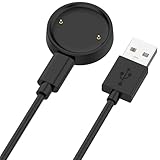
- 【Compatibility】This charger compatible with Amazfit Active 2, Bip 6 smart watch. with strong magnetic, firmly absorbing your watch well for charging. (Not compatible with Amazfit Bip 5/3, Active)
- 【Durable & Premium】The bip 6 charging cable is made of high quality wire; provides a stable charging performance. it works like the OEM charger. It is a good choice to replace lost or damaged charger cable.
- 【Safe & Fast Charging】The active 2 charger build-in smart chips, provides a stable charging performance and protects smart watch from over-current, over-voltage or short-circuit. and it charge your watch fast, a full charge takes about 2.5 hours.
- 【Portable & Easy to Use】To get a charging just plug it into USB port on your PC, laptop, notebook, wall charger or car charger. Easy to carry when you are on travel. Geting a better experience, we suggest you to use the recommended adapter (5V 1A).
- 【Package Includes】1 x charger for Active2/bip6, 1 x charging cable; with sincerely after-sales service, if have any question we will deal with it for you within 24 hours. Thank You!
Apple specifically identified some Series 9, Series 10, and Ultra 2 users in connection with the temporary touchscreen problem. The release notes did not provide an equivalent model-by-model limitation for the restart, Music, battery, or Messages fixes.
The Tool Desk
Outbyte PC Repair FREEClear out junk files and repair common Windows errorsFree Scan →Outbyte Driver Updater FREEFix the driver behind crashes, sound loss and screen glitchesFind Drivers →What to do if battery drain continues
- Give the watch a few days after updating. Background update work can temporarily affect battery life.
- Check Maximum Capacity. Low capacity indicates an aging battery rather than necessarily a watchOS defect.
- Compare usage. Frequent workouts, GPS use, cellular connectivity, notifications, screen activity, and streaming can materially change runtime.
- Restart the watch if it is behaving abnormally. This may help with a temporary software condition, but it is not a substitute for service when Battery Health reports a problem.
- Check for a newer compatible watchOS release. A later update may contain additional fixes. watchOS 11.0.1 should not be treated as the latest version merely because it was the subject of the original announcement.
- Contact Apple or an authorized service provider if the battery needs service. Persistent poor runtime after the observation period, especially alongside a service warning, warrants hardware evaluation.
Was watchOS 11.0.1 a security update?
Apple’s watchOS 11.0.1 notes direct readers to its security-content information, but the official material available for this release does not establish a separate, version-specific watchOS 11.0.1 security bulletin. It is therefore more precise to describe 11.0.1 as a bug-fix or maintenance update, rather than claim that it included a separately documented security patch.
Release date and current-status note
watchOS 11.0.1 was released on October 3, 2024, following the public release of watchOS 11 on September 16, 2024. Apple’s current security-releases page lists watchOS 26.5 as the latest watchOS version as of August 12, 2026. Availability of any update depends on the watch model, paired iPhone, region, and Apple’s update support at the time of checking; users should consult the Software Update screen for the applicable release.
Rank #4

- ✦High quality USB Charger for ZTE Quartz Smartwatch Not applicable to other models)
- ✦Sync your activity and training data with your device, 100% Brand new and high quality charging cable, easy plug and charge
- ✦Voltage regulator (PTC) inside: prevent your ZTE Quartz Smartwatch from being damaged by overcurrent when connected to USB power source on PC, Mac, laptop or notebook
- ✦Voltage regulator (PTC) inside: prevent your ZTE Quartz Smartwatch from being damaged by overcurrent when connected to USB power source on PC, Mac, laptop or notebook
- ✦Packaging included: 1* Charge Cable for ZTE Quartz Smartwatch(Does not include smart watch)
Frequently Asked Questions
Will watchOS 11.0.1 double my Apple Watch battery life?
No. Apple said the update fixed a condition that could make the battery drain faster than expected, but it published no quantified improvement and did not guarantee that all battery problems would be resolved.
How long should I wait before judging battery life after an Apple Watch update?
Apple advises waiting a few days because update-related tasks may continue in the background and temporarily affect battery life.
Do these 3 things before closing this tab:
1Clear out junk files and repair common Windows errors2Scan for outdated or missing drivers - takes under a minute3Repair Windows errors before they cause bigger problemsWhich watches received the touchscreen fix?
Apple specifically mentioned some Apple Watch Series 9, Series 10, and Apple Watch Ultra 2 users. The public notes did not say that every compatible model had the touchscreen issue.
Best Value

- COMPATIBLE WITH - Garmin Fenix 5 5S 5X Plus, Fenix 6 6S 6X Plus, Fenix 7 7S 7X, Fenix 8 8 Pro, Fenix 9 9 Pro/Forerunner 935 945 955 965 970 245 745 45 45S 55 70 255 255S 265 265S 158 165 170 570/Venu 4 3 3S 2 2S 2Plus Sq Sq2/Approach S44 S40 S42 S10 S12 S50 S60 S62 S70 X10 J1/Vivoactive 3 3 Music, 4 4S, 5, 6/Vivomove 3 3S,Vivomove Luxe Sport Style/Instinct E,Instinct,Instinct 2 2S 2X,Instinct 3/Quatix 5 6 7 8/D2 Air,D2 Charlie,D2 Delta,D2 Mach1/Tactix 8,Tactix 7,Tactix Charlie,Tactix Delta/CIRQA/Vivosmart 5/VivoSport/Epix Gen 2/Bounce 1 2 (Data Sync is available)
- FRIENDLY TIGHT CONNECTION DESIGN - This Charging clip in marker are not loose for your watch- they are sturdy, do not fall out. That is why we adopted tight connection design, which helps keep the charger in place for a reliable charging
- FAST CHAEGE & STABLE PERFORMANCE - Our Charging clip can be connected to USB power source on PC, laptop, notebook, because this charging method can provide high efficiency and high stability charging experience for you
- OVER-VOLTAGE & OVER-CURRENT PROTECTION - Our Charging clip provides fast and stable charging speed. Made of over- voltage and over- current protection, they will protect your watch from being damaged when charging
- AFTER-SALE SERVICE - !!!Two Years Warranty. Replacement or full refund without returning for all quality-related issues with 3.3ft/100cm Charger Cable dock for Garmin watch charger.
Do I need to keep the Apple Watch on its charger during installation?
Yes. Apple’s update instructions require the watch to be at least 50 percent charged and connected to its charger during the update.
The Bottom Line
Bottom line: watchOS 11.0.1 was a useful October 2024 maintenance release that addressed unexpectedly fast battery drain along with restarts, app crashes, and a touchscreen problem on some newer Apple Watch models. It did not promise a particular battery-life gain or fix every cause of poor runtime. Check Battery Health, allow a few days after installation, and seek service if the watch reports that its battery needs attention.




