Free tools Windows power users keep installed
One-click scans. No signup required.
Start with the settings that affect basic operation: set your wearing wrist and dial orientation, choose how Auto Lock unlocks, and assign useful activity shortcuts. Then tailor each sport’s data pages and alerts. Adjust GPS, display, sleep, and navigation settings to match where and how you use the watch.
Set up the watch for how you wear and use it
Wearing hand and dial orientation
Set the wearing hand to match your wrist, then choose the dial orientation that is easiest to operate. COROS notes that people who wear the watch on the right wrist may prefer the dial on the left side; the screen can rotate to match. See COROS’s PACE 4 setup guide for its setup instructions.
As an Amazon Associate I earn from qualifying purchases.
Auto Lock
The PACE 4 defaults to Hold to Unlock, according to COROS. With that option, you press and hold the dial to unlock the watch; Scroll to Unlock instead requires continuous dial scrolling. Choose the method that feels convenient without making accidental inputs likely.
Activity shortcuts
Assign the Back and Action buttons functions that are useful during your activities. COROS documents these as customizable activity controls. Set them up before a workout so you can reach the functions you use without navigating menus while moving.
#1 Best Overall

- Ultralight & Ultra-Thin Design: Weighing only 32g with the nylon band and just 11.8mm thin, COROS PACE 4 GPS watch is lighter than an energy gel and comfortable enough for 24/7 wear, ensuring it never slows you down.
- EASY ON THE EYES: The 1.2"touchscreen AMOLED display keeps colors vibrant and lines sharp, with auto-adjusting brightness that ensures the screen is easy to read in all environments. More detailed display 164% higher resolution compared to COROS PACE 3.
- BIG BATTERY LIFE: Train longer without interruption. With 41 hours of continuous GPS use and up to 19 days of daily battery life, ensure your training isn’t tied to a charger.
- NEW WAY TO TRAIN with VOICE features:Using PACE 4's voice recording tool, about where you were, what you saw, and how you felt during your workouts and capture training logs at the completion of your activity. Use Voice Control to set an alarm for tomorrow morning, create a target workout and more.
- EFFORTLESS CONTROL: A combination of a tactile digital crown, two easy to reach buttons, and a smooth touchscreen offers intuitive control even at high intensity. Customize the Action Button for one-tap access to key features like media controls, breadcrumb navigation, or to record Voice Pins.
Customize each sport’s data pages and alerts
Choose the metrics you want to see
In the COROS app, open Activity Settings for the activity mode you want to customize. COROS says you can configure up to six data pages per activity mode, choosing layouts and metrics. Build pages around the information you actually check during that sport rather than filling them with metrics you rarely use. The COROS activity settings guide explains activity tracking and page customization.
Add only useful alerts
Depending on the activity, available alerts can include distance, heart rate, pace, cadence, power, speed, or nutrition. Set alerts for targets that help you act during the session; unnecessary notifications can add distraction.
Rank #2
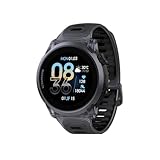
- Uncompromisingly light and durable: The 6000‑series aluminum alloy bezel provides a high‑integrity frame, yet PACE 4 Black Crystal weighs just 33 g (with nylon band) – balancing structural integrity, a smooth finish, and an incredibly lightweight profile for the wear and tear of an active life.
- AMOLED AT ITS BEST: The touchscreen AMOLED display has a tapered edge, crystal clear visibility, and vibrant colors. It brings a more detailed display with 164% higher resolution than the COROS PACE 3.
- BIG BATTERY LIFE: Train longer without interruption. With 41 hours of continuous GPS use and up to 19 days of daily battery life, ensure your training isn’t tied to a charger.
- NEW WAY TO TRAIN with VOICE features:Using PACE 4's voice recording tool, about where you were, what you saw, and how you felt during your workouts and capture training logs at the completion of your activity. Use Voice Control to set an alarm for tomorrow morning, create a target workout and more.
- EFFORTLESS CONTROL: A combination of a tactile digital crown, two easy to reach buttons, and a smooth touchscreen offers intuitive control even at high intensity. Customize the Action Button for one-tap access to key features like media controls, breadcrumb navigation, or to record Voice Pins.
Check before starting outdoors
For an outdoor activity, COROS advises waiting for a strong GPS signal and a heart-rate reading before you begin. This gives the watch a chance to establish the readings it needs for the session.
Choose GPS mode for your surroundings
COROS’s PACE 4 setup guidance describes Max as All Systems GPS and recommends it for most scenarios. It describes High as Dual Frequency and recommends it for difficult GPS conditions, such as narrow canyons, thick forest, or steep rock faces. Use the current labels shown on your watch if a firmware update changes the menu wording.
Rank #3

- Uncompromisingly light and durable: The 6000‑series aluminum alloy bezel provides a high‑integrity frame, yet PACE 4 Black Crystal weighs just 33 g (with nylon band) – balancing structural integrity, a smooth finish, and an incredibly lightweight profile for the wear and tear of an active life.
- AMOLED AT ITS BEST: The touchscreen AMOLED display has a tapered edge, crystal clear visibility, and vibrant colors. It brings a more detailed display with 164% higher resolution than the COROS PACE 3.
- BIG BATTERY LIFE: Train longer without interruption. With 41 hours of continuous GPS use and up to 19 days of daily battery life, ensure your training isn’t tied to a charger.
- NEW WAY TO TRAIN with VOICE features:Using PACE 4's voice recording tool, about where you were, what you saw, and how you felt during your workouts and capture training logs at the completion of your activity. Use Voice Control to set an alarm for tomorrow morning, create a target workout and more.
- EFFORTLESS CONTROL: A combination of a tactile digital crown, two easy to reach buttons, and a smooth touchscreen offers intuitive control even at high intensity. Customize the Action Button for one-tap access to key features like media controls, breadcrumb navigation, or to record Voice Pins.
Balance screen visibility with battery use
Brightness and Always On
COROS recommends Standard brightness; High and Max are available but increase battery consumption. Always On keeps the screen illuminated, with dimmed behavior described for activity and standby use. Choose brighter or persistent display behavior when visibility matters enough to justify the added battery use.
Touchscreen behavior
The PACE 4 setup page documents Always On and Navigation only touchscreen choices. Use the option that suits how often you want touch input available; limiting it to navigation is an alternative to full-time menu interaction.
Rank #4

- ALPINE-GRADE ENGINEERING+IN PLAIN SIGHT: LIGHTWEIGHT TITANIUM. REINFORCED LUGS. TOUCHSCREEN SAPPHIRE DISPLAY. APEX 4 pairs an 1.2 inch clear always-on, memory in pixel display with scratch resistant sapphire glass.
- Long Battery-TO LAST THROUGH YOUR LONGEST DAYS: Long enough to last 100 miles around Mont Blanc, or linking up the Grand Traverse. With up to 41 hours of All Systems GPS(APEX 4 42mm), you'll have full confidence in your watch whether it's linking up the Grand Traverse, or the full loop around Mont Blanc.
- RAZOR-SHARP ACCURACY, WITHOUT LIMITS: All systems GPS + Dual-frequency GPS with vertical algorithms built for challenging environments in dense forests, steep couloirs, and alpine terrain and sheer walls.
- 30x Faster map and graphic rendering speeds: Topographic and landscape, with trail and street names, plus turn-by-turn satellite, and hydro maps give you the information you need when you need it, even without cell service. Two map layers with 15m zoom plus trail and street names keep you oriented on trails, in the city, or on the slopes.
- Microphone + Speaker: Record Voice Pins to capture beta on the wall or save a note-to-self during your long run to help be better prepared next time. Take hands-free calls and listen to your activity alerts out loud.
Review battery use
COROS describes a Battery Usage report and prediction tool that lets you review the current charging cycle. Check it after changing display behavior or other settings to see how your own use is affecting the watch.
Set sleep and wellness tracking to your routine
If you want sleep and nap tracking, wear the watch to bed and make sure Sleep Settings in the app match your schedule. COROS says overnight HRV is measured during sleep and that five nights of wear establish a baseline. These are tracking features described by the manufacturer, not medical interpretations.
Daily Stress uses heart-rate and HRV data. Enable it if that information is useful to you, keeping in mind that COROS says it increases battery consumption.
Configure navigation before a route-based outing
If you plan to follow routes, download maps and sync your routes through the app before relying on them in the field. The PACE 4 supports route direction, map orientation, deviation alerts, turn-by-turn guidance, and Back to Start options. Set the route guidance and alerts you want ahead of time; if you do not use routes, there is no need to change these options as part of initial setup.
Quick Recap
Product prices and availability are accurate as of the date/time indicated and are subject to change. Any price and availability information displayed on Amazon at the time of purchase will apply.
Do these 3 things before closing this tab:
1Clear out junk files and repair common Windows errors2Fix the driver behind crashes, sound loss and screen glitches3Repair Windows errors before they cause bigger problems



