The Tool Desk
Outbyte Driver Updater FREEScan for outdated or missing drivers - takes under a minuteDriver Scan →Outbyte PC Repair FREERepair Windows errors before they cause bigger problemsFix Now →If your Rolex Oyster Perpetual has stopped, it may simply have run down while unworn. Unscrew the crown, wind it clockwise at least 25 turns, then screw the crown fully back down. If it does not restart or keeps stopping after a correct wind, arrange an assessment through an Official Rolex Retailer or Rolex Service Centre.
Why did my Oyster Perpetual stop?
The Oyster Perpetual is a mechanical self-winding watch. As you wear it, movement of your wrist turns a rotor that winds the movement. When the watch is left unworn, its stored energy eventually runs out and the watch stops. Rolex explains how automatic winding and power reserve work.
| # | Preview | Product | Price | |
|---|---|---|---|---|
| 1 |

|
Oyster Perpetual Submariner: The Watch that Unlocked the Deep | $65.99 | Buy on Amazon |
| 2 |
|
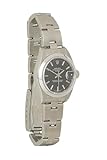
Rolex, Pre-loved Oyster Perpetual Black Dial 79160 26mm, Black | Buy on Amazon |
As an Amazon Associate I earn from qualifying purchases.
Power reserve varies by model and calibre. Current Rolex specifications give approximately 55 hours for the Oyster Perpetual 34 (reference 124200), and approximately 70 hours for the Oyster Perpetual 36 (reference 126000) and 41 (reference 134300). These are manufacturer specifications for those models, not a guarantee for every Oyster Perpetual, production year or reference. Check the official specification or user guide for your exact watch if you need its stated reserve. Rolex’s Oyster Perpetual specifications.
A stopped hand alone does not establish a specific fault. The cited Rolex guidance does not identify magnetism, impact, moisture or movement failure as the cause of an individual stopped watch, so do not assume one from the symptom.
#1 Best Overall
How to get it running again
Follow the Oyster Perpetual-specific winding directions. Rolex’s model guide calls for at least 25 turns after the watch has stopped; its general FAQ gives an approximate count of about 20. For this model, use the guide’s minimum of 25 turns. Rolex Oyster Perpetual User Guide.
- Unscrew the crown. Turn it counterclockwise until it is fully unscrewed and in the manual-winding position (position 1 in the user guide).
- Wind the watch. Turn the crown clockwise at least 25 times. Turning it the other way has no effect. This is partial winding to restart a stopped watch.
- Set the time if needed. Pull the crown to the time-setting position, set the hands, then return the crown.
- Screw the crown down fully. Turn it against the case until secure. Rolex says the crown must be fully screwed down to maintain the watch’s waterproofness. Rolex’s care guidance.
When to seek service
If the seconds hand does not resume after winding, or the watch stops again despite being correctly wound, stop troubleshooting and request an assessment from an Official Rolex Retailer or Rolex Service Centre. The symptom by itself is not enough to diagnose the cause remotely. Rolex says only its official retailers are permitted to maintain its watches.
Rank #2
- Pre-Loved Condition: Excellent; Faint scratching to back of case
- 26mm
- Made in Switzerland
- Oysterclasp Closure
- Signature upon delivery required
Do not open the case or try to manipulate the movement. Rolex’s guarantee information excludes certain damage or functionality issues resulting from opening or repair by anyone other than an Official Rolex Jeweler or Service Centre, or from non-genuine parts. See Rolex’s guarantee FAQ.
When arranging an assessment, confirm that the provider is an Official Rolex Retailer or Rolex Service Centre, and ask what inspection and repair details apply to your exact reference. Rolex’s published guidance cited here does not establish service prices or turnaround times.
Quick Recap
Product prices and availability are accurate as of the date/time indicated and are subject to change. Any price and availability information displayed on Amazon at the time of purchase will apply.