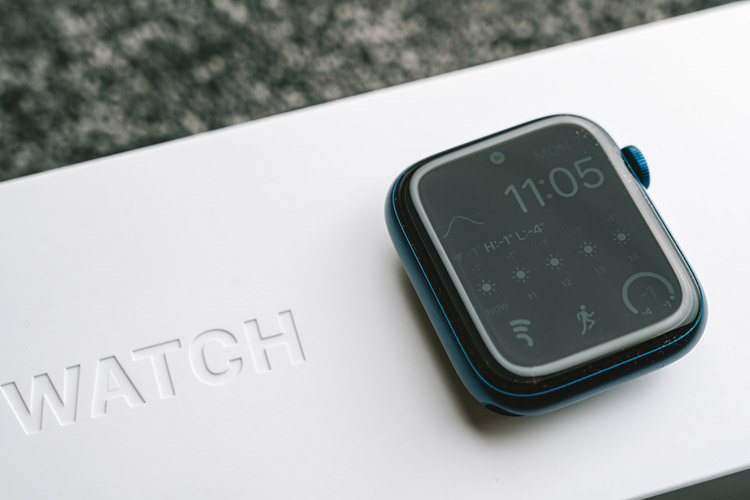
Since the Apple Watch launched, it has become a staple smartwatch with a sleek design, the very best fitness tracking, and Apple’s services easily accessible from your wrist. However, one area that the watch hasn’t performed so well is battery life.
With an average of 18 hours battery life (depending upon the model), you’ll need to recharge it every night and sometimes may even struggle to get through a whole day. However, there are plenty of things you can do to improve this, in this guide we’ll reveal 15 expert tips so that your Apple Watch battery will go further.
Ways to Extend the Apple Watch’s Battery Life
Adjust the screen brightness
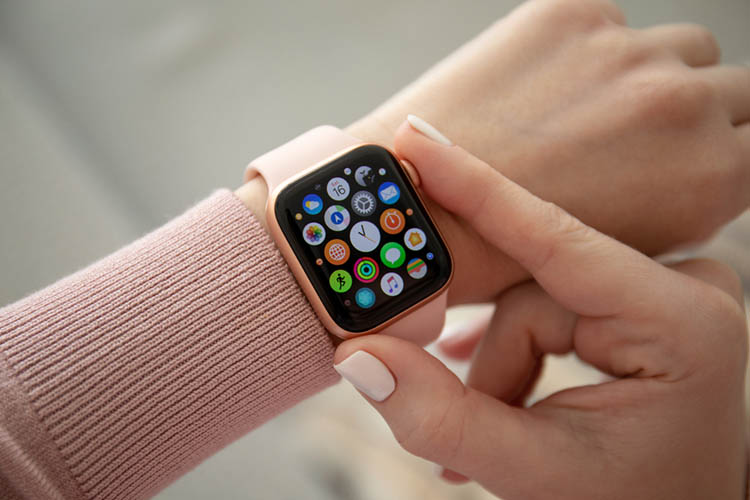
As with most tech, the screen is responsible for the majority of power consumption so the first few recommendations will help you minimize how much power it uses and should have a significant impact.
Firstly, dimming the brightness of your screen is a sure-fire way to minimize battery consumption.
To do this:
Head to the settings app on your watch
As an Amazon Associate I earn from qualifying purchases.
- Select ‘Display & Brightness’.
- Scroll to the brightness indicator.
- Reduce it to a suitable level.
Keep in mind that the ambient light sensor will still adjust the brightness for darker environments.
Free tools Windows power users keep installed
One-click scans. No signup required.
Disable always-on display
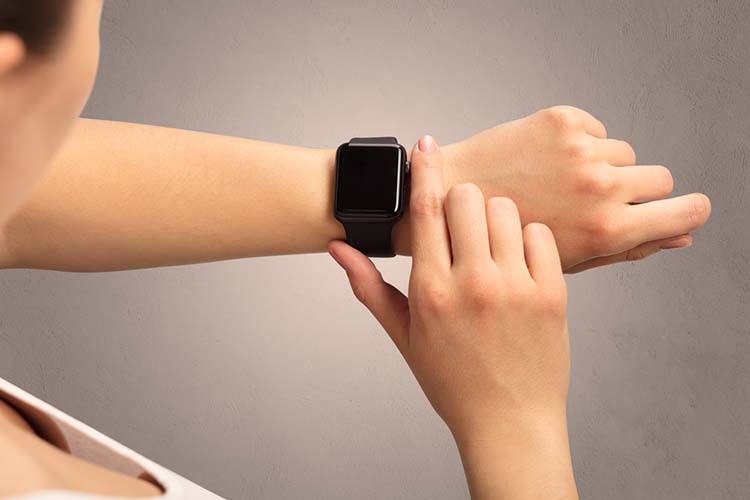
Our second recommendation that will have a big impact on battery life is the always-on display. This is a feature in the Apple Watch Series 5 and later (except the Apple Watch SE) that leaves an ambient screen on so you can always see the time.
Whilst this is a nice feature and might be something that you are used to from traditional watches, it’s also a battery life killer so we recommend turning this off.
To do this:
#1 Best Overall

- 【Safe and Fast Wireless Watch Charging】- Our wireless charger provides a safer and faster charging mode,for a more convenient charging experience,Please take off the watch case and use a 5V/1A adapter or original adapter(ETL/UL Certified).
- 【Wide Compatible】- Our wireless batteries charger is compatible with iWatch series Ultra2/Ultra/12/11/10/9/8/7/6/SE2/SE/5/4/3/2 (including the 38 mm/40 mm/41 mm/42 mm/44 mm/45 mm Version).Please take off the watch case and use a 5V/1A adapter or original adapter(ETL/UL Certified).
- 【Portable design】- This 3.3Ft charging cable for apple watch is convenient to carry around, especially for traveling,and is suitable as a backup charger for your watch.Please take off the watch case and use a 5V/1A adapter or original adapter(ETL/UL Certified).
- 【Advanced Safety】- Built-in protection device with safety functions such as overcurrent,overvoltage,short circuit and overtemperature protection. Protect your watch battery from overcharging damage.pls note:this is support usb c port,so pls use a usb c PD adapter,and 20w-30w is the best to use.Please take off the watch case and use a 5V/1A adapter or original adapter(ETL/UL Certified).
- 【12-Month Quality Assurance 】- As a responsible brand seller, you will receive xiwxi's 12-month Quality assurance and friendly customer service.Please take off the watch case and use a 5V/1A adapter or original adapter(ETL/UL Certified).
- Open the Settings app on your watch.
- Select ‘Display & Brightness’.
- Toggle ‘Always-on’ to off.
Disable wake on wrist raise
If you have turned off the always-on display or if you have an Apple Watch Series 4 or earlier, your watch will have a feature called ‘Wake Screen on Wrist Raise’ enabled. This does exactly what it says on the tin, it will turn on the display when it detects you have lifted your wrist.
Whilst this is more efficient than the always-on display, it’s still not great for battery life so you can disable it to make your battery last longer.
To do this:
- Go to the Settings app on your watch.
- Select ‘General’.
- Select ‘Wake Screen’.
- Use the ‘Wake Screen on Wrist Raise’ toggle to turn the feature off.
Now that you have disabled this feature, to wake the screen you’ll need to either tap the display or the digital crown. You can also enable ‘Wake on Crown Up’ within the same menu as above to turn the display on by twisting the crown dial upwards.
Minimize screen timeout
Our final battery-saving recommendation that relates specifically to the power consumption of the screen is to minimize the screen timeout. This is how long the screen stays on after you last touched it.
There are two options to choose from, 15 seconds and 70 seconds. By default, the watch is set to 15 seconds, but if you’ve changed this in the past then you’ll want to revert to the shorter duration to save battery.
To do this:
The Tool Desk
Outbyte Driver Updater FREEScan for outdated or missing drivers - takes under a minuteDriver Scan →Outbyte PC Repair FREERepair Windows errors before they cause bigger problemsFix Now →- Open the Settings app on your watch.
- Select ‘General’.
- Select ‘Wake Screen’.
- Ensure ‘Wake for 15 seconds’ is selected.
Limit the notifications you receive on the watch
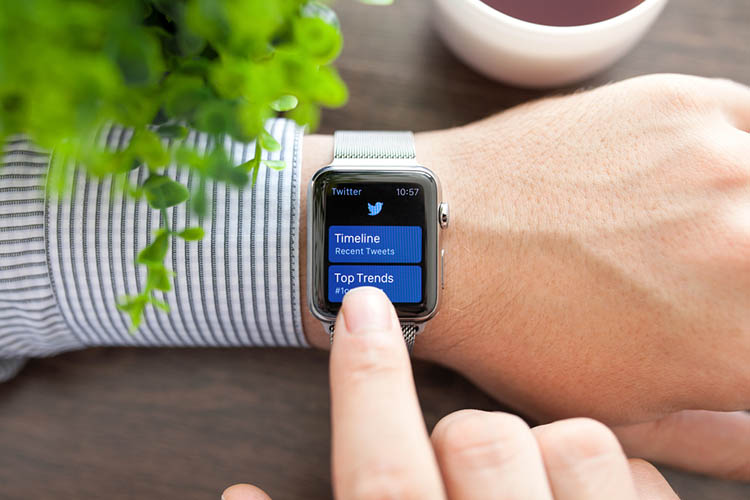
When you first set up your Apple Watch, by default it will show you notifications from all of your apps on your iPhone. Every time a notification is received, your watch will vibrate to let you know, and depending upon your settings it may even light up too.
Whilst there are essential apps that you’ll want to receive a notification from such as messaging, news, and social media apps, you may not want to waste your precious battery life to hear about daily rewards in Candy Crush.
Luckily, you can select which apps you want to receive watch notifications from and which you’d rather not. To do this you’ll need to use your iPhone:
Rank #2

- Durable, woven cable with fast-charging capabilities for select Apple Watch models. Simply hold the connector near the back of the watch, where magnets cause it to snap into place automatically.
- Supports fast charging on Apple Watch Series 7 and later and Apple Watch Ultra models. Supports regular charge times on all other models.
- Compatible with all Apple Watch
- USB-C Cable Length: 1m or 3.2 feet
- Open the Watch app on your iPhone.
- Choose the ‘My Watch’ tab from along the bottom.
- Select ‘Notifications’.
- Here you can disable notifications on a per-app basis.
Turn off haptic feedback
There are some apps that you’ll still want to receive notifications from such as messaging apps. However, if you’re a member of some overly-active group chats (we’ve all been there), your watch could end up buzzing all day and taking that battery life with it.
You can reduce the impact this has by turning off haptic feedback. To do this:
- Open the Settings app on your watch.
- Choose ‘Sounds & Haptics’.
- Select ‘Haptic Alerts’ to toggle haptic feedback on or off.
If you have an Apple Watch Series 4 or later, you can also turn off digital crown haptics from the same menu. This will disable the haptic feedback that is felt as you turn the crown dial to scroll through menus.
Ensure Taptic Time is turned off
Taptic Time allows the watch to tell you the time using Apple’s haptic feedback engine. It does this using either digits, terse, or morse code.
Whilst this is a neat feature, unfortunately, it does eat away at your battery life in a similar way to notifications. The feature is off by default, but if you’ve turned it on your can turn it off as follows:
- Open the Settings app on your watch.
- Select ‘Clock’.
- Choose ‘Taptic Time’.
- Turn the feature off.
Turn off heart rate monitor and blood oxygen monitor
When you’re not doing a workout, the Apple Watch checks your heart rate every 5 minutes throughout the whole day. If you have an Apple Watch Series 6, it will also check your blood oxygen saturation using the oximeter.
It goes without saying that this can eat away at your battery life in the background. If you’re not interested in this information, you can disable these features.
To disable heart rate monitor, use your iPhone:
Rank #3

- Compatible: iPhone Watch Charger supports for all Apple Watch Series 9,8,7,6,5,4,3,2,1, Series SE. Also compatible with all watch sizes, including all 38mm, 40mm, 41mm, 42mm, 44mm and 45mm versions. Apple Watch Ultra, Apple Watch Sports.
- iWatch Charger Fast Charging: Our iWatch Charger uses the original adapter, which provides a safer and faster charging mode. It takes less than 3 hours to fully charge. For a more perfect charging experience, please take off the watch case.
- Safe and Reliabl: The Apple Watch Charger Cable made of high quality ABS+PC and pure copper wire, after more than 10,000 tests, it can automatically detect your equipment and provide a stable, fast and safe charging experience.
- Perfect Length and Lightweight: Small, light, portable, easy to travel. The perfect charging cable is suitable for your travel bag or pocket, which can be carried around or used at home, office, hotel, car to charge your watch anytime and anywhere.
- Packing: 1Pack 20W USB C Origina Charger with 6FT Apple Watch Magnetic Fast USB C Cable. If you have any questions welcome to find us!
- Open the Watch app on your iPhone.
- Head to the ‘My Watch’ tab in the bottom bar.
- Select ‘Privacy’.
- Use the ‘Heart Rate Monitor’ toggle to turn it off.
To disable blood oxygen (Series 6 only), again, you’ll need to use your iPhone
- Open the Watch app on your iPhone.
- Head to the ‘My Watch’ tab.
- Select ‘Blood Oxygen’.
- Toggle ‘Blood Oxygen Measurements’ to off.
Choose a simple watch face
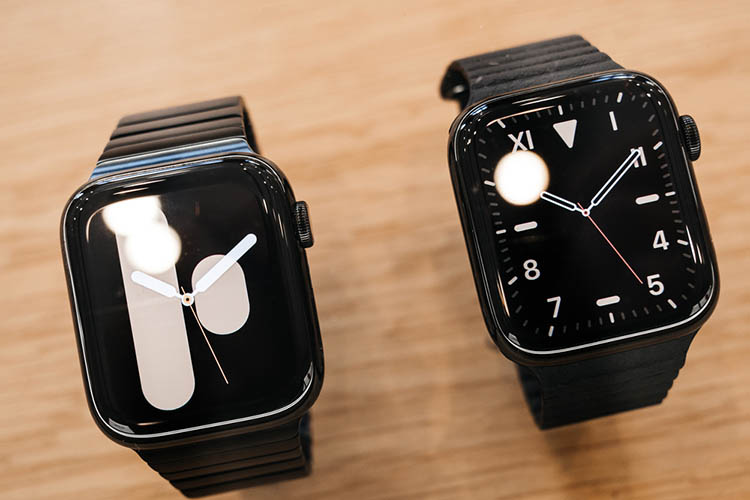
The Apple Watch has some really fun watch faces including the ability to turn your live photos into a gif and have them as the background. However, keep in mind that these animated watch faces are going to consume a lot more power so you are best off choosing a simple watch face.
It’s also best to use one with a dark theme, this is because the Apple Watch uses an OLED screen so darker pixels use less power than lighter ones.
To change your watch face on the Apple Watch:
- Swipe left or right from the home screen to cycle through the current watch faces in your collection.
- Stop swiping when you land on a watch face you like to keep it.
- If you wish to add a new face to the collection, keep swiping until you reach the ‘New’ face.
- Tap this to cycle through additional faces with the digital crown.
Hint: You can also amend your watch face collection from the Watch app on your iPhone, head to the ‘face gallery’ tab to add new faces.
Don’t use watch face complications
Another battery-saving tip related to the watch face is to turn off any complications. These are pieces of information from other apps that you can display on the watch face (similar to widgets among other smartwatch brands).
Whilst the default complications such as battery life and weather aren’t too demanding on the operating system, third-party complications such as showing the current track from Spotify or directions from Citymapper can eat away at your battery so it’s best to turn them off.
To turn off complications:
Rank #4
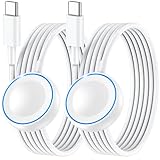
- ⚡𝟓𝐖 𝐅𝐀𝐒𝐓 𝐂𝐇𝐀𝐑𝐆𝐈𝐍𝐆 𝐒𝐔𝐏𝐏𝐎𝐑𝐓 – 𝟓𝟎% 𝐅𝐀𝐒𝐓𝐄𝐑 𝐂𝐇𝐀𝐑𝐆𝐈𝐍𝐆: Featuring the usb c fast charger technology, our iwatch charger fast charging delivers up to 50% faster charging speed compared to standard chargers. It only takes about 1 hour to fully charge the Apple Watch Series 11, reducing your wait time and ensuring your watch is always ready to go in a shorter time. (Tips: For faster and more efficient charging, please use a 20W or higher USB C charger and remove your watch case before charging.) Please Note: Fast charging requires Series 7 or later, Ultra series and New SE 3; earlier series 6 models and series SE 1-2 receive standard 2.5W charging.
- ⌚𝐓𝐑𝐀𝐕𝐄𝐋 𝐄𝐒𝐒𝐄𝐍𝐓𝐈𝐀𝐋𝐒(𝟒𝐅𝐓)– 𝐏𝐄𝐑𝐅𝐄𝐂𝐓 𝐅𝐎𝐑 𝐀𝐍𝐘 𝐒𝐂𝐄𝐍𝐀𝐑𝐈𝐎: With its sleek and lightweight design, this for Apple Watch fast charging cable features a 1.2m (4ft) long cord for extra reach and flexibility. Easily charge from a wall outlet behind the nightstand, under your desk, or in the car without being stuck close to the power source. It’s long enough for flexible charging setups in hotels, airports, or at your desk, yet still easy to pack and organize—ideal for travel, home, and office.
- ⌚𝐂𝐎𝐌𝐏𝐀𝐓𝐈𝐁𝐋𝐄 𝐖𝐈𝐓𝐇 𝐀𝐋𝐋 𝐀𝐏𝐏𝐋𝐄 𝐖𝐀𝐓𝐂𝐇 𝐌𝐎𝐃𝐄𝐋𝐒: This fast charger for Apple Watch is fully compatible with all Apple Watch models, 5W fast charging for Series Ultra 4/Ultra 3/ Ultra 2/Ultra 1, Series 12/11/10/9/8/7 (41/42/45/46/49mm)/SE3, 2.5W charging for Series 6/5/4/3/2 and SE/SE2 models (38/40/42/44mm). No matter the model, you can count on stable and efficient charging. Please note that our charger is slightly bulkier than the original. As a result, it is not compatible with standard market accessories or holders.
- 🧲𝐌𝐀𝐆𝐍𝐄𝐓𝐈𝐂 𝐃𝐄𝐒𝐈𝐆𝐍 𝐅𝐎𝐑 𝐄𝐀𝐒𝐘 𝐂𝐎𝐍𝐍𝐄𝐂𝐓𝐈𝐎𝐍: The strong magnetic design of Apple watch charger fast charging ensures precise alignment and connection with your watch. Simply place your watch on the charger, and it will automatically snap into place, offering a smooth, hassle-free charging experience.
- 🔋𝐒𝐀𝐅𝐄𝐓𝐘 𝐅𝐄𝐀𝐓𝐔𝐑𝐄𝐒 – 𝐎𝐕𝐄𝐑𝐂𝐇𝐀𝐑𝐆𝐄 𝐀𝐍𝐃 𝐎𝐕𝐄𝐑𝐇𝐄𝐀𝐓 𝐏𝐑𝐎𝐓𝐄𝐂𝐓𝐈𝐎𝐍: Equipped with multiple built-in safety mechanisms, including overcharge, overheat, and short-circuit protection, this for iphone watch charger ensures your device is charged safely and efficiently, helping to extend the lifespan of your watch.
- Tap and hold on the watch face.
- Select ‘Customize’.
- Swipe left to the last screen to display complications.
- Tap each complication and turn the crown dial until ‘Off’ is selected.
This will remove complications from specific watch faces but it’s also possible to remove third-party complications from all watch faces from the ‘My Watch’ tab of the Watch app on your companion iPhone.
Disable ‘Hey Siri’
As with an iPhone, Siri allows you to interact with your Apple Watch using voice commands. This is particularly useful with a watch as you can still ask questions or control HomeKit devices without getting your phone out.
By default, the watch will always be listening for the ‘Hey Siri’ activation command so you never need to press the watch to use a voice command. However, this uses up a lot of battery so we would recommend you turn it off to conserve battery life.
To do this:
- Open the Settings app on your Apple Watch.
- Select ‘Siri’.
- Select ‘Listen for Hey Siri’ to toggle it off.
With detection turned off, you can still access Siri by pressing and holding the digital crown until you see the listening indicator on the screen.
Free tools Windows power users keep installed
One-click scans. No signup required.
Turn off Wi-Fi
The next few recommendations related to the network connectivity of your watch. If you are in range of your phone and you have the Bluetooth connection turned on, the watch will use your phone’s internet.
However, once you leave the range of your phone, the watch will attempt to use its own built-in Wi-Fi chip to stay online. This is a big battery life killer so we recommend turning this off.
To do this:
Best Value

- FAST CHARGING TECHNOLOGY: 20W USB-C power adapter delivers rapid charging for your Watch, significantly reducing charging time compared to standard 5W chargers
- UNIVERSAL COMPATIBILITY: Wireless charging cable works seamlessly with all Watch Series models including Ultra, Series 11, 10, 9, 8, 7, 6, SE, 5, 4, 3, 2, and 1
- EXTENDED CABLE LENGTH: 6.5 feet (2 meter) cable provides exceptional reach and flexibility, allowing you to charge comfortably from your bedside, desk, or anywhere in the room
- MAGNETIC CHARGING: Secure magnetic alignment ensures your Apple Watch snaps into the perfect charging position every time for reliable and efficient wireless charging
- DURABLE CONSTRUCTION: Premium quality cable with reinforced connectors and tangle-resistant design built to withstand daily use and frequent bending
- Swipe up from the watch face to open the control center.
- Tap the Wi-Fi icon to toggle it on or off.
Turn off cellular connection
If you have the cellular edition of the Apple Watch Series 6 or Apple Watch SE, you’ll be able to use a cellular connection to keep your watch connected even when you don’t have your phone or a Wi-Fi connection.
This is great if you need to take calls whilst out on a run or if you leave your phone at home. However, it’s also a drain on your battery life.
The best way to avoid using a cellular connection is to never set it up, however, if you’ve already gone to the trouble of setting it up, you can simply disable it from the control center as follows:
- Swipe up from the watch face to open the control center
- Tap the cellular icon to toggle it on or off
Ensure you have the latest firmware
Apple is always working on their watchOS software and battery life has been a key priority for them in recent updates. Ensure you have the latest firmware on your watch to take advantage of these.
To do this:
- Open the Watch app on your iPhone.
- Go to the ‘My Watch’ tab.
- Select ‘General’ then choose ‘Software Update’.
- If an update is available, you’ll be able to download and install it from here.
Uninstall Unnecessary Apps
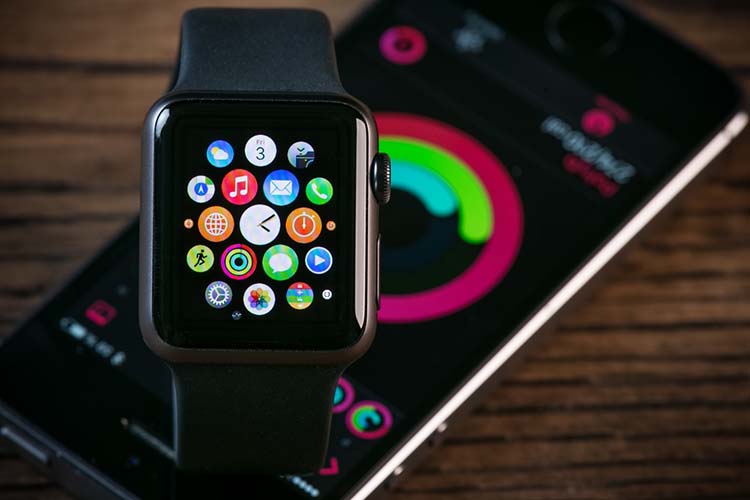
One of the biggest selling points of the Apple Watch over other smartwatch operating systems such as Fitbit OS or Huawei’s LiteOS is the broad range of third-party apps that you can install.
By default, the Apple Watch will install the watch equivalent of any apps you have installed on your iPhone during setup. Over time, you might also accumulate a collection of other apps that you rarely use.
The best way to keep the operating system power usage to a minimum is to uninstall as many apps as you can.
To delete an app:
Quick wins for a faster PC:
Clear out junk files and repair common Windows errorsFree Scan →Scan for outdated or missing drivers - takes under a minuteDriver Scan →- Press the digital crown to see all of your apps.
- Tap and hold on the app you wish to delete and press the ‘X’ icon.
- Tap ‘Delete App’ to remove it.
Note: this only works if you are in grid view. If your menu is in list view, swipe left on the app to reveal the delete button.
Summing Up
So there you have it, 15 ways you can extend the battery life of your Apple Watch. The ones you choose to use will depend upon the features you rely on whilst using the watch but hopefully you’ll be able to extend the life and get a full two days of battery.
If you want to get more life out of a smartwatch, we have a full guide to the best smartwatches for battery life that even includes one option with unlimited battery life due to solar recharging.
Quick Recap
Product prices and availability are accurate as of the date/time indicated and are subject to change. Any price and availability information displayed on Amazon at the time of purchase will apply.
Independent reader supportYour contribution helps us test, update, and keep practical guides available for everyone.